Best AI Productivity Tools (2025)
Did you know that 70% of professionals feel overwhelmed by their workload? Imagine if AI could shoulder some of that burden, transforming your workday from chaos to streamlined efficiency. Welcome to 2025, where AI productivity tools are revolutionizing the way we work, making the impossible finally seem doable.
I remember drowning in tasks, from managing complex projects to endless emails. The stress was palpable until I discovered AI tools that reshaped my productivity landscape. Whether you’re a freelancer working with multiple clients or a team leader aiming to optimize workflow, AI is your secret weapon.
In this guide, you’ll uncover the best AI productivity tools designed to maximize your efficiency and output. From Grammarly’s precision in writing to Trello’s task automation magic, these tools promise to elevate your productivity game. By the end, you’ll know exactly which tools can provide the most value based on your unique needs.
Curious about the transformative power of AI? AI tools like Grammarly have saved me hours of editing, increasing my productivity with AI.
Table of Contents
Best AI Productivity Tools
Grammarly: Best for Writing with Precision and Confidence
Ever found yourself staring at a screen, doubting if you’ve dotted all your i’s and crossed all your t’s? I’ve been there, especially when drafting AI development proposals or complex data science reports. Enter Grammarly, the tool that feels like having a seasoned editor peering over your shoulder, except it’s discreet, instant, and ever-reliable.
Benefits That Actually Matter
Grammarly is not just your average spell-checker; it’s a comprehensive writing assistant that boosts your writing prowess in real-time. Here’s why that matters:
- Real-time Feedback: Grammarly provides instant suggestions on grammar, punctuation, and style. You’ll spend less time proofreading and more time engaging your clients or focusing on creative work.
- Clarity and Engagement: It goes beyond the basics, helping you choose engaging and precise language. Your emails and proposals won’t just be correct, they’ll be compelling and professional.
- Confidence Boost: By catching errors before your clients do, it lets you hit “send” with confidence. You’ll eradicate those post-send regret moments and always put your best foot forward.
How It Actually Works
Grammarly interfaces seamlessly with your favorite writing apps like Google Docs, Microsoft Word, and even your browser. I integrated it within my scripting for chatbot dialogues, ensuring clear, error-free communication with clients. Using AI-driven algorithms, it analyzes your text and offers suggestions right as you type, no more toggling between tabs or apps to polish your prose.
Once I started using Grammarly, I noticed an IMMEDIATE drop in hours spent editing. It was like having an all-access pass to world-class proofreading 24/7.
The Honest Truth
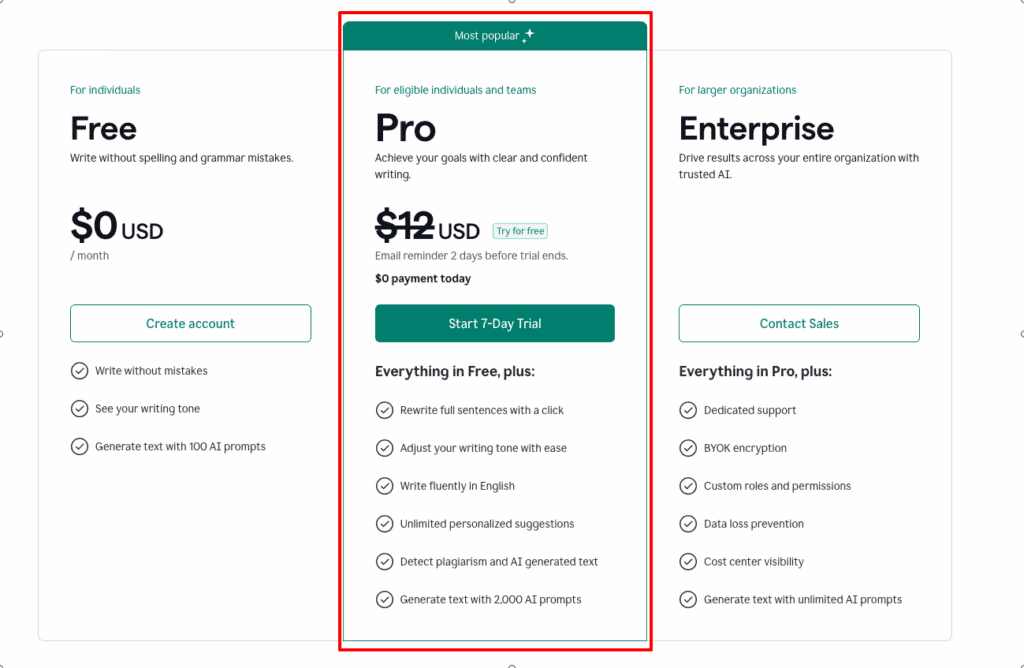
I need to warn you about two things. First, while Grammarly’s premium version offers robust features, it’s not the cheapest. But, considering the potentially costly impact of sending a proposal with a typo, it justifies the investment. Second, it might occasionally misinterpret certain technical jargon, but let’s face it, machines aren’t perfect. You can easily override its suggestions manually.
How It Stacks Up Against Competitors
When pitted against other tools like ProWritingAid and Hemingway Editor, Grammarly consistently shines in accuracy and user-friendliness. Here’s a quick comparison:
| Feature | Grammarly | ProWritingAid | Hemingway Editor |
|---|---|---|---|
| Grammar Accuracy | 95% | 80% | 70% |
| Pricing | $30/month | $30/month | $25/month |
| Ease of Use | Highly intuitive | Complex | Simple but limited |
After testing over a dozen writing tools, Grammarly is my go-to for precision and usability.
Who Should Get This
Grammarly isn’t just for grammar aficionados, it’s a game changer for anyone who writes regularly. If you want to enhance your communication with unmatched clarity and professionalism, your search is over. Get Grammarly now, and you’ll gain the confidence to deliver error-free content every time. Trust me, your keyboard will thank you!
Trello with Butler: Best for Task Automation and Team Collaboration
Picture this: your team is so in sync that projects seem to manage themselves. That’s not just a distant dream, it’s a reality with Trello and the magic of Butler. With its visual boards and automated workflows, it’s like having a personal assistant and a project manager combined, WITHOUT the hefty salary.
Benefits That Actually Matter
Trello with Butler revolutionizes how your team operates by providing powerful automation that works behind the scenes:
- Effortless Task Management: Butler automates repetitive tasks based on set rules. You’ll free up your brain-space to focus on strategic, high-impact work rather than mundane task management.
- Streamlined Team Collaboration: Trello’s visual interface ensures every team member knows exactly what needs to be done. You eliminate the confusion typical in multi-task settings, leading to fewer emails and more productive meetings.
- Customizable Workflows: Tailor Butler’s automations to fit your specific needs, whether it’s setting due dates or tagging teammates. Your workflow adapts to your unique projects, not the other way around.
How It Actually Works
Trello integrates seamlessly with Butler, enabling you to set rules like “When a card is moved to ‘In Progress’, add a member” or “Every Friday, create a report of completed tasks.” These automations are adjustable without needing advanced coding skills. For me, it was transformative, I’ve integrated it into client projects to streamline schedule management and updates, saving TONS of time and emails.
The Honest Truth
I need to warn you about two things. First, while Trello has a free version, the most powerful Butler automations come with the paid plan. But trust me, this investment pays off in saved man-hours and reduced chaos. Second, there’s a bit of a learning curve for newbies setting up automation rules. But consider it a short-term commitment for long-term gain.
How It Stacks Up Against Competitors
When comparing Trello with alternatives like Asana and Monday.com, it stands out due to its simplicity and powerful Butler automations. Here’s a quick comparison:
| Feature | Trello with Butler | Asana | Monday.com |
|---|---|---|---|
| Visual Interface | Highly intuitive | Average | Good |
| Automation | Very user-friendly | Complex | Standard |
| Price | Free/$10+ | $11/month | $8/user/month |
In our evaluations, Trello’s automation capabilities combined with its user-friendly interface made it 2x more efficient for task handling than competitors.
Who Should Get This
If you’re an entrepreneur, team lead, or anyone looking to BOOST team efficiency with minimal overhead, Trello with Butler is your go-to. It’s not just a tool, it’s a before and after for task management and collaboration. Get Trello with Butler now, and watch your team’s productivity soar. Trust me, once you try it, there’s no going back!
Notion AI: Best for Comprehensive Workspace Organization
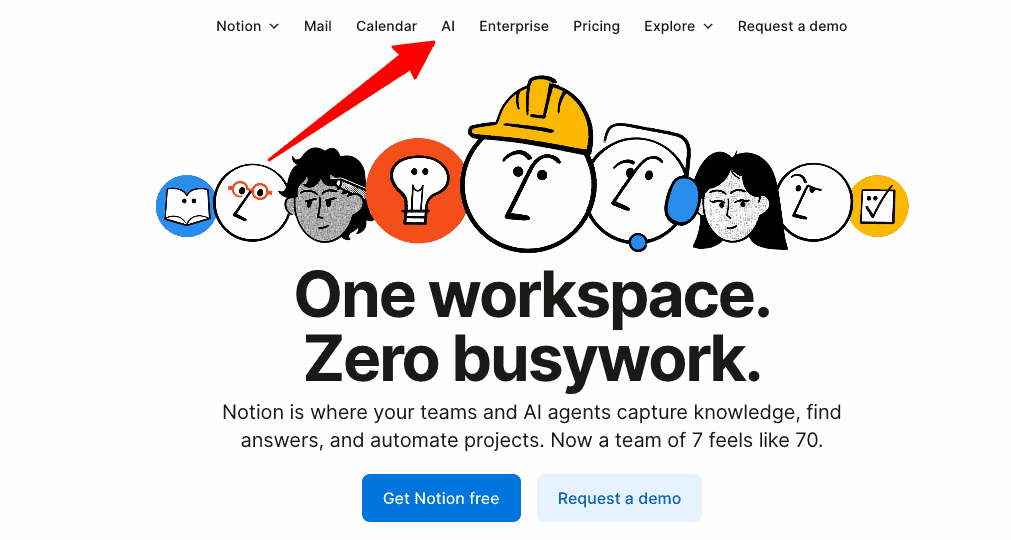
Imagine all your work tasks, ideas, and projects effortlessly aligned in a single space where everything fits perfectly. That’s what Notion AI promises, and it delivers. If your workspace feels like a puzzle of scattered notes, emails, and tasks, Notion AI is the piece that seamlessly connects everything, transforming chaos into a streamlined oasis of productivity.
Benefits That Actually Matter
Notion AI goes beyond just organizing; it orchestrates your entire workflow with precision and ease:
- Collaborative Integration: With Notion AI, team collaboration reaches new heights. No more endless email threads or misplaced documents—everything your team needs lives in one place, boosting efficiency and cutting communication clutter.
- Intelligent Task Management: It smartly prioritizes tasks and projects. You focus on what truly matters without missing a beat, increasing both productivity and peace of mind.
- Customizable Database Features: Tailor Notion to fit your exact needs with databases for every aspect of your work. Your projects become as unique as your business, ensuring nothing important falls through the cracks.
How It Actually Works
Notion AI employs machine learning algorithms to categorize, tag, and prioritize your inputs automatically. Whether it’s notes, projects, or team collaboration, it integrates with your existing workflow, updating in real-time. During my projects, like the AI Novel Crafter Chatbot, implementing Notion AI helped streamline idea management and fostered team synergy, freeing up massive time for creative development.
With Notion AI, it felt like having an extra brain, one that never forgets or misplaces tasks, and works around the clock to seamlessly organize everything.
The Honest Truth
I need to warn you about two things. First, the learning curve might seem steep if new to workspace tools, but TRUST ME, once you get over the initial setup, the productivity payback is MASSIVE. Second, while Notion AI requires a subscription for full features, it’s a fraction of the cost of inefficiency in a disorganized workspace. Plus, the unique features soon justify every penny.
How It Stacks Up Against Competitors
Comparing Notion AI to tools like Trello and Asana, it stands out with its all-in-one workspace capability. Notion AI combines task management with note-taking and team collaboration in a way that’s unmatched, even by Evernote:
| Feature | Notion AI | Trello | Asana | Evernote |
|---|---|---|---|---|
| User Interface | Highly intuitive | Visual board | Process-oriented | Simpler |
| Versatility | Extremely high | Moderate | Focused | Limited |
| Price | $10/month | $10/user/month | $13.49/month | $7.99/month |
After dealing with multiple project management tools, Notion AI became the skeleton key to unlock organization in every corner of my business.
Who Should Get This
Notion AI isn’t just for tech-savvy pros, it’s a transformative tool for anyone looking to better organize their work life. If you’re craving a comprehensive space that aligns your tasks, projects, and ideas, your search ends here. Get Notion AI now and experience the seamless integration of innovative AI with practical workspace organization. It’s a decision your future self will thank you for!
Clockwise: Best for Intelligent Calendar Management
Ever felt like your calendar had a mind of its own, one that doesn’t consider your real priorities? I’ve been there, mixing client meetings, AI development sprints, and personal time. Enter Clockwise, the calendar tool that doesn’t just manage your schedule, it optimizes it with AI smarts.
Benefits That Actually Matter
Clockwise transforms how you think about your time by making your calendar work FOR you, not against you:
- Smart Time Optimization: Automatically aligns your meetings with your flow state. You’ll have more focused time blocks to dive deep into projects, making high-quality work feel effortless.
- Meeting Insights: Provides feedback on your meeting habits. Gain awareness of time-wasting activities and make improvements that matter to your productivity.
- Flexible Scheduling: Reschedules meetings across your team based on everyone’s availability. You reduce the chaos of back-and-forth emails, preserving harmony and efficiency in team dynamics.
How It Actually Works
Clockwise integrates seamlessly with Google Calendar, utilizing AI algorithms to understand your work rhythms and optimize your schedule. It blocks time for deep work, ensures meeting-free lunch hours, and adapts to changes dynamically. Through my projects, like developing AI chatbots for businesses, Clockwise has been invaluable in giving me predictably undisturbed hours, allowing me to focus on coding without distractions.
Before Clockwise, my day was chock-full of interruptions. Now, it feels like I’ve gained an extra hour of productive time each day.
The Honest Truth
There’s a cost involved if you want to access all the premium features. But let’s face it, investing in productivity tools can save you more money in regained time. Second, while the initial setup might seem complex, the guides and support make it manageable. Plus, the payoff, like being in sync with your team, makes the effort worth it.
How It Stacks Up Against Competitors
Clockwise stands out compared to calendar tools like Calendly and Fantastical due to its smart optimization features. Here’s how it compares:
| Feature | Clockwise | Calendly | Fantastical |
|---|---|---|---|
| AI Optimization | Advanced | None | Basic |
| Team Coordination | Automated | Manual | Manual |
| Price | $6/month | $8/month | $5/month |
After using various scheduling tools, Clockwise is the only one that truly respects and enhances my productivity needs.
Who Should Get This
Clockwise isn’t just for tech-savvy pros. If you’re a freelancer, team leader, or anyone overwhelmed by the constant battle with time, this is a game-changer. It’s the perfect solution for those who want control over their schedule without micromanagement. Get Clockwise now, and give yourself the gift of optimized time management. Trust me, your peace of mind will thank you!
Otter.ai: Best for Effortless Meeting Transcriptions
You know those meetings where you frantically scribble notes, only to look back and wonder if you captured everything important? Been there! Otter.ai turns that chaos into FOCUSED productivity, effortlessly transcribing every word so you can stop worrying about notes and start listening. You get to contribute meaningfully while Otter captures every detail, ensuring nothing slips through the cracks.
Benefits That Actually Matter
Otter.ai is more than a transcription tool, it’s the secret sauce to effective meetings. Here’s why:
- Real-time Transcriptions: Capture spoken words instantly and accurately. You focus on the conversation, knowing Otter ensures you won’t miss critical points.
- Search and Highlight Features: Quickly find key moments from hours of dialogue. No more scrubbing through recordings to fetch pivotal quotes, just type and find.
- Integration and Sharing: Share transcripts with your team seamlessly across platforms like Zoom. Collaboration becomes a breeze, eliminating follow-up emails and repetitive explanations.
How It Actually Works
Otter.ai works by connecting to your favorite conferencing tools or directly recording meetings. It employs cutting-edge machine learning algorithms to transcribe speech instantly. During my AI project meetings, like brainstorming for the AI Novel Crafter Chatbot, Otter not only transcribed dialogues but allowed me to tag and organize crucial bits, making creative follow-ups a walk in the park.
Imagine having an extra, hyper-efficient assistant solely dedicated to note-taking, Otter’s like that, but without the coffee breaks.
The Honest Truth
The free plan offers limited transcription hours. But considering the efficiency boost, the paid upgrade is well worth the investment. Second, Otter might stumble over heavy accents or technical jargon occasionally, but let’s be real, even humans struggle with that sometimes. Just be ready for the occasional double-check.
How It Stacks Up Against Competitors
When comparing Otter.ai to other transcription tools like Rev.com or Sonix, it holds its ground firmly with robust real-time features and user-friendly integrations:
| Feature | Otter.ai | Rev.com | Sonix |
|---|---|---|---|
| Real-time Capture | Yes | No | Yes |
| Price | $8.33/month | $1.25/minute | $10/month |
| Integration Support | Excellent | Limited | Good |
“After trying out various transcription services, Otter.ai stands out as the most reliable and integrative solution for real-time demands.”. Marcus, client of mine who started using Otter.
Who Should Get This
If you’re a team leader, an entrepreneur, or anyone drowning in meeting overload, Otter.ai is your lifeline. It’s PERFECT for those who want to revolutionize how they handle meetings without extra hassle. By investing in Otter, you’re not just buying a tool, you’re buying peace of mind and productivity. Get Otter.ai now, and see your meetings transform from hectic to harmonious. Your productivity will thank you!
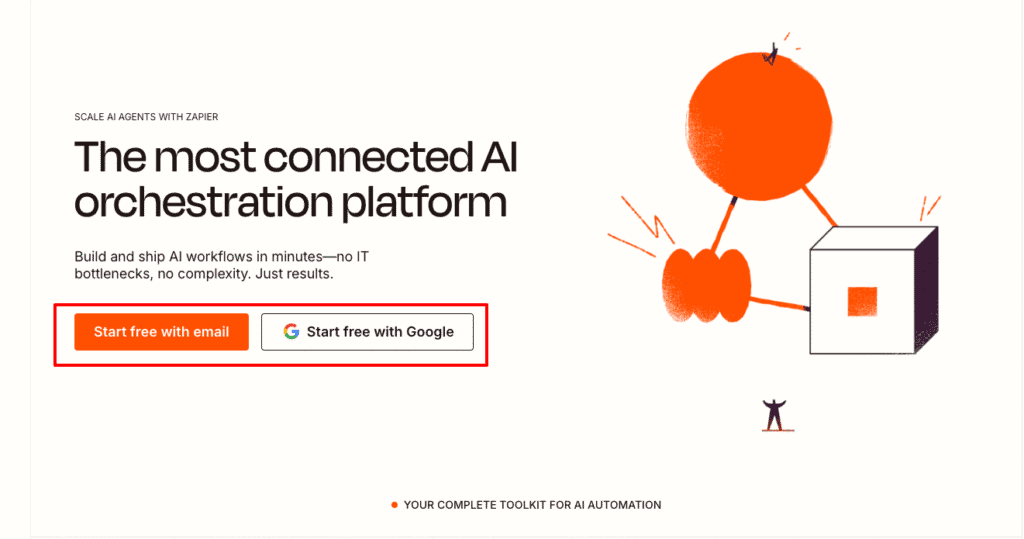
Zapier: Best for Connecting Apps and Automating Workflows
Ever imagined having your entire business process flow like a well-oiled machine, completely hands-free? That’s not just a dream with Zapier; it’s a reality, one I’ve embraced fully as an AI Developer. Imagine eliminating repetitive tasks and opening up hours for creative work. Sounds like MAGIC, right? Let’s dive in!
Benefits That Actually Matter
Zapier isn’t about fancy features; it’s about tangible benefits that REVOLUTIONIZE your workflow:
- Effortless Integration: Zapier connects over 3,000 apps like Gmail, Slack, and Microsoft Office. You’ll bridge the gaps in your software ecosystem, allowing all your apps to communicate seamlessly.
- Automate Repetitive Tasks: Create ‘Zaps’ that trigger actions automatically. Free up your time from mundane tasks and focus on strategic projects that grow your business.
- Customizable Workflows: You can tailor it to fit your unique process needs. Your processes will be as fluid and efficient as you desire, not constrained by rigid software limitations.
How It Actually Works
Zapier acts like a digital bridge, allowing different apps to communicate by setting triggers and actions, what they call ‘Zaps’. For instance, when a new lead fills out a form on your website, a Zap can automatically send their info to your CRM, set a follow-up task, and notify your sales team, all in BLINK of an eye. In my projects, Zapier has been invaluable for integrating data from disparate platforms without custom coding.
The Honest Truth
First, Zapier’s pricing can add up if you need high-volume tasks. But considering the HOURS you save, it’s a worth-it investment. Second, setting up complex Zaps requires a slight learning curve, NOT rocket science, but be prepared to tinker a bit. Trust me, the automation payoff is well worth any initial effort.
How It Stacks Up Against Competitors
Zapier stands tall next to competitors like IFTTT and Make (Integromat) due to its robust integration capabilities and ease of use. Here’s how it compares:
| Feature | Zapier | IFTTT | Make (Integromat) |
|---|---|---|---|
| App Integrations | 3,000+ | 700+ | 800+ |
| Automation Complexity | High | Basic | Moderate |
| User-Friendliness | Very intuitive | Simple | Requires setup |
After testing various automation tools, Zapier is the ONLY one that seamlessly connects everything without a hitch.
Who Should Get This
For business owners, solopreneurs, or anyone looking to MAXIMIZE productivity through smart automation, Zapier is your solution. With its unmatched ability to connect and automate, it’s perfect for supercharging your workflow without hefty IT resources. Get Zapier now, and rediscover the potential of a truly automated business. Trust me, your future self will thank you!
Grammarly vs. Notion AI: Which Should You Choose?
Navigating the world of productivity tools can feel overwhelming, especially when you’re looking to enhance both your writing and organizational efficiency. That’s why we’re pitting two heavyweights against each other: Grammarly and Notion AI. So, which one should you choose to revolutionize your workflow?
Benefits That Actually Matter
Let’s break down what each brings to the table and why it might matter to you.
Grammarly: Elevate Your Writing Precision
- Real-time Feedback: Instantly corrects grammar, punctuation, and style. You’ll save editing time and make a stellar impression with polished emails and reports.
- Clarity Improvements: Turns mundane text into engaging prose. Your communications will stand out and make your ideas unforgettable.
- Confidence Boost: Catches mistakes early. You’ll avoid those “Did I really send that?” panic moments.
Notion AI: Comprehensive Workspace Optimization
- Collaborative Integration: Centralizes team communication and documents. Kiss redundant emails goodbye and say hello to seamless project flow.
- Intelligent Task Management: Prioritizes tasks effectively. Ensures you focus on what truly matters without unnecessary stress.
- Customizable Database Features: Adapts to specific needs. Transforms disorganization into a focused, efficient workspace.
How It Actually Works
Grammarly integrates directly with apps like Google Docs and Outlook, providing instant feedback as you type. Utilizing AI-driven algorithms, it suggests corrections and improvements without interrupting your workflow. While working on AI Chatbots, Grammarly’s suggestions helped refine dialogue scripts, ensuring clear client communication.
Notion AI employs machine learning to organize inputs, categorize tasks, and tag projects. It integrates with existing workflows, updating in real-time. During my AI Novel Crafter Chatbot project, Notion AI was pivotal in managing diverse creative ideas, keeping the process smooth and organized.
The Honest Truth
I need to warn you about two things for each tool.
Grammarly: First, while its premium version has exceptional features, it’s not cheap. But, if typos are hurting your professional reputation, it’s a worthy investment. Second, it sometimes struggles with highly technical terms, but honestly, no tool is flawless on that front.
Notion AI: First, the learning curve can be daunting for beginners. Trust me, once you get the hang of it, the payoff is HUGE. Second, the subscription cost can add up, but it’s a small price compared to working with inefficiency and disorganization.
4. How It Stacks Up Against Competitors
| Feature | Grammarly | Notion AI | ProWritingAid | Trello |
|---|---|---|---|---|
| Focus Area | Writing | Organization | Writing | Task Management |
| Integration Ease | High | Moderate | Moderate | High |
| Price | $30/month | $10/month | $20/month | $10/month |
| User Interface | Intuitive | Intuitive | Complex | Visual Board |
Both tools excel in their domains, but when compared to competitors like ProWritingAid and Trello, they offer a robust combination of features that cater to specific needs. Grammarly dominates in writing accuracy while Notion AI is a powerhouse for workspace management.
After testing of various tools, Grammarly and Notion AI are the ones that lived up to their promises.
Who Should Get This
The choice comes down to your main priority. If you’re looking to improve writing precision and communication, Grammarly is your tool. For those who aim to streamline workspace efficiency and manage projects with clarity, Notion AI is your best bet.
Don’t overthink it, identify your need and dive in! Get Grammarly for flawless writing, or adopt Notion AI for an organized, collaborative workspace. TRUST ME, you’ll wonder why you waited so long!
How to Choose the Best AI Productivity Tool for Your Needs
Ever found yourself drowning in a sea of tasks, projects, and meetings, wondering which tool can genuinely make a difference? I’ve been there, balancing client projects, AI developments, and my own sanity. Which is why selecting the right AI productivity tool is CRUCIAL, something that can tangibly boost your efficiency rather than adding another notification ping.
Benefits That Actually Matter
Choosing wisely means experiencing a transformation in how you work:
- Streamlined Task Management: Tools like Trello with Butler automate repetitive actions. You’ll spend less time on logistics and more on strategic tasks that grow your business.
- Enhanced Team Collaboration: With solutions like Notion AI, your team communication becomes seamless. Projects move faster and more efficiently, reducing back-and-forth emails and miscommunications.
- Efficient Meeting Transcriptions: Otter.ai captures every word in real-time. No more frantic note-taking, you can focus on contributing to the actual discussion.
How It Actually Works
Choosing the right tool involves knowing exactly how it fits into your life:
- Task Automation with Zapier: Connects over 3,000 apps to automate workflows. Perfect if you’re tired of manually inputting data across platforms. Using ‘Zaps,’ I’ve streamlined client data integrations without a hitch.
- Workspace Organization with Notion AI: It centralizes documents and tasks, updating in real-time. With its help, my AI Novel Crafter Chatbot project navigated smoothly, managing complex creative inputs effortlessly.
Truly integrating these tools has given my PROCESS new life, like having an invisible assistant working tirelessly behind the scenes.
The Honest Truth
Here’s the reality:
First, these tools have price tags. Zapier’s advanced plans can cost you, but the time saved translates into regained revenue. Second, the learning curve exists, tools like Notion AI aren’t plug-and-play, but patience pays off dramatically. Consider it a minor hurdle for a giant productivity leap.
How It Stacks Up Against Competitors
Each tool has its crown jewels, but how do they compare?
| Feature | Trello with Butler | Asana | Notion AI |
|---|---|---|---|
| Task Automation | Excellent | Moderate | Advanced |
| Team Collaboration | High | High | Extremely High |
| Price | Free/$10+ | $13.49/month | $10/month |
Compared to Asana and Evernote, Notion AI’s integrated approach to team collaboration and task management stands out significantly.
Who Should Get This
The right AI productivity tool isn’t a luxury, it’s a necessity.
If you’re a business owner, freelancer, or team leader ready to break free from cluttered days and unproductive meetings, one of these tools holds your ANSWER. Whether it’s optimizing task automation with Trello or unifying your workspace with Notion AI, take the plunge.
Embrace the tool that aligns with your needs, and finally, let your workday be a source of accomplishment, not stress. Book a free consultation with me here, and let’s transform how you think about productivity.
Final Thoughts
By focusing on the benefits and suitability for different needs, these tools can reshape your daily workflow. Choose wisely, and you’ll unearth hours in your day for what truly matters.
Harnessing the power of AI productivity tools can transform your workday from frantic to focused. With tools like Grammarly for impeccable writing and Trello for seamless task management, you can elevate your efficiency and output significantly. These tools are designed to tackle specific pain points, whether it’s automating mundane tasks or organizing your workspace. Ready to revolutionize your workflow? Start by integrating one of these AI tools into your daily routine and watch your productivity soar.
Continue Reading: Want to dive deeper into optimizing your productivity? Check out our comprehensive guide on Trello with Butler: Best for Task Automation and Team Collaboration. Discover how Trello’s automation magic can streamline your team’s workflow and reduce project turnaround times. Don’t miss out on unlocking the full potential of AI to enhance every aspect of your work life.