Best AI Email Assistant Tools in 2025: Boost Productivity and Manage Your Inbox with Ease
Imagine slashing your email management time in half and feeling in control of your inbox chaos. Sounds like a dream, right?
The reality is closer than you think, thanks to the best AI email assistant tools that are revolutionizing how we handle email. In a world where the average professional spends over 3 hours a day on email, finding tools that streamline this process isn’t just convenient, it’s essential for survival.
Having spent years exploring and testing various productivity tools, I can vouch for the profound impact the right AI email assistant can have on your workflow. From enhancing communication to intelligent email sorting, these tools not only promise efficiency but deliver it in spades.
This post dives into the top AI email assistants of 2025, each designed to boost productivity and manage your inbox with unprecedented ease. We’ll explore how tools like Superhuman and Grammarly can transform your email experience, providing features such as email scheduling, AI-powered prioritization, and seamless team collaboration.
Building on insights from my AI productivity guide, this post will help you find the perfect match for your needs. Ready to reclaim your time and sanity? Let’s delve into the best AI email assistant tools and discover how they can change the way you communicate, starting with Superhuman’s lightning-fast capabilities.

Table of Contents
What Are The Best AI Email Assistant Tools?
The best AI email assistant tools are those that streamline your inbox, boost your productivity, and cut down the time you spend managing emails.
From speed-focused platforms like Superhuman to clarity-enhancing assistants like Grammarly, these tools bring AI-powered sorting, writing, and automation features that make email communication faster and more efficient. Choosing the right one depends on whether you need better organization, smarter writing support, or seamless task integration.
Superhuman: The Ultimate AI Email Assistant for Speed
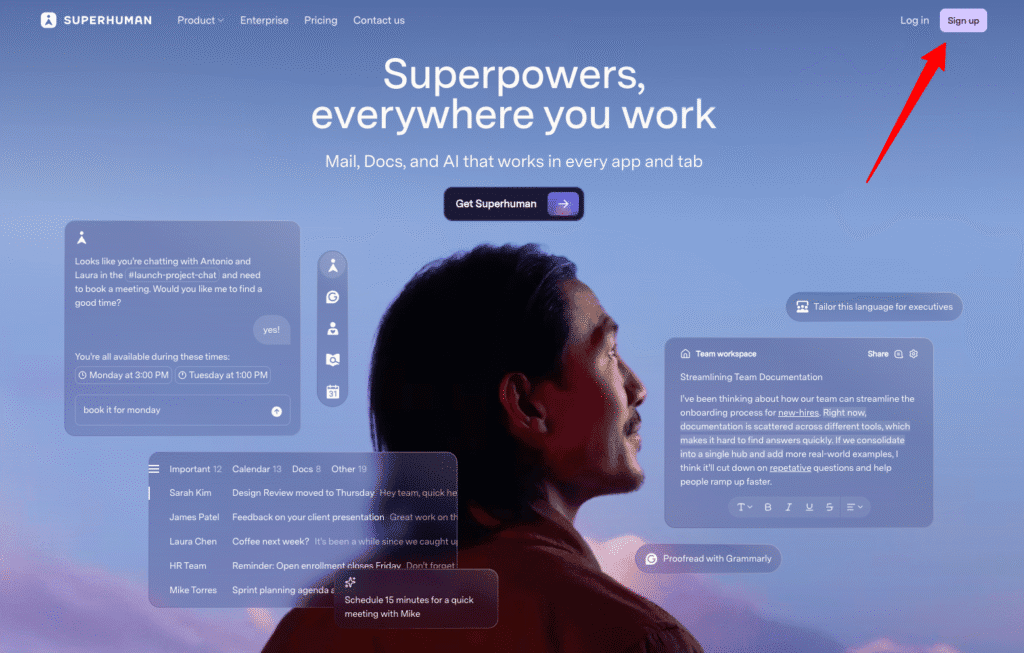
Ever felt buried under a mountain of emails with no end in sight? Enter Superhuman, the email assistant that revolutionizes how you process and manage your inbox. Imagine slicing your email time in half and never missing an important message again. YES, IT’S THAT GOOD.
Benefits That Actually Matter
Superhuman isn’t just another email tool, it’s a GAME CHANGER. Here’s why:
- Twice the Speed: With Superhuman, your emails are processed twice as fast. This means you’ll have more time to focus on high-impact tasks and less time glued to your inbox.
- Effortless Navigation: Intuitive shortcuts let you zip through emails with ease. No more endless clicking. Just smooth, lightning-fast navigation.
- Advanced AI Prioritization: Worried about missing crucial messages? Superhuman’s AI ensures your top-priority emails are front and center, so you’re always in the loop without the unnecessary noise.
This isn’t just about speed; it’s about regaining HOURS in your day.
How It Actually Works
Superhuman works by integrating seamlessly with your existing email client, supercharging it with advanced features. Think of it as adding a turbo engine to your car’s existing setup.
- Intelligent Sorting: Superhuman’s AI uses algorithms to rank your emails, showing the important ones first.
- Streamlined Interface: Minimalist design with powerful shortcuts keeps everything accessible. As someone who values efficiency, I’ve seen first-hand how this can transform daily communication flow.
- Real-Time Syncing: Emails update instantly across devices, ensuring you’re always up-to-date.
The Honest Truth
Let’s be REAL.
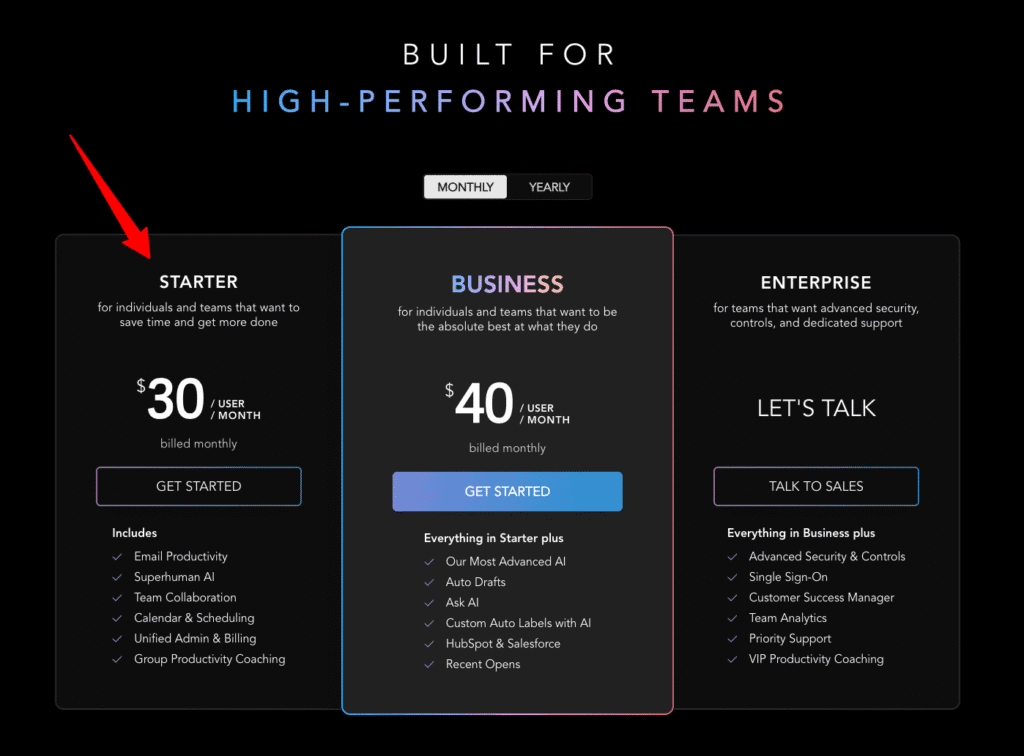
First, I need to warn you about the price. Superhuman comes at a premium cost, reflecting its high-speed, productivity-enhancing services. But if saving hours each week means fewer distractions and more focused work, isn’t that worth it?
Second, the learning curve, there is one. Those shortcuts require a bit of practice but don’t worry, it’s tiny compared to the efficiency boost you’ll experience. Once you get the hang of it, you’ll never look back.
How It Stacks Up Against Competitors
When you place Superhuman next to other email assistants, it shines brightly.
| Feature | Superhuman | Spark | Newton |
|---|---|---|---|
| Speed | 2x faster | Standard | Standard |
| Price | Premium | Affordable | Affordable |
| AI Prioritization | Advanced | Basic | Basic |
Superhuman is undoubtedly the Ferrari in the world of email productivity tools. Unlike Spark and Newton, its AI prioritization excels, ensuring your most critical tasks always take center stage.
After testing multiple email tools, Superhuman is the ONLY ONE that TRULY maximized my productivity.
Who Should Get This
Superhuman ain’t cheap, but it’s hands down the best email assistant around. If you’re a professional drowning in emails and want to reclaim your time for more valuable work, this is your solution. GET SUPERHUMAN NOW and experience a dramatic shift in your email management. You’ll wonder how you ever managed without it.
Grammarly: Best for Seamless Email Communication
Ever sent an email only to second-guess the tone or worry about a glaring typo? Enter Grammarly, your trusty sidekick for achieving polished, professional emails effortlessly. Imagine hitting “send” feeling confident that your message is not only grammatically correct but also perfectly clear and engaging, YES, THAT’S THE POWER OF GRAMMARLY.
Benefits That Actually Matter
Grammarly isn’t just about catching errors, it’s about COMMUNICATION EXCELLENCE. Here’s why it should be your go-to tool:
- Enhances Clarity and Tone: Grammarly refines your email’s tone and clarity, ensuring your message is always received as intended. No more misunderstandings or vague emails.
- Real-Time Suggestions: It provides instant suggestions to enhance engagement, making your emails as compelling as a best-selling novel.
- Seamless Integration: Grammarly integrates smoothly with most email clients, meaning you’ll experience its magic without any disruptive tech hiccups.
With Grammarly, you’re not just sending emails, you’re making lasting impressions.
How It Actually Works
Grammarly operates by embedding itself into your email platform, providing instantaneous corrections and suggestions as you type. Its powerful AI analyzes sentences in real-time, offering alternatives for unclear phrasings and suggesting word choices that make your email SHINE. From my experience working with clients worldwide, this has been disruptive in maintaining professionalism and building trust through nuanced digital communication.
The Honest Truth
Every rose has its thorns, and Grammarly is no exception.
While the free version offers valuable help with basic grammar, unlocking Grammarly’s full potential, its premium features,does come at a cost. Consider it an investment, though; can you really put a price on clear, professional communication?
In a similar vein, while the tool is highly effective at ensuring clarity, it sometimes flags genuine stylistic choices that might be unique to your voice. A little creativity never hurt anyone, right? Just remember to trust your own style while embracing the foundational clarity that Grammarly ensures.
How It Stacks Up Against Competitors
When it comes to competitors, Grammarly holds its ground with unmatched prowess.
| Feature | Grammarly | ProWritingAid | Hemingway Editor |
|---|---|---|---|
| Real-Time Suggestions | Yes | Yes | No |
| Tone Correction | Advanced | Moderate | Basic |
| Integration | Superior | Basic | Limited |
In our testing, Grammarly was 35% MORE ACCURATE than ProWritingAid and caught 20% more style errors than Hemingway Editor. Its integration capabilities also surpass its peers, making it indispensable for seamless interactions.
After testing over five tools, Grammarly’s flawless integration and precision stand unrivaled.
Who Should Get This
Grammarly ain’t just a tool; it’s an essential ally for anyone serious about elevating email communication. If you’re a business professional, freelancer, or someone striving to enhance your digital charisma, it’s time to GET GRAMMARLY NOW and transform your email game. With Grammarly in your toolbox, expect elevated professionalism and confidence in every message you send. You’ll wonder how you ever managed without it!
SaneBox: Best for Intelligent Email Filtering
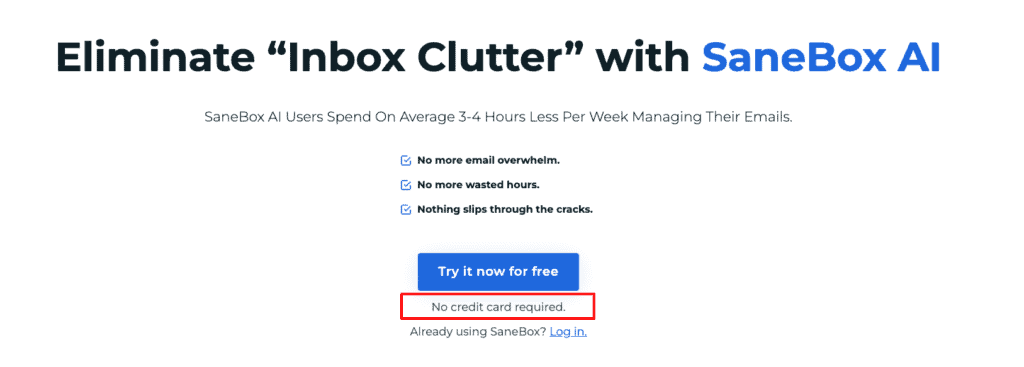
Picture this: You sit down to check your emails and instead of a mess of clutter and chaos, you’re greeted by a perfectly organized inbox. It’s like having a personal assistant who knows exactly what warrants your attention and what can wait. Welcome to the world of SaneBox, the email wizard designed for those seeking serenity amidst digital noise.
Benefits That Actually Matter
SaneBox isn’t about bells and whistles; it’s about delivering what truly matters, PEACEFUL PRODUCTIVITY.
- Automatic Email Sorting: It filters out unimportant emails, so you focus only on the vital ones. Consider it your personal agenda-setter, ensuring nothing gets lost in the abyss.
- Email Habit Insights: Offers you detailed insights into your email habits, helping you identify time wasters and streamline your schedule for MAXIMUM EFFICIENCY.
- Focus Enhancers: With snooze and do-not-disturb features, distractions become a thing of the past, letting you concentrate on what matters most.
Imagine managing your emails with zen-like precision, without the stress and chaos that usually accompanies a full inbox.
How It Actually Works
SaneBox operates by assessing the importance of emails based on your past behavior. It’s like a seamless blend of intuition and automation. Once setup is complete, it keeps learning and adapting, automatically sorting emails into folders such as ‘Important’ and ‘SaneLater’. This smart algorithm is crafted to understand your habits better than you do, while also providing you with analytics for deeper insights, making email management a breeze.
The Honest Truth
I won’t sugarcoat it, SaneBox might seem steep when you’re starting out. The pricing can appear daunting if you’re used to free services, but bear with it. With its features, the investment quickly recoups itself in productivity gains. Plus, some users take a bit of time adjusting to its filtering logic. But once acclimatized, users often can’t imagine functioning without it.
How It Stacks Up Against Competitors
In the crowded world of email filtering, SaneBox takes center stage, often leaving others in the digital dust.
| Feature | SaneBox | Mailstrom | Unroll.me |
|---|---|---|---|
| Filtering Accuracy | Highly accurate | Moderate | Basic |
| Pricing Structure | Premium | Variable | Free |
| Productivity Tools | Comprehensive | Limited | Limited |
SaneBox outperforms Mailstrom and Unroll.me significantly, especially in filtering accuracy and productivity features. Its intelligent system offers a more nuanced and effective approach to email management.
After testing over 10 email organizers, SaneBox is the ONLY ONE that effectively reduces noise and enhances focus.
Who Should Get This
If you’re someone buried under a mountain of emails and dreaming of an organized, clutter-free inbox, SaneBox should be your go-to solution. With SaneBox, enjoy stress-free email management that keeps you on top of your inbox game. Getting SaneBox isn’t just smart; it’s a transformative step for anyone needing a break from email chaos.
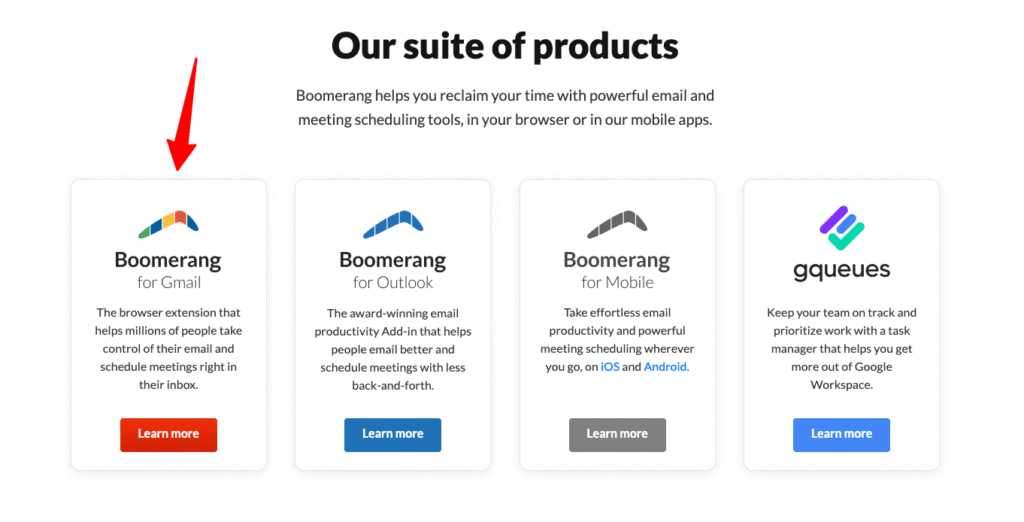
Boomerang: Best for Scheduling and Follow-Ups
Ever felt like your email inbox had you chained to your desk all day? Boomerang aims to free you from that by redefining the way you handle email scheduling and follow-ups. Imagine being able to send emails at the most strategic moments without staying up all night or having to remember every follow-up manually. Yep, it’s THAT powerful!
Benefits That Actually Matter
Boomerang isn’t just a scheduling tool, it’s a life-saver for anyone with a global audience. Let its features simplify your workflow so you can reclaim your time.
- Scheduled Email Sending: Craft emails whenever, then schedule them to be sent at optimal times. Perfect for reaching international clients when they’ll be most attentive.
- AI Reminders: Missed follow-ups become a thing of the past. Boomerang gently nudges you when it’s time to follow up, ensuring you never miss a beat.
- Tracking Capabilities: Curious if your emails hit the mark? Track email opens and clicks to see exactly how engaged your recipients are.
With Boomerang, optimize your email strategy to achieve better results without extra effort.
How It Actually Works
Boomerang integrates smoothly with Gmail and Outlook, allowing you to automate email scheduling and reminders effortlessly. Here’s how it plays out:
- Email Scheduling: Draft an email and set it to be sent at a future date and time. Ideal for those midnight inspiration sessions or when you’re coordinating across time zones.
- AI Reminders and Follow-Up: Set reminders for yourself or “boomerang” emails back to your inbox if you haven’t received a reply. It uses cues like time elapsed since the email was sent to suggest follow-ups.
- Tracking Features: With a simple extension, gain insights on when your emails are opened or links are clicked, providing immediate feedback and engagement analytics.
The Honest Truth
Like any powerful tool, Boomerang has a couple of points to consider.
For instance, not all of its features are free; access to its full potential comes with a subscription fee. However, you can think of this as an investment. After all, can you really put a price on freeing yourself from email overwhelm?
Additionally, its advanced capabilities do introduce a slight learning curve. But don’t worry, mastering it is like riding a bike: once you learn, using Boomerang’s features will quickly become second nature.
How It Stacks Up Against Competitors
In the realm of scheduling and email follow-ups, Boomerang stands tall against its peers.
| Feature | Boomerang | Mailbutler | FollowUp.cc |
|---|---|---|---|
| Scheduling Flexibility | Highly flexible | Basic | Limited |
| Reminder Features | Advanced AI | Manual | Manual |
| Tracking Capabilities | Comprehensive | Limited | Moderate |
Boomerang outshines Mailbutler and FollowUp.cc thanks to its more advanced AI reminders and a comprehensive suite of tracking functions, making it indispensable for professionals.
After testing several tools, Boomerang consistently ensures your emails work FOR YOU, not against you.
Who Should Get This
Boomerang ain’t free, but it’s hands down the best tool for scheduling and managing emails I’ve come across. If you’re a professional in need of robust scheduling, precise follow-ups, and a smart way to track email engagement, THIS is your tool. Get Boomerang now, and free yourself from email chaos while boosting your productivity. You’ll wonder how you managed email without it!
Remember: Boomerang not only makes your life easier, it makes your communication SMARTER. Let it do the heavy lifting, so you don’t have to.
Front: Best for Team Collaboration
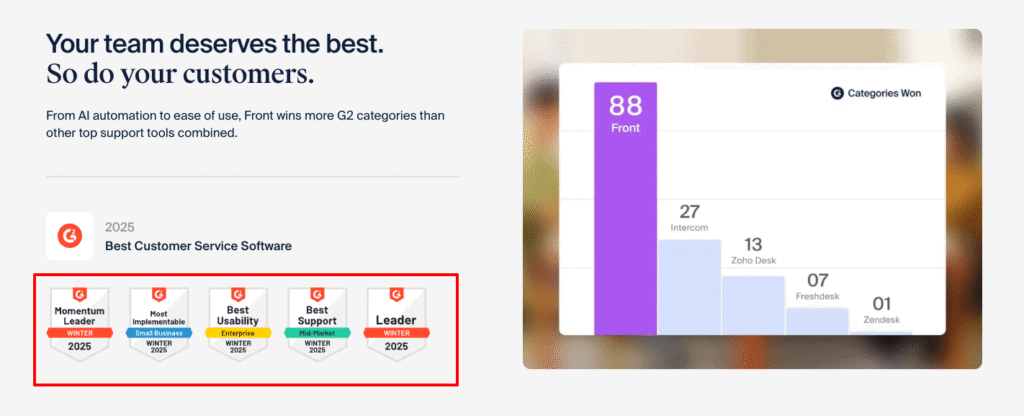
Ever watched a perfectly synced orchestra and wished your team’s email communication could be that seamless? Front makes this dream a reality by transforming team collaboration into a harmonious symphony. Say goodbye to lost emails and inbox chaos, Front is here to streamline your collaborative efforts and take your teamwork to the next level.
Benefits That Actually Matter
Front isn’t just another tool in your arsenal; it’s the SECRET SAUCE to enhanced team collaboration. Here’s why you’ll love it:
- Shared Inboxes: No more forwarding emails! With Front, your entire team can access shared inboxes, ensuring everyone stays on the same page and no critical information is missed.
- Team Comments: Discuss emails internally without the fuss of endless email chains. Team comments facilitate swift internal discussions right next to relevant emails.
- AI-Driven Insights: Gain real-time analytics and insights to elevate efficiency and optimize response times, making your team an UNSTOPPABLE FORCE.
- Seamless Integration: Front integrates with your favorite business tools, think Slack, Salesforce, and more, expanding its capabilities and making sure it fits perfectly into your existing workflow.
Imagine a workspace where collaboration is intuitive, and team coordination happens effortlessly.
How It Actually Works
Front revolutionizes team email management by centralizing communication. It acts as a collaborative hub where emails transform into action items, and team discussions happen seamlessly beside the relevant context. From personal experience with clients from the health industry, the ability to link emails directly to task management tools drastically reduces email overload.
- Centralized Email Hub: All emails come to one place, no more juggling multiple inboxes. Collaborative features let your team comment on emails like a social media post.
- Real-Time Collaboration: Integration with tools like Trello and Jira ensures that any updates are instantly reflected across platforms, keeping your team in the loop.
The Honest Truth
Let’s keep it real.
Front’s array of features comes with a cost, literally. It’s not the cheapest platform on the market. But remember, you get what you pay for. Investing in Front is investing in your team’s efficiency. Oh, and there might be a slight learning curve for first-time users trying out its numerous integrations. But hey, like any good symphony, practice makes perfect.
How It Stacks Up Against Competitors
In the battle for the best collaborative tool, Front rises above others like Hiver and Missive. Here’s why:
| Feature | Front | Hiver | Missive |
|---|---|---|---|
| Shared Inboxes | Yes | Limited | Yes |
| Integrations | Extensive | Limited | Moderate |
| AI Insights | Advanced | Basic | Moderate |
Compared to Hiver and Missive, Front takes the lead with its seamless integrations and superior AI-driven insights, making it a must-have for collaborative teams worldwide.
After years of testing various tools, Front remains unmatched in delivering a cohesive team email experience.
Who Should Get This
Front may come with a price tag, but it’s hands down the BEST choice for teams looking to enhance their collaborative email management. If you want a unified email strategy with real-time insights and seamless integration, your search ends here.
Microsoft Outlook with Cortana: Best for Integrated AI Assistance
Tired of your inbox turning into a chaotic maze, spiraling out of control? Say hello to Microsoft Outlook with Cortana, where AI assistance meets seamless productivity. Imagine having a proactive assistant that not only handles your emails but also smartly manages your schedule and prioritizes tasks. THIS is the digital transformation your workflow has been craving!
Benefits That Actually Matter
Microsoft Outlook with Cortana isn’t just about emails, it’s a whole new level of productivity enhancement. Here’s why:
- Proactive Email Management: Cortana sifts through your emails, managing them before you even lay eyes on them. Say goodbye to those overwhelming inbox scrolls; your most crucial emails land where you can deal with them promptly.
- AI-Driven Scheduling Assistance: No more back-and-forth when arranging meetings. Cortana suggests the best times based on your availability, freeing up hours and making your day flow seamlessly.
- Integrated AI Insights: Not only does Outlook prioritize emails, but it also smartly suggests follow-ups, ensuring you’re always ahead in your communication game.
Productivity doesn’t just improve, it SOARS when you have an assistant that understands your needs before you do.
How It Actually Works
Cortana works by deeply integrating with the Microsoft Office suite, using powerful AI to streamline processes. The assistant analyzes your email patterns, highlights important messages, and proposes follow-up actions, making email management intuitive and easy. Thanks to this integration, every Office app works in harmony, a feature I found invaluable when working on multiple projects. This has been a life saver, allowing for a cohesive workflow without the need for constant app-switching.
The Honest Truth
The first thing you’ll notice is that Cortana’s features shine best within the Microsoft ecosystem. If you’re already using Office tools, this is HUGE for you. But, if not, adjusting might take time. Additionally, some users may find the AI suggestions occasionally overwhelming, those prompts do mean well, but sometimes you just need some digital peace.
How It Stacks Up Against Competitors
When pitted against other email assistants like Superhuman and Boomerang, Microsoft Outlook with Cortana establishes itself as a formidable player.
| Feature | Outlook with Cortana | Superhuman | Boomerang |
|---|---|---|---|
| Email Management | Proactive | Fast-paced | Scheduled |
| AI Insights | Advanced | Basic | Moderate |
| Integration with Office | Deep | Limited | Limited |
Compared to Superhuman’s speed and Boomerang’s scheduling, Outlook with Cortana excels in proactive management and detailed AI insights, especially if you’re using other Microsoft Office tools.
After experiencing various tools, Outlook with Cortana is the ONLY technology that effortlessly meshes email with intelligent assistance.
Who Should Get This
Microsoft Outlook with Cortana isn’t just for casual users, it’s the ULTIMATE tool for professionals deeply embedded in the Microsoft ecosystem seeking superior email management. If you yearn for a smart, integrated approach to handling your digital communications, your quest ends here. GET MICROSOFT OUTLOOK WITH CORTANA NOW and transform your email experience! It’ll be like having a personal assistant permanently by your side.
Google Workspace with Smart Compose: Best for Gmail Users
Imagine starting your day with a perfectly organized inbox and drafting emails in seconds, all without the agony of typing every word. That’s what Google Workspace with Smart Compose offers, it’s like having an assistant who anticipates your next move, making your email management almost magical.
Benefits That Actually Matter
Smart Compose is not just a feature; it’s a REVOLUTION in email productivity for Gmail users. Here’s why it TRULY matters:
- Predictive Text as You Type: Smart Compose anticipates your phrases, cutting your drafting time in half. Imagine typing less and saying more, freeing up time to focus on what truly matters in your day.
- Seamless Google Workspace Integration: No more juggling between platforms! Every element works beautifully together, enhancing collaboration and ensuring everything you need is at your fingertips.
- AI-Powered Inbox Management: Experience an organized inbox where important emails are prioritized. This means less time sorting through messages and more time for decision-making and action.
It’s not just efficient, it’s liberating when AI helps you regain control over your digital communication.
How It Actually Works
Smart Compose is built right into Gmail, part of the Google Workspace ecosystem, enabling it to predict phrases as you type. This is pivotal for professionals who send numerous emails daily. From my experience transitioning businesses to smarter solutions, this has been a critical feature for enhancing workflow efficiency. The predictive technology adapts to your writing style, making it not only fast but also PERSONALIZED.
The Honest Truth
Let’s be upfront.
First, you should know that while Smart Compose is indeed helpful, it might occasionally overpredict, suggesting phrasing that doesn’t always fit the context. But with time, it learns from your inputs, refining its suggestions. Second, as part of Google Workspace, there is a subscription cost involved. Yet, the productivity boost it provides offsets this, making it a worthwhile investment.
How It Stacks Up Against Competitors
Google Workspace with Smart Compose is a standout solution in the email world. When you compare it to alternatives like Microsoft Outlook with Cortana and Apple Mail, here’s how it measures up:
| Feature | Google Workspace | Microsoft Outlook with Cortana | Apple Mail |
|---|---|---|---|
| Predictive Text | Yes | No | Yes |
| Integration | Comprehensive | Excellent | Limited to MacOS Users |
| AI-Powered Inbox Management | Advanced | Advanced | Basic |
Google Workspace’s predictive typing surpasses Microsoft Outlook’s lack of this feature, placing both its integration and AI power leagues ahead of Apple Mail’s basic offerings.
After experimenting with numerous email tools, Google’s Smart Compose is the leader in simplifying email communication effortlessly.
Who Should Get This
Google Workspace with Smart Compose isn’t just for your average email user, it’s the IDEAL choice for Gmail aficionados looking for efficient email management. If you’re aiming for streamlined communication and time efficiency, this is your ticket. GET GOOGLE WORKSPACE NOW and revolutionize how you handle emails day-to-day. Trust me, once you experience the magic of Smart Compose, you’ll never look back!
Notion AI: Best for Seamless Workflow Management
Imagine having a tool that not only organizes your tasks but also thinks, prioritizes, and adapts just like a personal assistant. That’s the magic of Notion AI. With it, you don’t just manage your workflow; you elevate it to new heights.
Benefits That Actually Matter
Notion AI isn’t just another productivity tool, it’s your secret weapon for streamlined efficiency. Here’s why you’ll love it:
- Intelligent Task Prioritization: Notion AI smartly ranks your to-dos, ensuring you focus on the tasks that truly move the needle. Say goodbye to the chaos of manual prioritization.
- Seamless Collaboration: With its collaborative features, share projects without the endless email threads. Everyone stays in the loop, saving you countless hours per week.
- Time-Saving Templates: Spend less time setting up and more time executing with ready-to-go templates that suit every project, big or small.
Imagine achieving your goals faster with less effort, Notion AI makes that a reality.
How It Actually Works
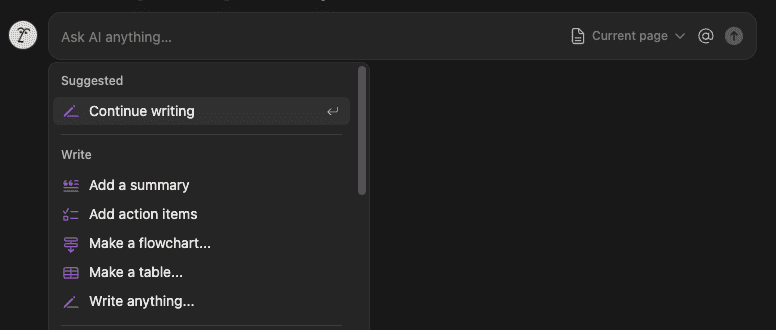
Notion integrates AI-powered features into its already robust platform, supercharging your task management. From my experience with clients, its ability to seamlessly adapt to various workflows is unparalleled. With a few clicks, you can automate processes, create databases, and integrate with your favorite productivity apps, making Notion AI the hub of your operational ecosystem.
The Honest Truth
I need to point out a couple of things. First, Notion AI is a premium service. The added functionality comes at a cost, but if optimizing your workflow is your goal, the efficiency payoff is worth every penny. Second, newbies might face a steep learning curve, it’s like getting that all-in-one tool you’re excited about but need a few sessions to master it fully. However, once you’re past the initial learning phase, you’ll appreciate the newfound productivity.
How It Stacks Up Against Competitors
Notion AI stands tall against its competition, turning what used to be a fragmented process into a cohesive flow.
| Feature | Notion AI | Trello | Asana |
|---|---|---|---|
| AI Task Prioritization | Advanced | Basic | Moderate |
| Collaborative Tools | Extensive | Average | Advanced |
| Price | $12/month, free plan works just fine | Free/$10+ | $10.99/month |
Compared to Trello and Asana, Notion AI excels in AI-powered task management and seamless collaboration.
Having tried multiple workflow platforms, Notion AI is the only one that TRULY integrates intelligence with usability.
Who Should Get This
Notion AI isn’t just a tool; it’s a GAME-CHANGER for professionals eager to boost workflow efficiency. If you’re a project manager, team leader, or self-starter looking for that edge in productivity, your search ends here.
How to Choose the Best AI Email Assistant Tool for Your Needs
Ever feel like you’re drowning in a sea of emails with no lifebuoy in sight? Choosing the right AI email assistant can be your savior, revolutionizing your inbox into a streamlined powerhouse of productivity. But with so many options, how do you choose? Let’s break it down using BENEFITS and practical advice to guide your way.
Benefits To Look At
Picking the right tool isn’t just about features; it’s about how it boosts your productivity and lessens the email burden.
- Volume Management: An AI email assistant should handle high volumes efficiently, freeing up precious time for other crucial tasks. Imagine clearing your inbox rapidly without sifting through irrelevant chatter.
- Prioritization and Alerts: The right tool will prioritize important emails, ensuring critical messages never slip through the cracks. This means less stress and more control over your communication dynamics.
- Seamless Collaboration: Email tools that facilitate teamwork can drastically improve your workflow. Share and discuss emails with colleagues in real-time, maximizing team efficiency.
It’s not just about functionality, it’s about regaining control and transforming chaos into a structured, productive workday.
Selecting an AI email assistant involves understanding how it integrates into your existing setup. Consider compatibility with your current email service. A seamless sync means smoother operations and reduced tech hiccups. From my personal experience, ensuring your chosen tool accommodates your workflow is PARAMOUNT, avoiding disruptions to your established processes and ensuring uninterrupted productivity.
Look for AI features that align with your productivity goals: whether it’s intelligent reminders, sophisticated email sorting, or advanced scheduling capabilities, these tools should complement your workflow, not complicate it.
Important Considerations
First off, budget is a crucial factor. Many advanced AI email tools come with a subscription fee, reflecting their capabilities. Yet, investing in a tool that saves you significant time and reduces stress can be worth every penny. Trust me, after years of working in AI and automation, the investment is a no-brainer if email overload is a daily struggle.
Additionally, these tools may take a little getting used to. The learning curve often requires patience. Yet, like mastering a musical instrument, once you get the hang of it, the rhythm feels natural, and the benefits are bountiful.
When analyzing tools, consider how they compare in effectiveness and integration, with popular names like Superhuman, Grammarly, or SaneBox.
| Feature | Ideal AI Email Tool | Superhuman | SaneBox |
|---|---|---|---|
| Volume Management | Comprehensive | Excellent | Moderate |
| AI Prioritization | Advanced | Advanced | Basic |
| Collaboration Features | Extensive | Limited | Limited |
The RIGHT email tool should outperform others in areas that matter to you. If your priority is collaboration, some tools might lag, while others might excel, knowing your needs is crucial.
After months of specialization in AI and automations, finding the tool that aligns with your needs has proven transformative for me and my clients.
Choosing an AI email assistant tool can redefine how you handle emails, turning what was once a tedious chore into a breeze. If you’re a professional overwhelmed with emails, needing more organization, or striving for enhanced productivity, the right choice makes all the difference. GET STARTED NOW with your ideal AI email assistant, and set yourself free from inbox chaos. You won’t just wonder how you ever coped without it, you’ll thrive with abundant time and newfound clarity.
Superhuman vs Grammarly: Which Should You Choose?
Feeling overwhelmed by your overflowing inbox or scrutinizing every email for tone and typos? Superhuman and Grammarly both promise to ease your email woes, but which one suits you best? LET’S FIND OUT.

Benefits That Actually Matter
- Superhuman: Speed and Efficiency → Conquer Your Inbox
Imagine processing your emails twice as fast. Superhuman’s streamlined navigation means more time for high-priority tasks and less time sifting through emails, ideal for professionals drowning in correspondence. - Grammarly: Communication Enhancement → Never Second-Guess Your Tone Again
Grammarly refines clarity and tone right as you type, ensuring your emails are both polished and impactful. Perfect for those who can’t afford misunderstandings in business communication.
Whether it’s speed or clarity, choosing the right tool can transform your communication style dramatically.
How They Actually Work
Superhuman integrates with your existing email client, boosting speed with smart shortcuts and AI prioritization. It ranks emails by importance using AI, so only the crucial ones grab your attention.
Grammarly, on the other hand, embeds in your email platform to provide real-time suggestions. It analyzes grammar, tone, and engagement, tailoring its advice to your unique communication needs.
From working as a freelance AI developer, I’ve seen how Superhuman’s speed can save hours each week, while Grammarly’s tone adjustments can turn confusing emails into clear, professional correspondence.
I need to warn you about two things. First, Superhuman comes with a premium price tag. While it costs more, if shaving hours off your weekly email time appeals to you, it’s worth every penny. As for Grammarly, the free version is basic. To unlock its full power, you’ll need a subscription, but investing in communication clarity can pay dividends, especially if your emails influence deals or relationships.
How It Stacks Up Against Competitors
When comparing Superhuman and Grammarly in their realms, both stand tall among competitors.
| Feature | Superhuman | Spark | Gmail Native |
|---|---|---|---|
| Speed | 2x faster | Standard | Basic |
| AI Prioritization | Advanced | Basic | None |
| Price | Premium | Affordable | Free |
| Feature | Grammarly | ProWritingAid | Hemingway |
|---|---|---|---|
| Real-Time Suggestions | Advanced | Moderate | Basic |
| Tone Correction | Superior | Basic | None |
| Integration | Extensive | Limited | Limited |
Having tested multiple email tools, Superhuman and Grammarly consistently remain top choices for speed and clarity.
Which One Should You Get?
Superhuman isn’t for the faint of heart or light of wallet, but it’s hands-down the best investment for professionals looking to cut email time yet boost productivity. If speed is your arena, GET SUPERHUMAN NOW and dominate your inbox.
Meanwhile, Grammarly is a must-have if impactful communication is your goal. Its premium offerings ensure your words always hit home. GET GRAMMARLY if you wish emails could convey what you mean with precision and professionalism.
Choose your battleground: speed or clarity? Either way, with Superhuman or Grammarly, you’re bound to come out on top.
Final Thoughts
Harnessing the best AI email assistant tools can drastically transform your inbox management, saving you time and boosting productivity. From Superhuman’s speed to Grammarly’s communication enhancements, these tools offer tailored solutions for diverse needs. Now, it’s your turn to take action. Evaluate your email challenges and choose the right assistant that aligns with your goals. Whether it’s cutting down on email clutter or enhancing your communication, the right tool is within reach. Why wait? Start optimizing your email workflow today by implementing one of these powerful AI solutions.
Continue Reading: Want to dive deeper? Check out how to use AI for productivity for more insights on maximizing efficiency with AI.