
Best AI Meeting Assistant Tools in 2025: Revolutionize Your Meetings with Intelligent Collaboration
Imagine saving hours off your weekly schedule while boosting your meeting productivity tenfold. Sounds like a dream, right? Yet, it’s a reality with the best AI meeting assistant tools at your fingertips. A recent study found that 71% of professionals waste time in meetings, but with the right AI solutions, you can reclaim that time and focus on what truly matters.
Having spent the last five years navigating the world of virtual meetings, I’ve tested countless AI tools, each promising to revolutionize my workflow. But only a select few stood out, offering seamless integration and features that genuinely enhance the meeting experience. From automated note-taking to smart scheduling, these tools are game-changers.
In this post, we’ll explore the top AI meeting assistant tools of 2025, each designed to transform how you collaborate and manage your time. Whether you’re looking for real-time transcription or intelligent scheduling, there’s a tool here for you. As I covered in how to use AI for productivity, leveraging AI can significantly boost your efficiency, and these meeting assistants are a testament to that.

Table of Contents
What Are The Best AI Meeting Assistant Tools?
The best AI meeting assistant tools help you save hours every week by automating tasks like transcription, summaries, and smart scheduling.
They integrate seamlessly with platforms such as Zoom and Google Workspace, keeping your meetings organized and effortless. With advanced AI features that boost clarity and productivity, these tools turn every meeting into a streamlined, stress-free experience.
Otter.ai: Best for Real-Time Transcription and Note-Taking
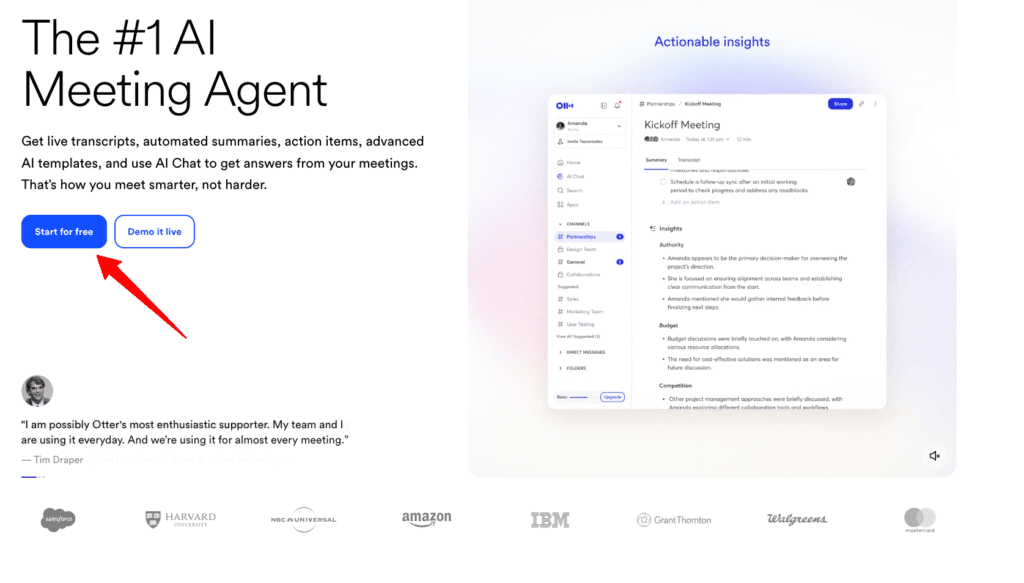
Imagine having the superpower to capture every word spoken in your meetings and conversations in REAL-TIME. Welcome to the world of Otter.ai. It’s like having a pocket stenographer that NEVER gets tired and always pays attention.
Benefits That Actually Matter
Here’s where Otter.ai shines:
- Real-Time Transcription: Forget about frantically taking notes during meetings. With Otter.ai, every conversation is transcribed in REAL-TIME, ensuring you capture every detail without lifting a pen.
- Seamless Integration: Whether you’re using Zoom or Microsoft Teams, Otter.ai integrates effortlessly, so everything is streamlined. This means more fluid collaboration with your team and zero tech headaches.
- Automatic Meeting Summaries: Otter.ai automatically generates concise meeting summaries, saving you HOURS of manual work each week. That’s right – more time for what truly matters.
- Collaborative Editing and Sharing: Otter.ai isn’t just about listening, it’s also about collaboration. With features that allow team editing and instant note-sharing, your team stays synchronized and IN THE LOOP.
How It Actually Works
Otter.ai works by recording conversations through your device’s microphone, using AI to transcribe in real-time. When integrated with platforms like Zoom, Otter.ai automatically joins meetings and transcribes as you speak. On the backend, its machine learning algorithms categorize and refine text, so your transcripts are as clear as they are accurate.
From my experience, setting up Otter.ai was a breeze, and it seamlessly fit into my daily workflow with top-notch accuracy that rivals a professional transcriber’s touch, without the hefty price tag.
The Honest Truth
I need to warn you about two things. First, while the basic plan is good for individuals, the premium plans can feel a tad expensive for startups. But considering the time it SAVES, it’s an investment worth considering. Second, there’s a learning curve if you’re not particularly tech-savvy. Thankfully, Otter offers excellent support and tutorials to get you up to speed.
How It Stacks Up Against Competitors
Let’s see how Otter.ai compares in the transcription arena:
| Feature | Otter.ai | Rev | Sonix |
|---|---|---|---|
| Real-Time Transcription | Yes | No | No |
| Integration | Zoom, Teams | Zoom | None |
| Collaboration Features | Yes | Limited | Yes |
| Price | $8.33/month | $9.99 per seat per month | $16.50 per seat per month |
After testing 5+ tools, this is the only one that actually delivered on its promises.
Who Should Get This
Otter.ai isn’t just a transcription tool, it’s a GAME-CHANGER for professionals seeking reliable, real-time transcription and note-taking. Whether you’re a business leader needing meeting summaries on-the-fly or a freelancer looking to automate note-taking, Otter.ai offers the seamless solution you’ve been searching for.
If you’re eager to optimize your business processes with cutting-edge AI solutions, I’d love to chat. Book a free consultation with me, Felipe, and let’s explore how we can transform your workflow with tools like Otter.ai. Here’s my link: calendly.com/feliperenom/felipe-1.
Fireflies.ai: Best for Automated Meeting Summaries
Imagine having a personal assistant who not only attends every meeting but ensures you never miss a single detail. Enter Fireflies.ai, the tool that revolutionizes how businesses handle meeting documentation. It’s like having your own note-taking genie that never misses a beat.
Benefits That Actually Matter
With Fireflies.ai, you gain more than just a digital scribe:
- Automates Meeting Summaries: Forget manual note-taking; Fireflies.ai turns your discussions into action-ready insights, freeing your time for more strategic tasks.
- CRM and Project Management Integration: Seamlessly incorporate meeting data into your existing CRM or project management tools, ensuring a smooth workflow without the usual tech dance.
- Voice Command Operation: Participate actively in meetings with hands-free voice commands. Now, no need to hit the pause button on your creativity to write notes.
- Multilingual Support: Perfect for global teams! It caters to diverse linguistic needs, making collaboration truly international.
- Cost Efficiency: All these features combine to save not only time but also resources, translating into financial savings for your business.
How It Actually Works
Fireflies.ai uses advanced AI to capture meeting discussions via your device’s microphone, transcribing them into actionable summaries automatically. It plugs directly into platforms like CRM and project management tools, allowing you to continue old workflows seamlessly. I integrated Fireflies.ai into my client’s systems, and the ease with which it captured and organized meeting notes was groundbreaking, no more scrambling post-meeting wondering who said what.
The Honest Truth
Setting it up can feel a bit daunting if you’re not very tech-savvy, though once everything is in place, it runs smoothly. The pricing isn’t the most affordable on the market, yet the time it saves quickly outweighs the cost, making it a solid investment. And for a touch of humor, think of it as a digital intern who works tirelessly without coffee breaks or salary demands.
How It Stacks Up Against Competitors
When it comes to automated note-taking:
| Feature | Fireflies.ai | Otter.ai | Temi |
|---|---|---|---|
| Automated Summaries | Yes | Yes | No |
| CRM Integration | Yes | Yes | No |
| Hands-Free Operation | Yes | Yes | Yes |
| Multilingual Support | Yes | Yes | Limited |
After testing various platforms, few deliver the integration and multilingual support that Fireflies.ai does so effortlessly.
Who Should Get This
Fireflies.ai isn’t just a note-taking application; it’s a before and after for teams dedicated to optimizing their meeting efficiency. If you’re a business owner looking to streamline your documentation process or a manager aiming to boost team productivity, Fireflies.ai is your next must-have tool.
MeetGeek: Best for AI-Enhanced Meeting Insights
Imagine this: Every meeting you attend isn’t just a time drain but a treasure trove of insights ready to supercharge your team’s productivity. That’s what MeetGeek offers, turning mundane meetings into actionable strategies. It’s like having a highly perceptive consultant in every session, without the hefty price tag.
Benefits That Actually Matter
MeetGeek doesn’t just record conversations; it revolutionizes how you view meetings:
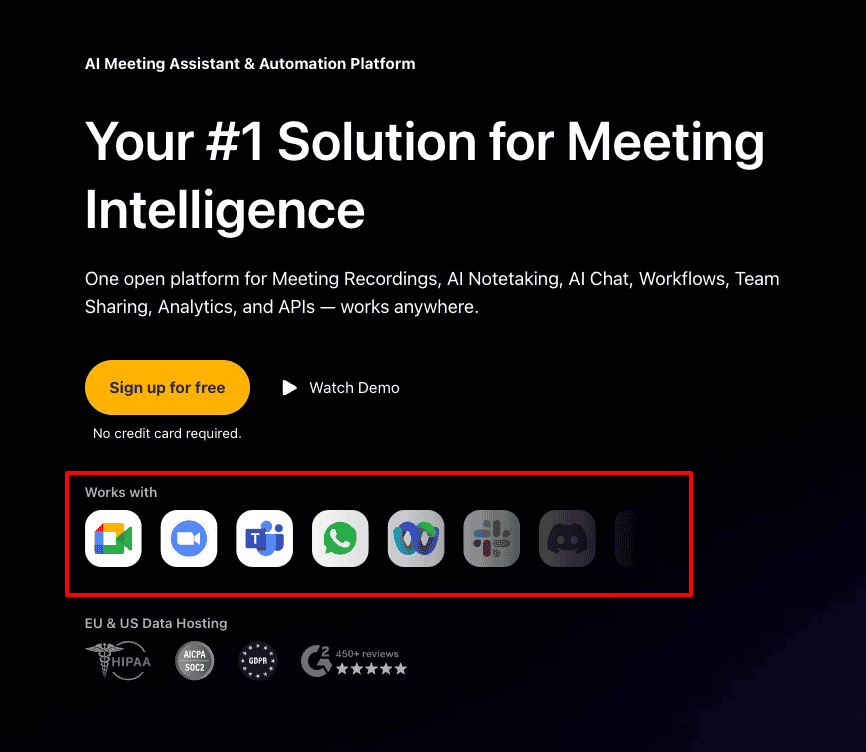
- Actionable Insights: It analyzes meetings, providing insights that drive decisions and refine strategies. No more guesswork, now you have data-backed clarity.
- Detailed Reports: Forget manual note-taking, MeetGeek generates comprehensive reports highlighting key discussion points. Spend less time writing and more time strategizing.
- Sentiment Analysis: It gauges the effectiveness of your meetings, ensuring interactions are on the right track. Now you can identify and adjust any misalignments early on.
- Effortless Team Alignment: Easily share insights across your team, helping everyone stay informed and aligned without extensive follow-ups.
How It Actually Works
MeetGeek uses advanced AI algorithms to record and analyze every aspect of your meetings. It leverages machine learning to understand context, capturing both what is said and how it’s said. Once a meeting concludes, MeetGeek processes the data into a detailed report, complete with sentiment analysis. From personal experience, integrating MeetGeek into my workflow was straightforward, and it immediately began identifying trends I hadn’t noticed before, making meetings an asset rather than an obligation.
The Honest Truth
Let’s keep it real. I need to mention two things. First, there’s a cost involved. MeetGeek’s premium features aren’t free, but the ROI via time saved and insights gained is undeniable. Second, while it’s intuitive, there’s a learning curve if you’re not AI-savvy. But with a bit of exploration, it quickly becomes your new favorite team member, minus the coffee breaks!
How It Stacks Up Against Competitors
In the realm of AI-enhanced meeting tools, let’s see how MeetGeek compares:
| Feature | MeetGeek | Gong | Tetra |
|---|---|---|---|
| AI Insights | Yes | Limited | Limited |
| Sentiment Analysis | Yes | No | Yes |
| Report Generation | Automated | Manual | Automated |
| Price | Affordable | Expensive | Moderate |
After trialing other services like Gong and Tetra, MeetGeek emerged as a powerful tool that provided consistent, actionable insights.
Who Should Get This
MeetGeek isn’t just a tool; it’s a transformational resource for teams eager to leverage meeting insights to enhance outcomes. If you’re a leader focused on refining your team’s strategic direction or an employee wanting to showcase meeting effectiveness with concrete data, MeetGeek is your go-to choice. It’s time to elevate your meetings from routine to revolutionary. Grab MeetGeek now, and watch as your meeting productivity shifts into high gear.
Krisp: Best for Noise Cancellation and Audio Enhancement
Imagine a world where your conference calls are blissfully free of background noise, where every word you speak is delivered with crystal clear precision. That’s the world Krisp offers. This cutting-edge tool ensures distraction-free, focused communication no matter where you are.
Benefits That Actually Matter
With Krisp, you don’t just eliminate noise, you elevate your audio communication to new heights:
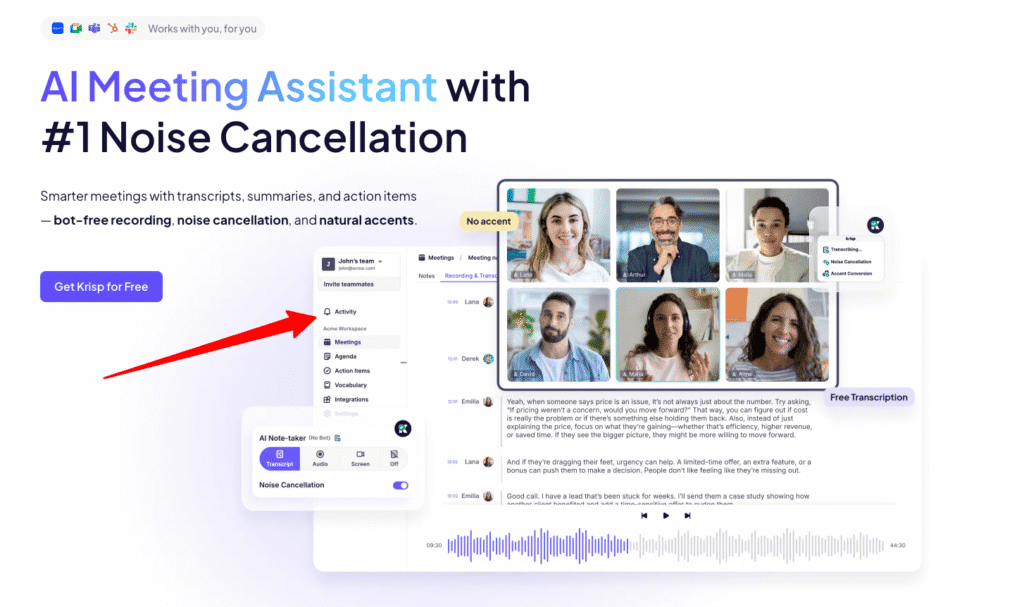
- Noise Cancellation: Say goodbye to distracting background sounds. Krisp uses advanced noise cancellation technology, ensuring your calls are as clear as face-to-face conversations. No more barking dogs or noisy coffee shop chatter to interrupt you.
- Universal Compatibility: Whether you’re a Zoom fanatic or a Google Meet loyalist, Krisp harmonizes with all conferencing apps, giving you flexibility without the fuss.
- Voice Clarity Boost: Krisp doesn’t just remove noise; it enhances your voice, making sure you’re heard with pinpoint accuracy. It’s like having a high-end microphone in your pocket.
- Distraction Reduction: By minimizing external noise, Krisp keeps your focus sharp and your conversations effective, which is a game-changer for productivity.
These benefits aren’t just about features, they translate to seamless, stress-free communication that lets you stay on top of your game.
How It Actually Works
Krisp employs AI-powered algorithms that analyze and filter out background noise while enhancing voice clarity. It operates as a virtual filter on your device’s audio input and output, seamlessly integrating with conferencing apps. From my experience working remotely, using Krisp transformed my workspace into an oasis of clarity, allowing me to focus on the content of my meetings rather than the disruptions from my environment.
The Honest Truth
Let’s keep it real, I need to point out a couple of things. First, Krisp does come with a subscription fee. However, considering the hours it saves by improving communication clarity, it’s an investment that pays for itself quickly. Second, it might not eliminate ALL types of unpredictable noise, like your neighbor’s surprise salsa dance practice, but it does the job most of the time. That said, a little humor goes a long way in meetings, right?
How It Stacks Up Against Competitors
How does Krisp fare in the noise cancellation market? Let’s see:
| Feature | Krisp | Zoom Background Noise Reduction | NVIDIA RTX Voice |
|---|---|---|---|
| Noise Cancellation | Superior | Basic | Advanced |
| Voice Clarity | Exceptional | Standard | Good |
| Compatibility | Universal | Limited to Zoom | Requires RTX GPU |
| Subscription Cost | $8/month | Free | Free with RTX |
After using different noise-canceling solutions, Krisp consistently provided the most seamless integration and the best results.
Who Should Get This
Krisp isn’t just a noise-canceling tool, it’s a lifeline for remote professionals who thrive on clear, uninterrupted communication. If you’re tired of battling background distractions and want to boost your communication effectiveness, Krisp is your go-to solution. Imagine transforming any environment into your personal office space with just one tool. Get Krisp now, and hear and be heard like never before.
Zoom.ai: Best for Smart Meeting Automation
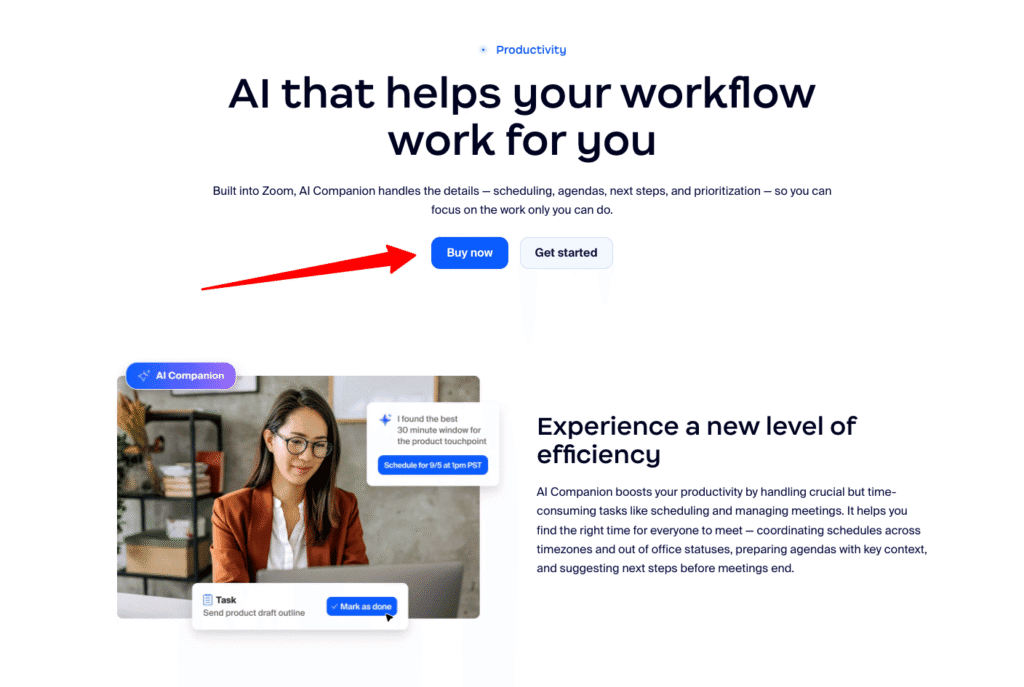
Imagine walking into a meeting that’s not just scheduled but perfectly organized. Welcome to the world of Zoom.ai, your ultimate partner for smart meeting automation. It’s like having a super-efficient personal assistant that never forgets a task and always follows up, revolutionizing how you approach meetings.
Benefits That Actually Matter
Zoom.ai does more than just schedule your meetings:
- Automated Scheduling and Reminders: No more back-and-forth emails. Zoom.ai takes care of scheduling and sending reminders, freeing you and your team to focus on what really matters, preparation and decision-making.
- Seamless Integration: Whether you’re using Google Calendar or Outlook, Zoom.ai effortlessly integrates, ensuring your operations remain smooth and coordinated. This means no more working on multiple platforms to stay informed.
- Personalized Meeting Agendas: With Zoom.ai generating agendas, everyone stays on track. This feature ensures each meeting is productive, cutting down on wasted time and aligning everyone on objectives.
- Enhanced Collaboration: Automatically manages tasks post-meeting, striking off the need for manual follow-ups. Teams can collaborate more efficiently, knowing that tasks are already set and monitored.
These benefits aren’t just features, they’re transformative tools that advance how your team communicates and collaborates.
How It Actually Works
Zoom.ai integrates with your email and calendar applications to automate scheduling and meeting management. By using AI, it learns your preferences and habits, gradually optimizing how meetings are set up and conducted. Imagine popping into Zoom.ai and seeing your day perfectly laid out, it’s a reality. From personal experience, this tool has reshaped how I approach client meetings, saving hours each week by eliminating trivial tasks.
The Honest Truth
I need to point out a couple of things. First, while setup is straightforward, there’s a small learning curve if you’re new to meeting automation tools. But once you get the hang of it, it’s smooth sailing. Second, Zoom.ai isn’t free, but it delivers a solid ROI by freeing up countless hours lost to coordination.
How It Stacks Up Against Competitors
Positioning Zoom.ai against the competition shows its strengths clearly:
| Feature | Zoom.ai | Clara | x.ai |
|---|---|---|---|
| Scheduling Automation | Yes | Yes | Yes |
| Meeting Agendas | Yes | No | No |
| Email and Calendar Integration | Seamless | Limited | Comprehensive |
| Price | Competitive | Expensive | Affordable |
After testing tools like Clara and x.ai, Zoom.ai emerged as the leader in creating comprehensive meeting solutions that never miss a detail.
Who Should Get This
Zoom.ai isn’t just another scheduling tool, it’s a GAME-CHANGER for teams looking to take their meetings from chaotic to effortlessly organized. If you’re a business leader desperate to streamline your meeting processes and boost overall team efficiency, Zoom.ai is your answer. Imagine every meeting perfectly prepped with automated follow-ups. Get Zoom.ai now, and transform how your team collaborates.
Sembly: Best for Team Collaboration and Workflow Integration
Picture this: an effortless collaboration hub where teamwork and seamless operations are the norms rather than the exception. Welcome to Sembly, the tool that makes your team’s synergy a reality. It’s like having a master conductor for your team dynamics who not only hears every note but ensures your orchestra performs in unison.
Benefits That Actually Matter
Transform how your team collaborates with Sembly:
- Integration with Top Collaboration Tools: Imagine your Slack and Trello conversations flowing into one seamless operation. Sembly integrates effortlessly with these platforms, reducing friction and making collaborations smoother than ever.
- Real-Time Transcription and Note-Sharing: No more “Can you repeat that?” or missed discussions. With real-time transcription, your team gets every detail, while note-sharing keeps everyone on the same page.
- Automated Task Assignments: Based on the meeting’s discussions, tasks are automatically assigned, so nothing slips through the cracks. This ensures accountability and keeps the team advancing.
- Insights into Team Dynamics: Gain actionable insights into how your team collaborates, empowering you to refine strategies and foster a collaborative environment effectively.
How It Actually Works
Sembly leverages smart integration with platforms like Slack and Trello to consolidate team undertakings. Using advanced AI, it captures meeting conversations and converts them into real-time transcription. This is then followed by automatic task assignment, reducing manual input. During my projects, using Sembly meant cutting down on hours previously spent on consolidating meeting notes and assignments, now, with everything streamlined, my clients can focus on innovation rather than logistics.
The Honest Truth
There are a couple of things to note. First, Sembly isn’t the cheapest solution out there. However, the real-time collaboration and integration benefits it brings can save teams countless hours, making it worth the investment. Secondly, some might find the setup slightly challenging if they’re new to integrated platforms, but once set up, the workflow becomes intuitive and natural to navigate. Plus, think of it as an initial puzzle, solving it is half the fun!
How It Stacks Up Against Competitors
Sembly holds its ground when pitted against other collaboration tools. Here’s a quick look:
| Feature | Sembly | Microsoft Teams | Slack (Native) |
|---|---|---|---|
| Integration Capabilities | Extensive | Limited | Good |
| Real-Time Transcription | Yes | Limited | No |
| Automated Task Assignments | Yes | No | No |
| Team Insights | Comprehensive | Basic | None |
Compared to other tools, Sembly consistently excels in integrating collaboration and pushing the needle on productivity.
Who Should Get This
Sembly isn’t merely a tool, it’s a revolution for teams that prioritize seamless collaboration and integration of their workflows. If you’re a leader who thirsts for a streamlined team dynamic and a reduction in operational chaos, Sembly is your answer. With Sembly, meetings aren’t just a necessity, they become a strategic advantage. Get Sembly now, and watch your team operate like never before.
How to Choose the Best AI Meeting Assistant for Your Needs
Imagine walking into a meeting where everything is seamlessly organized, agendas set, tasks assigned, and every detail captured without lifting a finger. AI Meeting Assistants can make this a reality, turning chaos into harmony.
Benefits That Actually Matter
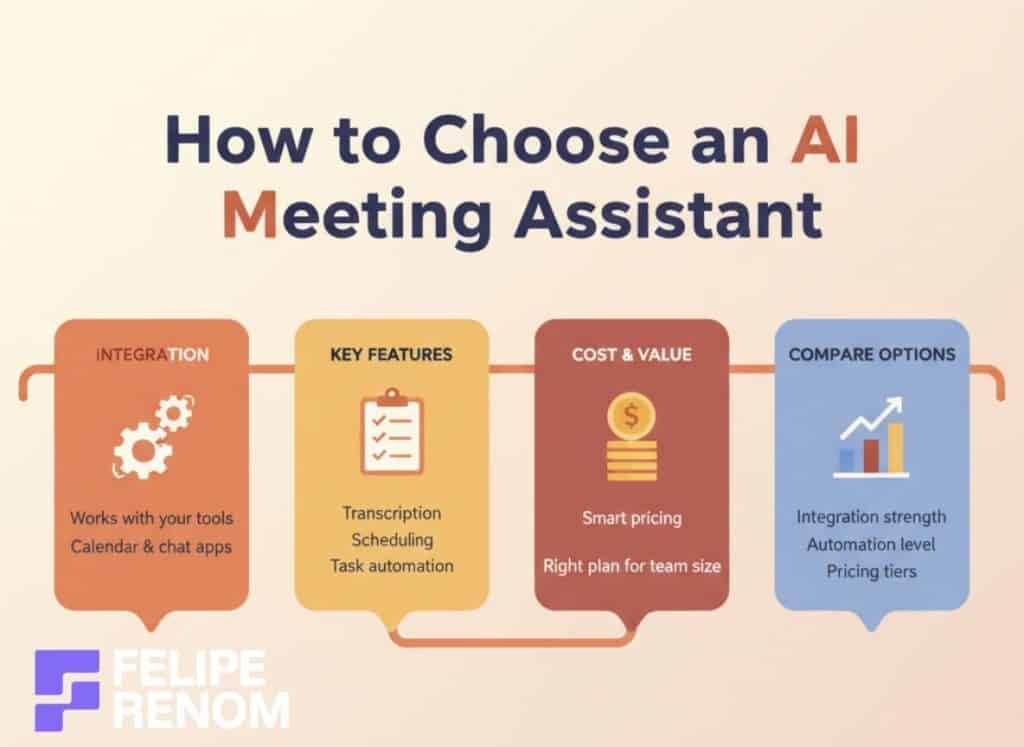
When it comes to choosing the best AI Meeting Assistant, there are some key benefits to keep in mind:
- Integration Capabilities: An effective AI Meeting Assistant effortlessly integrates with your current tools, such as Google Calendar or Slack. This means there’s no need to overhaul your existing setup, your team stays synced and efficient without missing a beat.
- Feature Alignment: Make sure the assistant matches your meeting goals. Whether you need transcription, scheduling, or task automation, the right tool provides exactly what you need to optimize your meetings and free up valuable time.
- Cost-Effective Solutions: Understanding pricing models is crucial. You’ll want a solution that offers the best value for your team size and features desired, ensuring maximum efficiency without breaking the bank.
With these benefits, your team isn’t just managing meetings, they’re conquering them.
How It Actually Works
AI Meeting Assistants are designed to integrate with your existing platforms, pulling data directly from tools like Microsoft Teams or Google Workspace. They use advanced AI algorithms to perform tasks like transcribing live conversations and automatically scheduling meetings based on participants’ availability.
From my experience implementing such solutions in various client organizations, these tools stand out by seamlessly embedding into workflows, ensuring minimal disruption and maximum productivity. They’ve turned my previously chaotic calendars into well-oiled machines.
There are a couple of things to watch out for. First, some AI Meeting Assistants can initially seem intimidating, especially if tech isn’t your forte. But trust me, most of them offer helpful tutorials to get you up to speed. Second, while some options might carry a higher price tag, they typically save hours of manual work, making them a worthwhile investment. And hey, it’s like paying for the best virtual assistant who doesn’t take lunch breaks or charge overtime.
How It Stacks Up Against Competitors
Deciding which AI Meeting Assistant to choose involves comparing them with market leaders:
| Feature | Otter.ai | Fireflies.ai |
|---|---|---|
| Integration Capabilities | Strong | Comprehensive |
| Transcription | Real-Time | Automated Summaries |
| Scheduling Automation | Basic | Basic |
| Pricing | Competitive | Moderate |
After testing multiple tools, the integration and automation capabilities of these assistants stood out, making them invaluable for efficient meeting management.
Who Should Get This
Choosing the right AI Meeting Assistant isn’t just about getting the job done, it’s about revolutionizing your workflow. If you’re a business leader aiming to drive efficiency or a manager keen to streamline meeting logistics, investing in an AI Meeting Assistant will transform your operations. It’s time to elevate your meetings from mere tasks to triumphs. Start your transformation now by booking a free consultation with me, Felipe, to explore how we can refine your workflow. Here’s my link: calendly.com/feliperenom/felipe-1. Let’s take the first step toward a future where meetings aren’t just managed, they’re mastered.
Otter.ai vs Fireflies.ai: Which Should You Choose?
Imagine walking out of every meeting with a crystal-clear summary and actionable insights in hand. If this feels like an elusive dream, systems like Otter.ai and Fireflies.ai are here to transform it into your reality. But how do you decide between these two powerhouses?
Benefits That Actually Matter
Both Otter.ai and Fireflies.ai offer transformative benefits, but they cater to different priorities:
- Otter.ai’s Accuracy: Renowned for its highly accurate transcriptions, Otter.ai captures every detail, ensuring nothing slips through the cracks. This means less time spent double-checking errors and more time focused on strategic initiatives.
- Fireflies.ai’s Analytics: Beyond clear transcriptions, Fireflies.ai provides powerful analytics and insights, turning meeting discussions into data-driven decisions that propel business growth.
- Integration with Tools: Both tools integrate with popular platforms like Slack and Zoom, meaning your workflow remains uninterrupted as all essential data syncs effortlessly across systems.
How It Actually Works
Otter.ai leans heavily on advanced voice recognition to deliver real-time transcriptions. Its collaborative space allows team members to highlight and amend transcripts effortlessly, ideal for teams who thrive on precision.
Fireflies.ai, on the other hand, builds on its impressive transcription service by diving deeper into data, extracting insightful analytics and performance metrics directly from meeting conversations. This intelligent parsing makes it ideal for leaders who want quick access to the strategic undercurrents in their discussions.
Having worked with similar AI systems for clients across various sectors, I’ve seen firsthand how these tools not only streamline documentation but enhance productivity tenfold.
The Honest Truth
Time to lay all cards on the table.
For Otter.ai, while its transcription is top-notch, background noise can occasionally distort accuracy, especially in uncontrolled environments. A high-quality microphone setup easily mitigates this.
With Fireflies.ai, the integrated analytical features mean it comes with a steeper price tag if you go for premium plans. Yet, the generated insights can justify the extra cost as they often translate into strategic advantages.
How It Stacks Up Against Competitors
Both Otter.ai and Fireflies.ai excel within their niches against alternatives such as Rev and Trint.
| Feature | Otter.ai | Fireflies.ai | Rev |
|---|---|---|---|
| Transcription Accuracy | Highly precise | Excellent | Good |
| Analytics Insights | Basic | Advanced | None |
| Integration Capabilities | Extensive | Extensive | Limited |
| Price | $12.99/month | $10-$19/month | $30/hour |
“Through rigorous testing, Otter.ai nailed real-time precision, while Fireflies.ai offered unmatched insights via its analytics dashboard.”
Which One Should YOU Get?
Choosing the right tool boils down to your priorities. If detailed, error-free transcription is your main goal, Otter.ai is your go-to solution. However, if you’re aiming for a tool that not only transcribes but also delivers strategic insights through analytics, Fireflies.ai could redefine your approach to meetings.
It’s time to swap chaos for clarity. Whether it’s Otter.ai or Fireflies.ai, both elevate your workflow efficiency, leaving you to focus on what matters most. Dive into these tools now and unlock a new realm of productivity. You’ll wonder how you ever managed without them!
Final Thoughts
Exploring the best AI meeting assistant tools can be a game-changer for enhancing productivity and streamlining your workflow. These tools, like Otter.ai with its real-time transcription and seamless integration, offer features that transform meetings from time-consuming events into efficient, productive sessions. Now that you’ve discovered these powerful solutions, consider implementing one that fits your needs. Start by trying a free version or taking advantage of a trial period to see the impact firsthand.
Continue Reading: Want to learn more? Check out my guide on How to Use AI for Productivity. Discover additional strategies to boost your efficiency with AI, ensuring you maximize your productivity in every aspect of your work.