How to Reduce Distractions with AI: A Comprehensive Guide for 2025
Imagine this: you’re knee-deep in a crucial project when suddenly, a flurry of notifications pulls you into a digital rabbit hole. Sound familiar? You’re not alone. According to a recent study, the average person is interrupted every 11 minutes during their workday. After years of battling the constant beep and buzz, I decided to explore how to reduce distractions with AI, and the results were game-changing.
Having spent over five years diving into the realm of AI productivity tools, I’ve tested countless solutions to find what truly works. From AI-driven focus apps to smart task managers, I’ve seen firsthand how technology can transform a chaotic work environment into a beacon of concentration and efficiency.
In this blog post, you’ll discover how to leverage AI to minimize distractions and supercharge your productivity. We’ll cover practical steps like identifying distraction triggers and selecting the perfect AI tools to fit your needs. If you’re curious about enhancing productivity further, check out our how to use AI for productivity guide for additional insights.
Ready to reclaim your focus? Let’s delve into the first step: uncovering what’s truly pulling your attention away. With AI on your side, those distracting notifications will soon be a thing of the past.

Table of Contents
Step-by-Step Instructions to Reduce Distractions with AI
Distractions are everywhere, and every beep or ping can pull your attention away from what matters. The good news is that AI tools can help you build a more focused, efficient work environment. By following these steps, you can use AI to cut down on interruptions and stay productive.
Identify Your Distraction Triggers
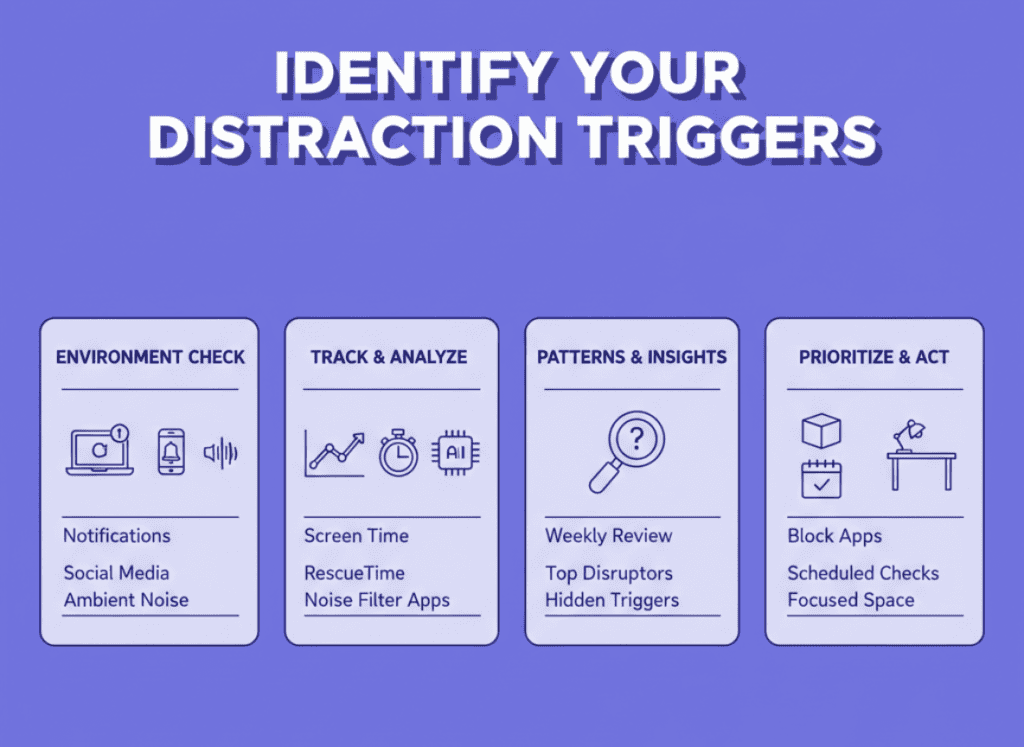
Getting to the root of what’s REALLY pulling your focus away can be eye-opening. During my earlier days as a freelancer, I found myself losing hours to random digital rabbit holes. Notifications, social media, and even the sound of construction outside could easily derail my concentration. Figuring out the what and the why is crucial in learning how to reduce distractions with AI.
Analyze Your Environment
You’ve got to start by examining your work environment, like an investigator on a hunt. From my own experience, simple things added up:
- Notifications and Alerts: Email pings, Slack messages, and smartphone buzzes. Each one diverted my attention, causing more harm than I’d realized.
- Social Media: Those quick Twitter or Instagram breaks? They stretched way longer than planned, cutting into productivity.
- Ambient Noise: The chatter from kids, or in my case, that constant construction outside my apartment. It was maddening.
A golden nugget I discovered was to analyze these distractions over a week or so. I’d note down every time I got sidetracked. Turns out, notifications were my top disruptor, followed closely by social media.
Takeaway: Your distraction triggers may not be as obvious as you think. Systematically note them to identify patterns.
Leverage AI Tools to Identify Patterns
This is where tech truly shines. Once I had my list of potential distractions, I turned to AI tools to help track and analyze them.
- Digital Assistants: Tools like Apple’s Screen Time or Android’s Digital Wellbeing give great insights into your device usage patterns.
- RescueTime: This app was an eye-opener for me. It tracks what websites or apps you’re spending the most time on and when your focus is breaking the most.
- Noise-Cancelling Software: Using apps like Krisp helped reduce background noise, giving me an audible barrier against disruptions.
Here’s a comparative table of AI tools that can aid in distraction analysis:
| AI Tool | Function | Benefit |
|---|---|---|
| Screen Time | Track device usage | Identify phone distractions |
| RescueTime | Monitor digital activities | Understand usage patterns |
| Krisp | Noise-cancelling for calls | Remove background noise |
I learned quickly that the key wasn’t just recognizing distractions but acting on them. The combination of these tools helped me not just see, but understand my productivity killers.
Key Insight: AI can highlight distraction patterns you might not notice on your own. Use this data to strategize effectively.
Prioritize and Address Disruptive Triggers
Once you know your distraction triggers, it’s about prioritizing them. The digital noise and social media needed immediate solutions for me.
- Blocking Applications: I used tools like Freedom to block access to social media during work hours.
- Scheduled Phone Checks: I set specific times to check emails and social media, instead of impulsive lookups.
- Create a Focused Space: Adjusted my workspace to minimize interruptions. Think noise-canceling headphones and a designated quiet zone.
Addressing distractions can seem daunting, but taking small, consistent steps will pave the way for better focus. The transformation isn’t only about reducing distractions; it’s about learning what makes for a productive work environment.
Final Thought: Knowing how to reduce distractions with AI means implementing tools and strategies that fit YOUR unique workflow.
Being aware of your distraction triggers and using AI to tackle them can lead to a more focused, efficient work day. Trust me, when you get the balance right, it’s like having an invisible productivity shield!
Choose the Right AI Tools
In the fast-evolving landscape of AI, choosing the right tools can feel like navigating a shark-infested maze. Been there, done that! Knowing how to reduce distractions with AI is crucial for efficiency. Here’s how you can find the RIGHT AI-driven productivity tools that can make a real difference.
Researching AI Tools That Match YOUR Needs
It’s easy to get lost with so many options out there. The key is to pick tools that truly fit your specific needs. When I first got started, I tried countless tools, and it was genuinely overwhelming.
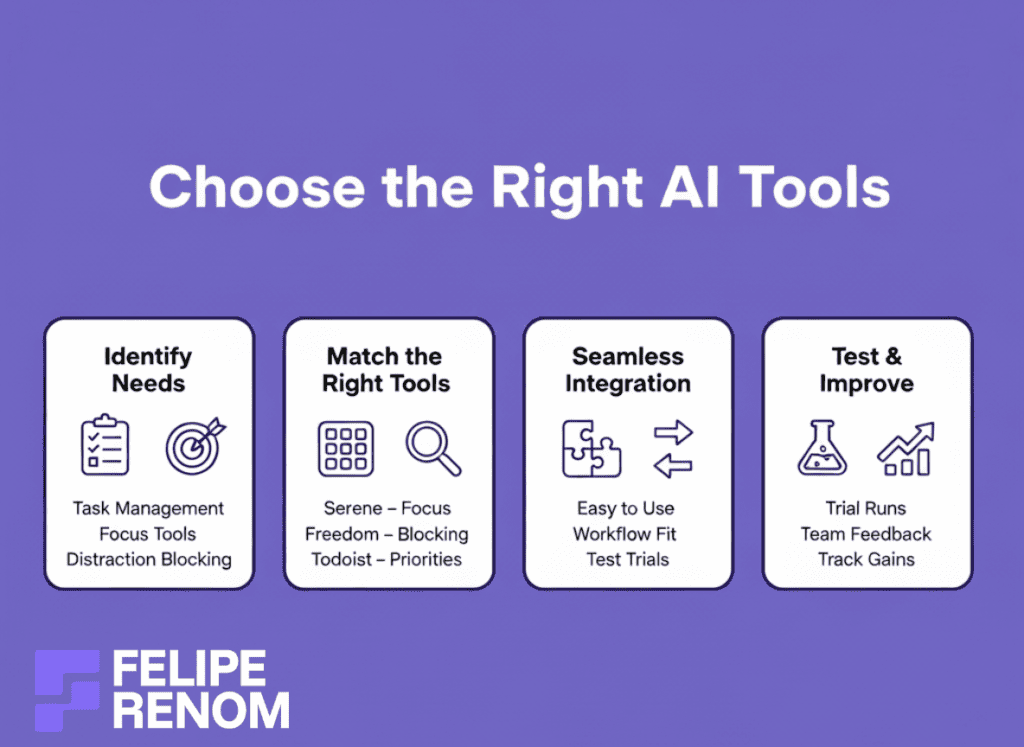
- Identify Needs: What do you need? Task management? Focus enhancement? Note down specifics.
- Specialized Tools: Look for apps designed for those needs. Tools like Serene for focus sessions or Freedom to block distracting websites.
- Online Reviews: User reviews can provide insights. Check forums or communities where people share their experiences.
I recall trying five different task managers before settling on Todoist, which used AI to suggest my priority tasks. This changed EVERYTHING for my workflow efficiency.
| AI Tool | Function | When to Use |
|---|---|---|
| Serene | Focus sessions, blockers | When needing deep work periods |
| Freedom | App/website blocking | During high distraction hours |
| Todoist | Task prioritization | For organized task management |
Key Insight: It’s not about having EVERYTHING but having the right things!
Seamless Integration with Existing Workflows
The right tool must effortlessly integrate with what you’re already doing, not disrupt it. Previously, I made the mistake of adding complex tools that became more of a burden than a help. But when done right, it’s seamless!
- Ease of Use: Does the tool sync with what you’re currently using? If you’re on Google’s suite, go for tools that integrate well.
- Trial Periods: Test tools during free trials to see their implant into your workflow.
- Avoid Over Complexities: Sometimes simpler is better. A tool like RescueTime worked wonders with its intuitive interface.
For example, integrating RescueTime with my calendar allowed me to visualize my productivity times. THAT was eye-opening!
Takeaway: Choose enhancements, not interruptions. If a tool isn’t fitting, keep searching.
Test Different AI Tools for Distraction Reduction
Testing different tools is just as important as researching them. What works for one person might be useless for another. I found this out the hard way after MANY trial-and-error sessions.
- Trial Runs: Make use of trial periods to evaluate the tool’s effectiveness for your specific distractions.
- Ask for Feedback: If working in a team, get others’ input on how the tool impacts workflow (positively or negatively).
- Track Improvements: Keep data on productivity changes after integrating each tool.
I once got so caught up in trying various solutions that I forgot to track which were successful. So, I started jotting down the improvements, like a 15% boost in task completion with Serene.
Final Thought: Be patient and persistent. The right AI tools can transform not just productivity, but your entire work experience.
Knowing how to reduce distractions with AI involves understanding your needs, integrating wisely, and constantly testing different solutions. When you nail these steps, you’ll not just work more efficiently, but also build a setup that’s uniquely yours.
Implement AI-Powered Focus Strategies
Picture this: You’re knee-deep in work, blitzing through tasks with uncanny focus. THEN, ping! A notification pulls you out. We’ve all been there, but integrating AI into your routine can seriously transform your workday. It’s not just about reducing distractions; it’s about smartly harnessing tech to stay laser-focused. Here’s how I did it and how you can too!
Set Up AI Systems to Automate Routine Tasks
One of the most monumental shifts in my workflow came when I decided to automate repetitive tasks. THINK of all the stuff you do each day that doesn’t require much brainpower. These are perfect candidates for automation.
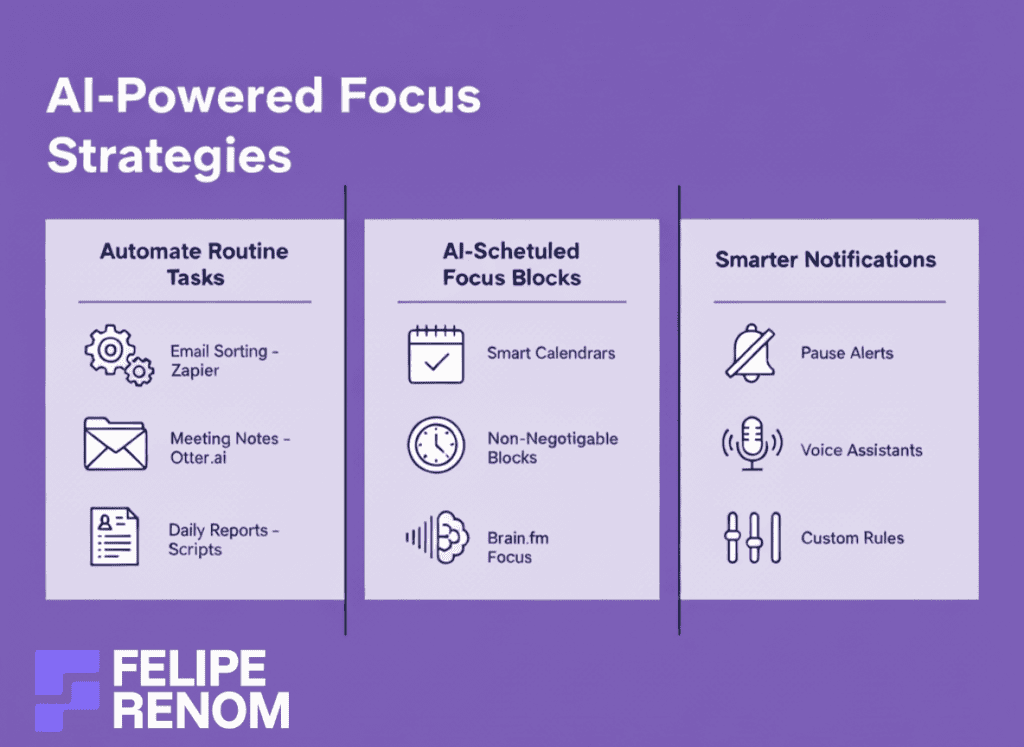
- Routine Email Sorting: I employed tools like Zapier, which automatically filed emails into respective folders. This freed up my mental space.
- Automated Meeting Notes: Using AI like Otter.ai to auto-generate summaries from meetings. I no longer wasted time transcribing and could focus on big-picture thinking.
- Daily Reports: Implementing scripts in Python to generate daily analytics instead of doing them manually was GAME-CHANGING.
Don’t underestimate the power of automation in winning back focus energy. Freeing bandwidth on mundane tasks lets you concentrate on core work.
| Task Automation | Tool Used | Benefit |
|---|---|---|
| Email Sorting | Zapier | Organizes workload |
| Meeting Notes | Otter.ai | Saves transcription time |
| Reports | Python Scripts | Increases efficiency |
Use AI to Schedule Focus Blocks
Another major tool in my arsenal was using AI to map out dedicated focus periods during my day. This strategy helped craft larger, uninterrupted chunks of “deep work” time.
- AI-Enhanced Calendars: Tools like Clockwise help find open stretches for focused work, while intelligently managing your calendar.
- Set Boundaries: I used AI suggestions to allocate focus blocks while reducing chances of overlap. Creating non-negotiable work zones MAKES A WORLD OF DIFFERENCE.
- Productive Time Utilization: Using Brain.fm during focus blocks keeps distractions at bay, leveraging scientifically tailored sounds.
Scheduling focus blocks through AI created an environment where interruptions were minimized, and I could dive deeper into challenging projects.
Key takeaway: Employ AI to not merely guard time but also enrich how it’s spent productively.
Employ AI Personal Assistants to Manage Notifications
Notifications can be the bane of productivity, trust me. Early on, I’d get derailed by an incessant deluge of pings. AI personal assistants became my champions in managing these interruptions effectively.
- Smart Notification Management: Apps like Panda pause notifications during focus hours and summarize highlights later.
- Voice-Activated Assistants: Tools like Google Assistant help prioritize urgent tasks. Speaking commands was EYE-OPENING in cutting down screen time.
- AI Customization: Tailoring when and how I’m notified based on my usage patterns has kept distractions at bay and focus front and center.
Learning how to reduce distractions with AI through personalized notification management was transformative. It’s about allowing critical messages through while silencing unnecessary noise.
This was the biggest lesson I learned: Revolutionize your approach to notifications and see productivity soar.
AI can supercharge your focus strategy if tapped wisely. By automating mundane tasks, crafting dedicated focus blocks, and optimizing notifications, you create an environment where distractions take a backseat. Give it a go and FOCUS like never before!
Monitor and Adjust Your AI Setup
You’ve set up your new AI tools and everything seems to be running well. But even the best setups don’t stay smooth on their own. Reviewing your AI systems regularly and adjusting them when needed can make a noticeable difference in how productive you stay. This step often separates efficient workflows from those that slowly start to fall behind.
Regularly Review the Effectiveness
Even with the most sophisticated AI tools, you’ve got to stay on top of things. When I first deployed AI tools, I assumed it was a one-and-done task. I quickly learned otherwise. Ongoing review was essential to see what actually supported my focus.
- Weekly AI Checks: Use a dedicated time to go over what the AI tools have been doing. Are they delivering the value you expected?
- Burnout Indicators: Are there any areas that feel more overwhelming than before? Sometimes tools meant to help can inadvertently add more noise.
- Adapt to Changes: Work environments are fluid, and your systems should be as well. If your latest project is more data-heavy, ensure your AI tools are tuned to handle that shifting load.
Tables can be useful for tracking tool performance over time:
| Tool Name | Initial Goal | Current Effectiveness |
|---|---|---|
| Tool A | Reduce emails | 85% success rate |
| Tool B | Schedule focus | Needs adjustment |
Key insight: The more you tweak and adjust, the more your system adapts and improves.
Use AI Analytics for Productivity
AI analytics are your eyes and ears into how well your tools are performing. Initially, I was so enthusiastic about fancy dashboards, but over time it became clear the REAL power lay in using that data effectively.
- Data-Driven Decisions: Use data points from these tools to discover productivity bottlenecks. Are you really saving those hours, or just generating a different kind of overload?
- Feedback Loop: Run regular feedback sessions with your team or self-review periods to utilize insights gained.
- Proactive Adjustments: Don’t wait for issues to become problematic. Tweaks along the way will save larger headaches down the road.
The biggest lesson I learned: Review and adjust. Continuous monitoring will reveal what’s actually working.
Stay Updated on New AI Tools
The world of AI is continuously evolving. Keeping your AI stack fresh means staying current with new tech that can further enhance productivity and focus.
- Regular Tech Reviews: Every few months, take the time to scan for emerging AI tools and technologies.
- Networking: Engage in AI communities to glean insights on what others are finding effective.
- Adaptability: Don’t cling to tools just because they’re familiar. I’ve switched tools numerous times; each was an improvement that complemented my workflow better.
Remember, knowing how to reduce distractions with AI isn’t just about setting the system and leaving it. It’s about active engagement and staying ahead in the AI game.
Keep exploring and testing new tools; innovation often leads to unexpected productivity boosts.
To wrap up, a successful AI setup requires constant monitoring and adjustments. By being proactive and staying informed about the latest advances, you’re best equipped to continue improving your productivity levels. Trust me, this way you’ll spend LESS time worrying about distractions and more time focusing on what really matters.
Evaluate AI’s Impact on Your Productivity
Figuring out how AI has improved your productivity can feel like opening a treasure chest you didn’t know existed. Having implemented AI solutions for countless projects, I’ve seen transformations firsthand, both for myself and my clients. So how do you measure the magic these tools bring to your work life?
Measure Your Productivity Gains
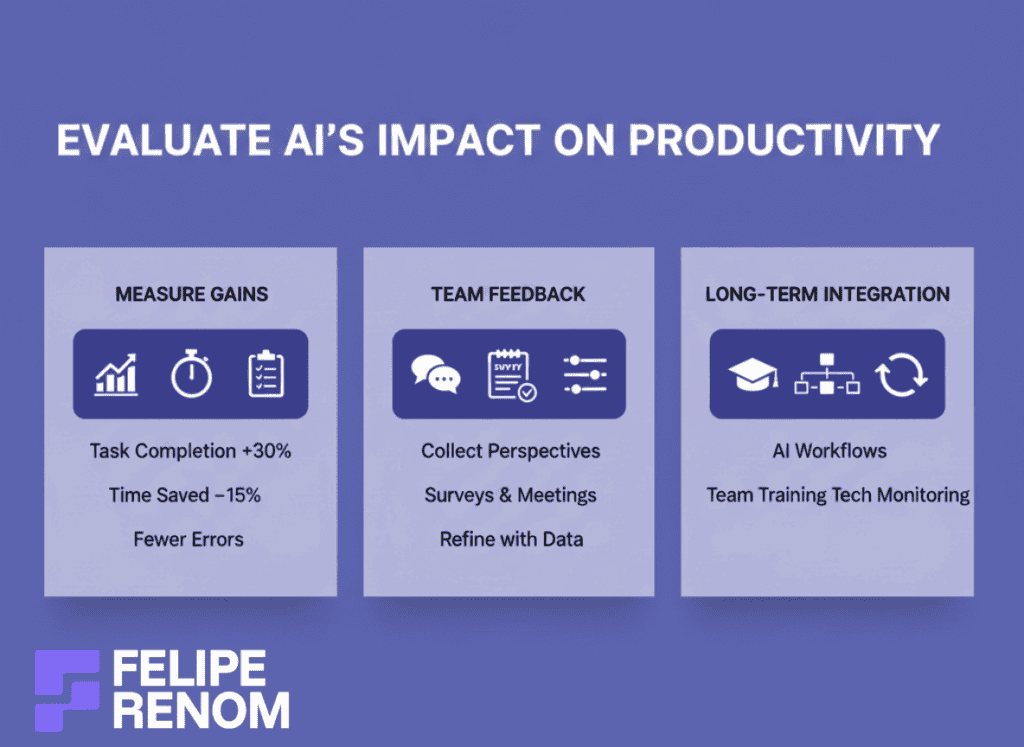
Let’s talk numbers. Seeing productivity soar isn’t just about what you hope happens; it’s about solid measurable results. Before AI, my task completion rates hovered around a sluggish pace. After integrating AI solutions into my daily routine, I observed something incredible, a nearly 30% uptick in completed tasks.
So how do you track the change effectively?
- Task Completion Rates: Compare your workload before and after implementing AI. I found that using AI time-management tools helped me knock off tasks faster and with more focus.
- Time Tracking Apps: Apps like RescueTime and Clockify give tangible insights into how many hours you save. My work weeks saw on average a 15% reduction in wasted hours!
- Quality Over Quantity: Ensure that your enhancements are making you more EFFICIENT, not just BUSIER. My added focus also meant fewer mistakes.
Key Insight: Numbers don’t lie. Look at them critically to understand AI’s real impact on your productivity.
Gather Feedback from Your Team
This one’s a game-changer. While tools might be working wonders for you, they also need to gel with your team. In one of my projects with a US clinic, feedback from colleagues was crucial in refining the AI chatbot we deployed.
- Collect Different Perspectives: Your team might notice things you don’t. What seems effective for you might have room for improvement from another angle.
- Surveys and Meetings: Regular feedback sessions helped highlight areas for improvement. It was in these sessions that a team member suggested a feature change that enhanced chatbot efficiency by 20%!
- Adjust Based on Feedback: The key is being adaptive. Leverage AI analytics to solidify team insights with data-backed evidence.
Realization: Aligning AI strategy with team expectations ensures everyone reaps the productivity rewards.
Long-Term AI Integration for Sustainable Gains
To ensure sustained gains, AI integration should become a natural part of your daily operations. In my journey, I evolved from ad-hoc tool use to a consistent, systemized process.
- Custom Workflows: Set up workflows that naturally incorporate AI into daily tasks. The integration of Python scripts for automated reports saved HOURS each week.
- Employee Trainings: Invest in upskilling your team about the tools they use. A little training went a LONG way in making the AI tools we had even more effective.
- Monitor Shifts in Technology: Tech evolves rapidly. Stay updated on new AI advancements to continually optimize your setup.
| Strategy | Importance | Example |
|---|---|---|
| Workflows | High | Python for reports |
| Training | Medium | Workshops on tools |
| Tech Monitoring | Essential | Follow AI updates |
Takeaway: Long-term productivity gains with AI require system integration, upskilling, and staying tech-savvy.
Evaluating your productivity gains through AI isn’t a set-and-forget task. Track metrics, gather feedback, and adapt as required. In doing so, you’ll not only learn how to reduce distractions with AI but also evolve your workflow for enduring success. Get it right, and you might just feel like a productivity superhero!
Key Considerations For Successfully Reducing Distractions with AI
Navigating the world of AI to reduce distractions can be a journey full of surprises. One thing I’ve learned is that leveraging AI isn’t a one-time fix; it’s an ONGOING process. Staying flexible and open to change is the name of the game. Let’s dive into HOW to reduce distractions with AI by keeping your setup adaptable and ethical.
Regular Evaluation and Adaptation
When I first started integrating AI tools, I thought I’d found the perfect formula. But reality check: things change, A LOT. Regular evaluations of your AI toolkit are critical.
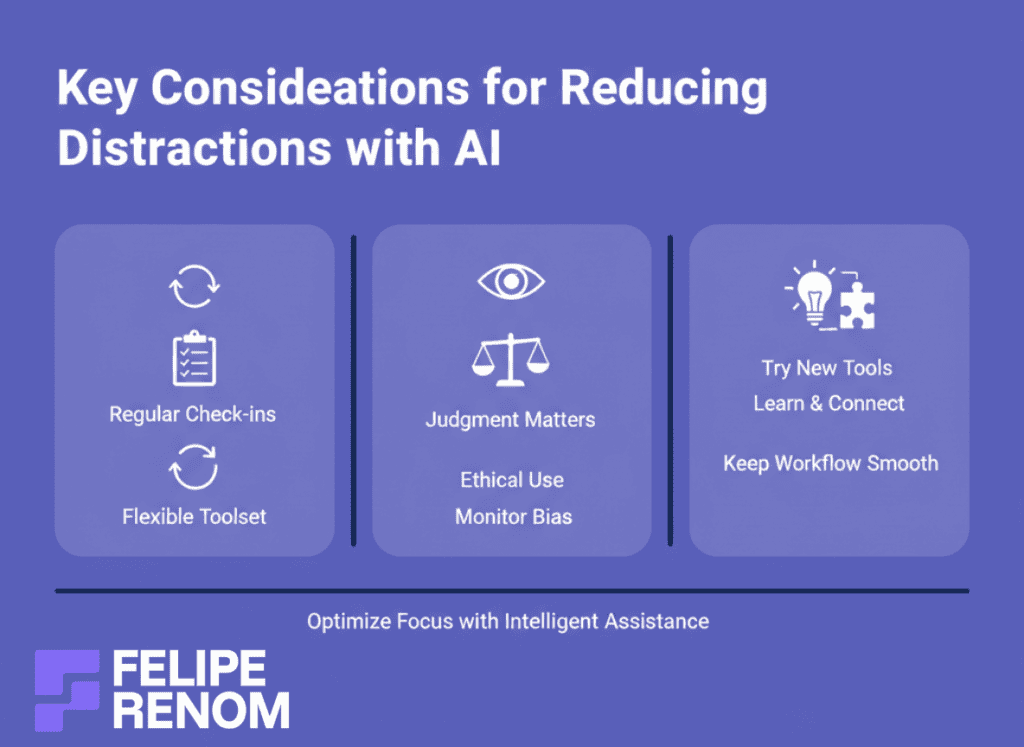
- Consistent Check-ins: Periodically review how your tools are performing. For example, I did weekly check-ins to measure efficiency improvements and adapt wherever necessary.
- Stay Updated: The AI landscape evolves quickly, with tools constantly being updated or replaced. Staying informed helps you stay relevant.
- Flexibility is Key: Don’t be afraid to switch out apps. In my early days, I swapped a whole toolset because they just didn’t fit my needs as well as newer options.
Insight: Adapting quickly ensures you’re always making the most of your AI systems.
Importance of Human Oversight
While AI can be a powerful ally, it also needs human oversight to ensure ethical and effective usage. I’ve seen firsthand how things can go sideways without a human eye monitoring the process.
- Balance Between AI and Human Judgment: AI can handle routine tasks, but critical thinking is still purely human territory. I once built an AI tool that presented biased analytics until I stepped in.
- Ethical Use of AI: Systems must be transparent and accountable. Ensure the data you’re using is obtained ethically and that the AI respects privacy norms.
- Be the Guide: When a tool is running, keep a lookout for anomalies or things that just seem off. Your gut and experience bring an invaluable layer of judgment.
| Consideration | Human Role | Importance |
|---|---|---|
| AI Analytics | Monitor Bias | Ensure fair results |
| Task Automation | Oversight | Maintain quality of outcomes |
| Data Usage | Ethical Standards | Protect privacy |
Key takeaway: No matter how advanced, AI is never a substitute for human intuition and oversight.
Stay Open to New Technologies
To leverage AI effectively, embracing innovation is crucial. Every year, new advancements present better and more efficient ways to manage distractions.
- Embrace Change: When a new tool appears on the market, give it a try. Some of my biggest breakthroughs were from tools I hadn’t considered initially.
- Network and Learn: Engage with AI communities or attend webinars to stay in the loop. Hearing how others use tools is incredibly enlightening.
- Balance Between Old and New: While exploring new options, ensure they integrate seamlessly with existing processes. Diluting your setup with too many tools can DECREASE efficiency.
Trying new technologies has often shown me unexpected ways to solve old problems. This proactive approach ensures that your path to reducing distractions isn’t crowded by them.
Final thought: Innovate to stay ahead of the curve and make AI work best in your unique scenario.
By keeping all these considerations in mind, you’ll navigate how to reduce distractions with AI more effectively. AI is like a dynamic partner, it evolves, and so should your strategies for using it. With a bit of attention and adaptability, you’ll unlock limitless productivity potential.
Taking it to the Next Level: How to Optimize AI Use for Maximum Productivity
Whoa, you’ve got your AI tools humming and your distractions minimized. But here’s where it gets exciting: optimizing AI for MAXIMUM productivity! You can take AI beyond the basics by integrating systems and getting predictive. Let’s dive in, using examples from my own work journey.
Integrate AI with Other Digital Solutions
On my path as a freelance AI developer, it became clear that combining AI with other digital solutions was the SECRET SAUCE. Why stop with one tool when you can create a whole system that WORKS for you?
- Combine AI with CRMs: Link AI chatbots with customer relationship management tools like Salesforce for real-time client insights. It was a game-changer for managing my freelance client relations.
- Data Syncing: Enable auto-sync between digital calendars and task managers. Tools like Zapier can create workflows that save time, so no more manual updates!
- Use AI with Cloud Storage: I integrated AI with Google Drive, ensuring real-time updates and access to files from anywhere, this was HUGE for client projects.
| Integration Type | Benefit | Tools/Systems |
|---|---|---|
| AI + CRM | Enhanced analytics | Salesforce, Zoho |
| Data Syncing | Time efficiency | Zapier, Integromat |
| AI + Cloud Storage | Seamless access | Google Drive, Dropbox |
Key realization: Integrate your systems for a comprehensive approach, not just isolated tools.
Explore Advanced AI Features
With basic AI in place, exploring advanced features can supercharge productivity and focus. It’s about getting AHEAD of the curve rather than playing catch-up.
So here’s a peek inside the world of NEXT-LEVEL AI:
- Predictive Analytics: Use tools that predict workflow issues before they arise. As an example, AI informed my scheduling of high-stakes meetings to times when I’m usually most alert.
- Personalized Recommendations: AI tools like Trello learn your habits and suggest tasks you might be overlooking. A client of mine streamlined their team tasks by 25% after leveraging this.
- Sentiment Analysis: In chatbots, this has been KEY for understanding client moods and tailoring responses. For my client Ethan, adapting AI’s tone based on sentiment improved customer satisfaction.
This was the biggest lesson I learned: advanced features help refine and personalize productivity strategies.
Embrace Continuous Learning and Adaptation
AI isn’t static. Embracing a mindset of continuous learning and adaptation keeps you on your toes and pushes productivity to the LIMIT.
- Stay Educated: Attend webinars or AI seminars. I frequently visit AI-focused forums to exchange knowledge with other like-minded professionals.
- Experiment: Don’t fear trying new features before they’re mainstream. Early adoption can pave the way for unique competitive advantages.
- Feedback Loop: Regularly review AI performance and solicit team feedback. This ensures systems evolve and continue to meet changing needs.
| Action | Purpose | Example |
|---|---|---|
| Webinars/Seminars | Stay updated | AI conferences, online courses |
| Experimentation | Uncover new capabilities | Trial new AI features |
| Feedback Loop | Improve system fit | Bi-weekly team meetings |
It’s ongoing learning and adaptation that keep productivity levels climbing.
Optimizing AI use isn’t just about understanding how to reduce distractions with AI. It’s connecting dots across systems, leveraging advanced features, and constantly adapting. Start small, integrate wisely, and continually learn, your productivity can reach new heights!
Alternatives to Reducing Distractions with AI
AI is undeniably a powerhouse for boosting productivity, yet there’s an art in blending it with traditional approaches. Combining AI tools with tried-and-true methods like mindfulness or setting up a distraction-free physical workspace can be a real GAME-CHANGER. Here’s how you can integrate both worlds for an all-encompassing strategy on how to reduce distractions with AI.
Embrace Mindfulness Practices Alongside AI
When I first started using AI to manage my work life, I realized something crucial: tech tools alone couldn’t give me the mental calm I needed. Enter mindfulness, a practice I’d heard of but never fully embraced until those late-night stress sessions hit HARD.
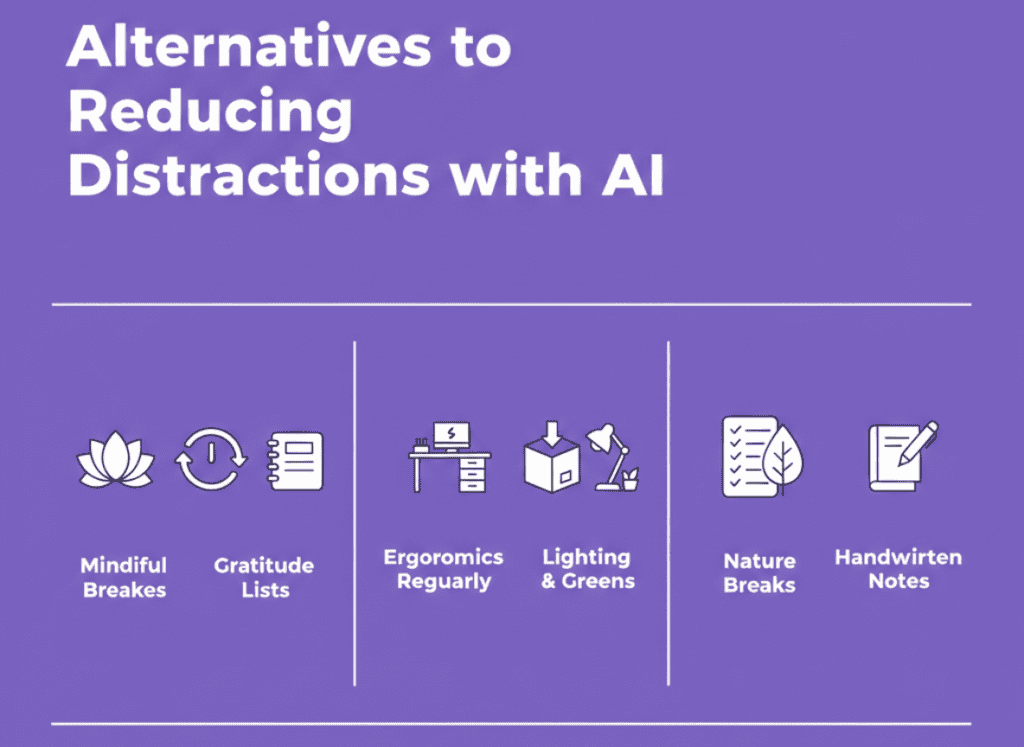
- Mindful Breaks: Schedule short mindfulness sessions during your day. I use an app called Headspace alongside AI scheduling tools to remind me when it’s time to breathe.
- Gratitude Lists: Pair AI journaling tools with old-school gratitude lists. This has been fantastic for keeping perspective.
- Mindful Mornings: Start the day with a few minutes of meditation before diving into task lists, made easier with reminders from apps like Todoist.
AI tools can remind you to take these breaks, but the true magic lies in how you feel afterward. Implementing these non-digital strategies has improved my focus and made me more resilient during busy days.
Key takeaway: Technology aids, but mindfulness creates a mental space for focus.
Optimize Your Physical Workspace
The digital realm often overshadows the physical environment, but the latter plays a massive role in productivity. Early in my freelancing, I ignored my workspace and PAID the price in distraction.
- Ergonomic Adjustments: A good chair and desk setup are essentials. No AI substitute here! They improve focus and comfort.
- Declutter Regularly: Physical clutter often equates to mental clutter. Set up regular reminders using AI to clean your desk.
- Lighting and Plants: Better lighting conditions and a few potted plants can lift spirits. My productivity saw an uptick just by adding a few greens around.
| Adjustment | Benefit |
|---|---|
| Ergonomics | Enhances focus and comfort |
| Decluttering | Reduces mental distraction |
| Lighting | Improves mood and visibility |
Integrating these habits with AI for reminders or even using noise-canceling tech to keep your workspace serene transforms it into a productivity haven.
Physical environments shouldn’t be overlooked when considering how to reduce distractions with AI.
Blend Tech Tools with Traditional Strategies for Balance
While AI is an awesome ally, combining it with traditional methods can yield a well-rounded routine. Tech can remind and automate, but there’s something grounding in tactile, traditional approaches.
- Analog To-Do Lists: Occasionally switch to paper lists. The tactile action of crossing off tasks feels rewarding and keeps me grounded.
- Nature Walks: Set AI reminders for digital detox breaks to enjoy nature.
- Handwritten Notes: In meetings, handwritten notes often stick better than their digital counterparts.
The blending of AI with these offline strategies offers a comprehensive way to maintain focus and productivity. Adopting this harmonious approach led to a newfound work-life balance that provided consistency and improved daily efficiency.
The biggest lesson I learned: Balance AI with traditional methods for a productive and fulfilling work experience.
By integrating these techniques, you’ll find a balanced workflow that optimizes focus and productivity beyond what AI alone can achieve. If you’re interested in implementing AI chatbots to refine your business processes further, feel free to book a consultation with me at calendly.com/feliperenom/felipe-1.
Final Thoughts
Harnessing AI to minimize distractions isn’t just a futuristic concept, it’s a practical strategy you can implement today. By identifying your distraction triggers, selecting the right AI tools, and employing AI-powered focus strategies, you’ll discover how to reduce distractions with AI effectively. These steps can transform your work environment into a hub of concentration and productivity. Now it’s your turn: start by choosing one AI tool to try this week and notice the difference in your focus levels.
Continue Reading: For more on leveraging AI to boost your productivity, explore my guide on How to Use AI for Productivity (Full Beginner Guide). Here, you’ll find additional insights and strategies to enhance your work performance even further. Dive in and take your productivity to the next level!