
Notion AI Alternatives in 2025: Discover the Perfect Tool for Your Needs
Are you tired of feeling like you’re trying to fit a square peg into a round hole with your productivity tools? If so, you’re not alone. Did you know that nearly 60% of users eventually seek out alternatives to their primary AI tools due to unmet needs and functionality gaps? After years of wrestling with various AI platforms myself, I know firsthand the frustration of a tool that promises the world but falls short when it comes to delivering what I truly need.
That’s why today, we’re diving into the world of Notion AI alternatives. Whether you’re hunting for something more cost-effective, seeking advanced features, or simply craving a tool that intuitively aligns with your workflow, this guide is for you. As I covered in my how to use AI for productivity guide, finding the right tool can significantly boost your efficiency and satisfaction.
In this post, we’ll explore the top Notion AI alternatives of 2025, compare their features and pricing, and help you discover the perfect AI companion for your unique requirements. So, if you’re ready to switch gears and explore tools that do more than just tick the boxes, keep reading. You might just find your next productivity powerhouse.

Table of Contents
Comparison Table: Notion AI vs Alternatives
| Tool | Best For | Pricing | Key Features |
|---|---|---|---|
| Notion AI | All-in-One Workspace | From $10/user/month (depending on plan) | Content generation, simple automation, knowledge bases, seamless integration with Notion docs & databases |
| Coda AI | Document Management & Workflow Automation | Free tier. Paid plans from $10/doc maker/month | Advanced integrations, customizable workflows, AI-powered templates, real-time collaboration |
| ClickUp AI | Project Management & Task Automation | Free tier. Paid plans from $5/user/month | AI-powered task automation, custom dashboards, project tracking, wide integration ecosystem |
| Monday.com AI | Enterprise-Level Project Management & Analytics | No free tier. Paid plans from $8/user/month | AI analytics & reporting, advanced automation workflows, enterprise-grade security, team collaboration |
Why Look for Notion AI Alternatives?
I’ve been in situations where the tool that seemed perfect initially turns out to be a bit of a letdown as projects grow and evolve. You start wishing for things it can’t do. Notion AI is AMAZING for many users, but for others, its limitations might become a deal-breaker. Finding Notion AI alternatives, tailored specifically to your unique needs, can open up new pathways to efficiency and productivity.
Alternative #1: Coda AI
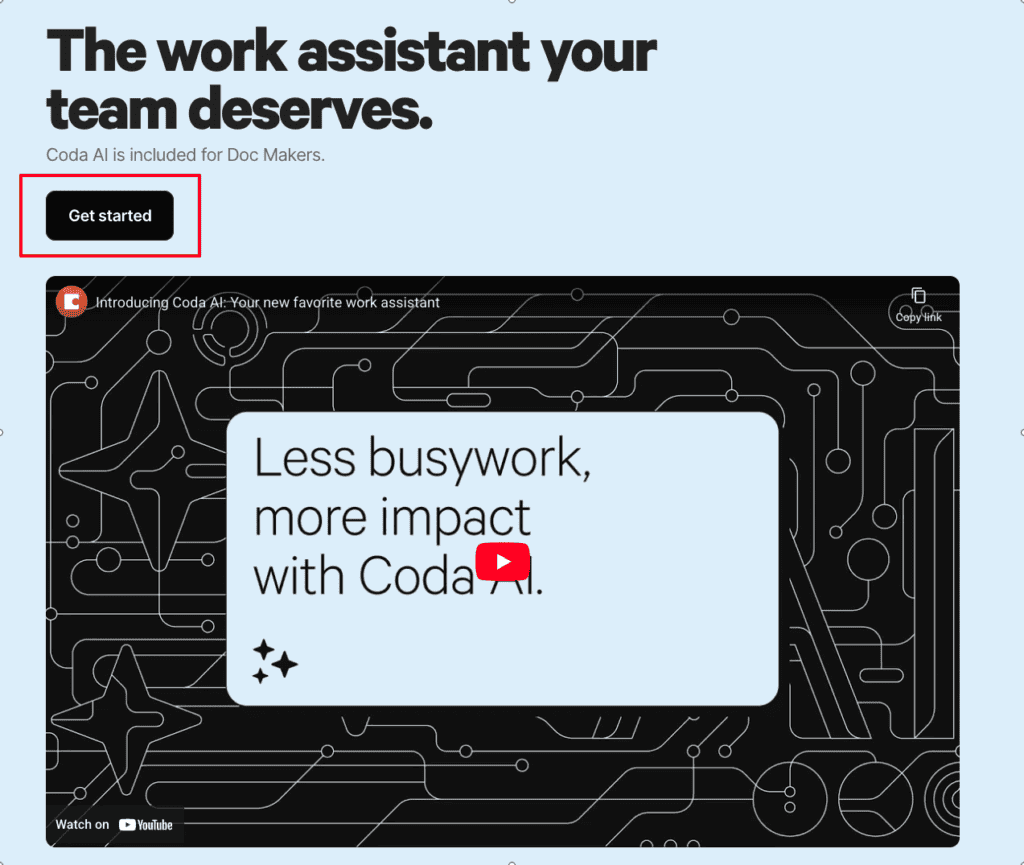
Discovering the perfect tool can sometimes feel like finding a needle in a haystack, especially if you’ve spent countless hours like I have, trying to untangle feature complexities. Coda AI stands out as a versatile solution, ideal for teams aiming to integrate AI into document management and task automation.
Key Features for Power Users
You know, it’s funny how often I’ve underestimated the power of templates. Coda AI offers advanced AI-driven templates that really save a LOT of time. These templates can be customized to fit various workflows, making it feel like the tool is tailor-made just for your team.
Here’s why Coda AI could be your new best friend:
- Seamless Integration: It plays well with third-party apps, which is a HUGE win when you want everything to just… work together.
- Custom Workflows: I’ve found that being able to design workflows that truly fit your needs can transform productivity.
- Real-Time Collaboration: Multiple user access means no waiting around. Get stuff done TOGETHER without interruptions.
In essence, Coda AI isn’t just another tool. It’s a productivity powerhouse waiting to be unlocked.
Unpacking the Pricing and Usability
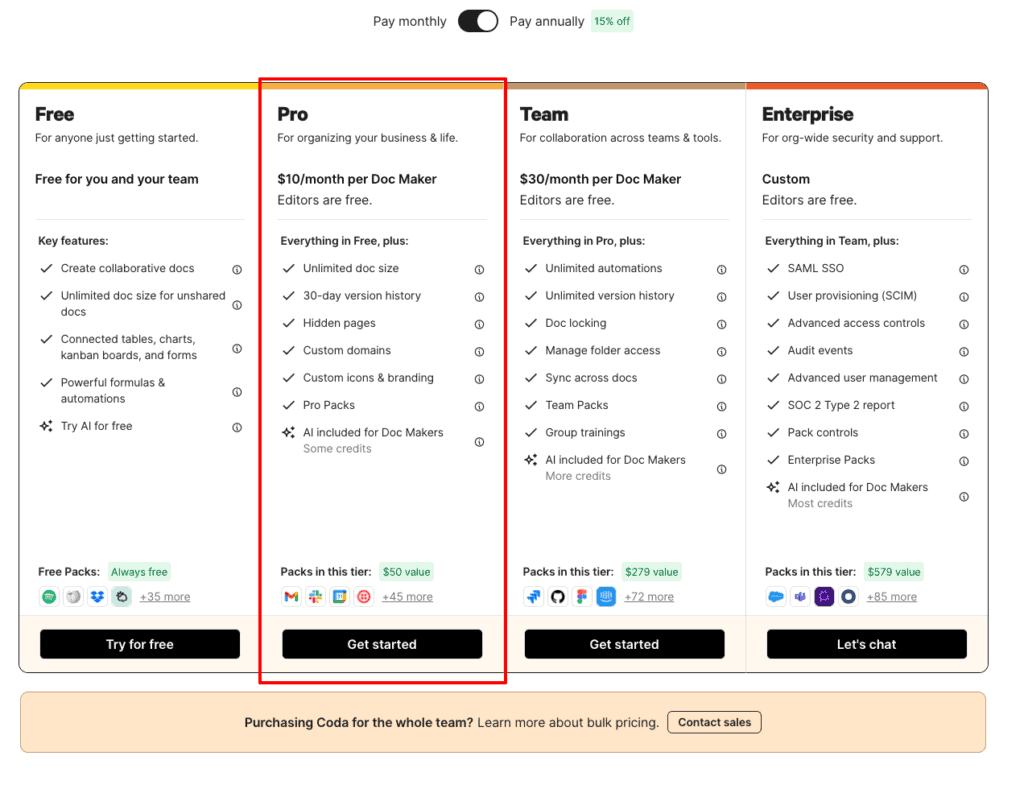
One of the aspects that I think works really well for both startups and larger enterprises is Coda AI’s pricing model. With a free tier for those just testing the waters and paid plans starting at $10/doc maker/month, there’s flexibility to scale as you grow.
But let’s face it, nothing’s perfect.
| Pros | Cons |
|---|---|
| Highly Customizable | Complex for beginners |
| Strong Integration | Limited offline access |
| Intuitive Interface | Sometimes too much for simple needs |
One of my earlier experiences with a client highlighted these points poignantly. They were initially daunted by Coda AI’s complexity, but once we got the hang of it, their document management and task processes TALKED to each other like never before.
The main takeaway? Coda AI provides a compelling alternative to Notion AI when customization and integration are top priorities.
When Coda AI Fits Just Right
I’ve encountered my fair share of clients who felt trapped by AI tools that didn’t quite align with their needs. That’s where Coda AI shines as a go-to solution. Whether you’re managing massive document structures or automating workflows, it simplifies complex challenges with its unique flexibility.
- Advanced Templates: Tap into the power of AI-driven templates.
- Integration Capabilities: Easily link with existing systems.
- Accessibility: With its intuitive interface, navigating through it doesn’t feel like rocket science once you get past the initial setup.
If you’re looking for Notion AI alternatives, Coda AI might be exactly what you need. AIMING for a solution that adapts to YOU, not the other way around, is key to streamlined productivity and efficiency in your workflow.
Alternative #2: ClickUp AI
There’s something about juggling multiple tasks that can make your head spin, isn’t there? That’s where ClickUp AI steps in. It’s not just a project management tool; it’s a powerhouse of AI-enhanced features ready to make your workflow smoother. Whether you’re a solopreneur or part of a large team, this tool packs a punch with both simplicity and complexity. It’s seriously like having an AI assistant in your back pocket!
Key Features: Worth a Closer Look
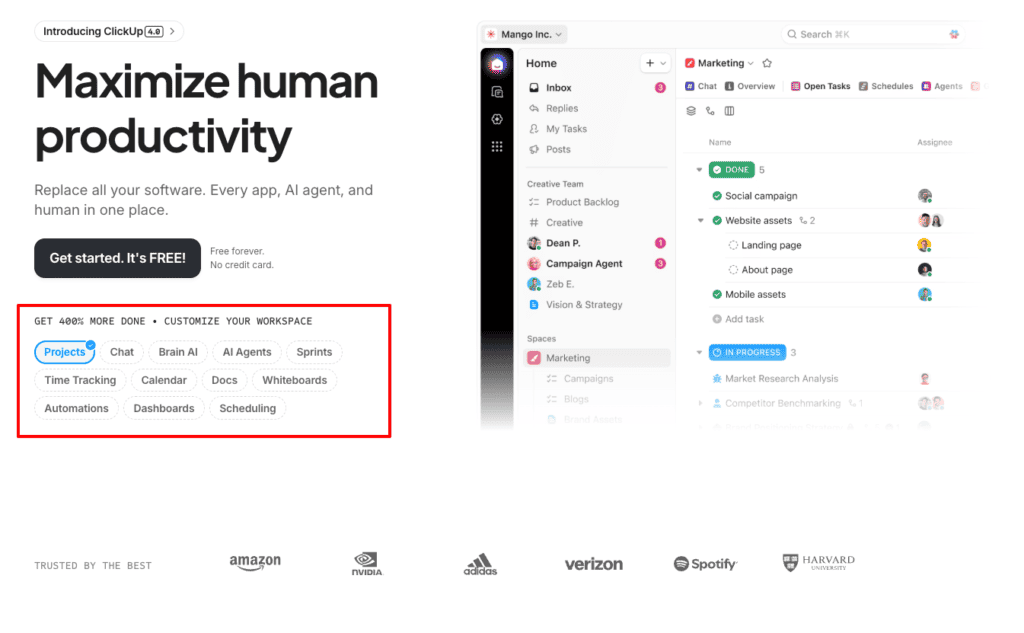
Exploring ClickUp AI’s features can feel as exciting as opening presents if you enjoy tech. Its AI-driven task automation has genuinely changed how I work. Routine tasks get handled automatically, freeing you from the effort they usually demand.
Here’s a breakdown of the features I find most noteworthy:
- AI-Powered Task Automation: Set up tasks to run like clockwork without constant oversight.
- Comprehensive Project Tracking: Keep tabs on ALL your projects in one place.
- Custom Dashboards: Tailor your view to focus on what matters most.
- Integrations: Hook it up with popular tools like Slack, Google Workspace, and many more.
Head-to-head with other Notion AI alternatives, ClickUp stands out for its affordability AND diverse features.
My aha moment? Realizing that with ClickUp AI, I can REALLY save time on repetitive admin tasks, letting me focus on more strategic work.
The main takeaway? If you’re willing to go through the initial learning phase, ClickUp AI can drastically enhance productivity.
Pricing and Usability: What to Expect
Alright, let’s talk about the numbers, because understanding pricing structures can make this decision MUCH easier. ClickUp offers a free tier that’s great for dipping your toes in the water. If you need more, paid plans start at a budget-friendly $5/user/month, scaling up to robust enterprise solutions.
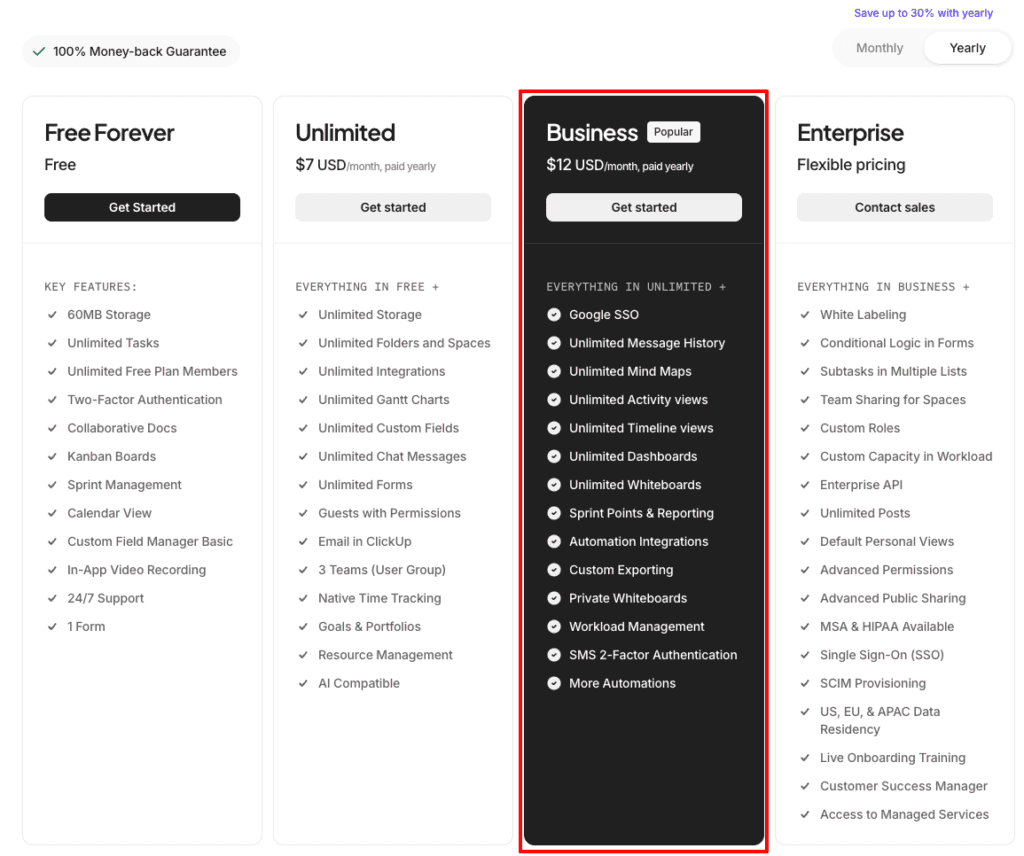
| Plan Type | Pricing | Features |
|---|---|---|
| Free | $0 | Basic features, limited integrations |
| Unlimited | $7/user/month | Advanced integrations, custom fields |
| Business | $12/user/month | Goal tracking, timelines, and more |
The catch? As incredible as ClickUp is, there’s a pretty steep learning curve. It’s like learning to drive stick when you’re used to automatic, but once you get it, woo! You’re ZOOMING.
My first week with ClickUp was INTENSE. I was so overwhelmed that I almost gave up. But once the pieces fell into place, it was like finding my flow.
Pros and Cons
Pros of ClickUp:
- Affordable pricing
- Extensive feature set
- Excellent customer support
Cons:
- Steep learning curve
- Overwhelming for small projects
ClickUp AI isn’t for everyone, particularly if you’re managing something small and straightforward. However, for those marrying into a system that offers both breadth and depth, it’s like hitting a productivity jackpot!
So, if navigating Notion AI alternatives has led you here, consider giving ClickUp AI a spin. Once it clicks (pun intended), it feels like you’re steering a well-oiled machine designed to drive efficiency and save precious time.
Alternative #3: Monday.com AI
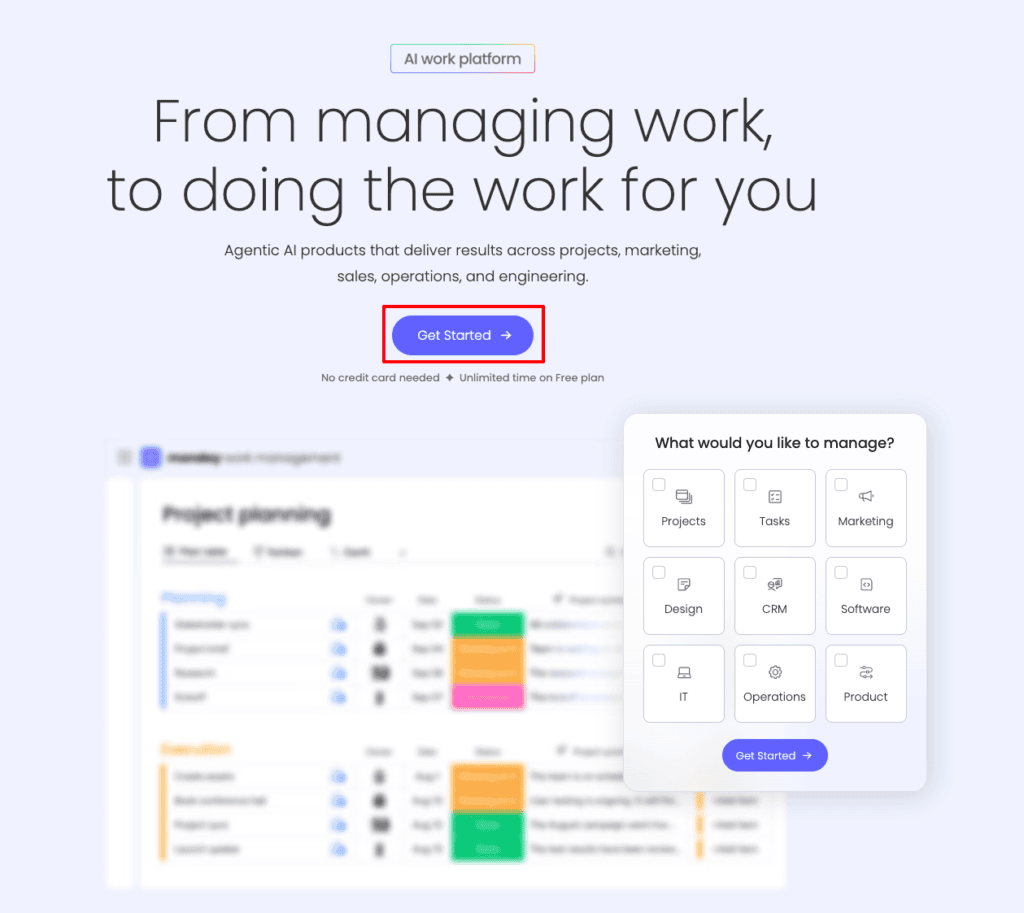
Navigating the world of AI tools can be a mind-bender, especially when you’re searching for that perfect fit. Monday.com AI is a strong contender, particularly for enterprises needing a scalable solution. This platform offers AI-driven insights and automation, aimed at elevating productivity and efficiency in complex environments.
The Impressive Features of Monday.com AI
You know, I’ve stumbled upon a whole range of tools, but Monday.com AI’s features have certainly caught my attention. It’s designed with enterprises in mind, making it a compelling choice if you’re managing large teams or intricate projects. One of its standout features is the AI analytics and reporting capability, something I’ve always found crucial for making informed decisions.
Why Monday.com AI might be ideal for you:
- AI Analytics and Reporting: Gain deep insights into your operations, which is like having a crystal ball for your business.
- Custom Automation Workflows: Automate recurring tasks, saving precious time for more strategic initiatives.
- Enterprise-Grade Security: Rest easy knowing your data is protected, this IS crucial, especially in today’s world.
- Collaborative Environment: Seamlessly collaborate across teams with ease.
It’s worth noting that while these features give Monday.com AI a strong edge, understanding how they integrate with your existing processes is key.
The Pricing and Scalability Factors
Let’s talk about the cost, because this is often MAKE OR BREAK for decision-makers. Monday.com AI doesn’t offer a free tier. However, its paid plans start at $8/user/month, with tailored enterprise packages for those needing more specialized solutions.
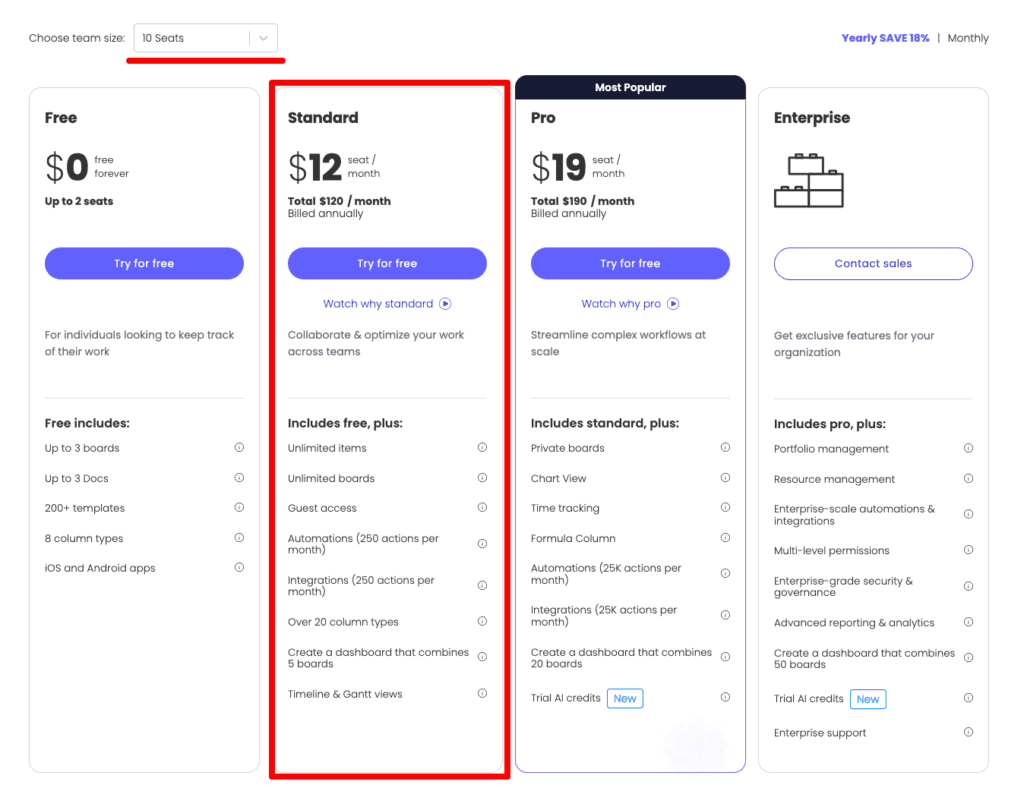
Here’s a quick look at the pricing and what you get:
| Tier | Pricing | Features |
|---|---|---|
| Free | $0 | Basic features |
| Standard | $12/seat/month | Advanced features, better support |
| Pro | $19/seat/month | Full feature set, prioritized support |
| Enterprise | Custom Pricing | Tailored for large-scale integration and security needs |
With powerful AI capabilities comes a price, higher costs for advanced features. But for enterprises, the benefits can often outweigh these costs. However, don’t rush into it without considering the learning curve. Proper training is needed to unleash the platform’s full potential.
“This was the biggest hurdle I faced: understanding the intricate details to maximize Monday.com AI’s value.”
If you’re considering alternatives to Notion AI, Monday.com AI might be your best bet for scaling efficiently and leveraging powerful analytics, provided you’re prepared to invest the time and resources into making it work FOR you.
Pros and Cons to Consider
It’s not all rainbows and unicorns; every tool has its strengths and its drawbacks. Here’s a balanced view of Monday.com AI’s performance:
Pros:
- Scalable for Large Teams: It can grow with your business, accommodating an expanding workforce.
- Powerful Analytics: The insights it provides can be game-changing.
- High-Level Security: You get robust protection for your data.
Cons:
- Higher Cost for Advanced Features: May not be feasible for smaller operations.
- Requires Training for Optimal Use: It’s NOT plug-and-play and needs investment in training.
Being an alternative to Notion AI, Monday.com AI offers a serious upgrade for users who need extensive analytics and automation capabilities. It’s about finding the right balance between cost, scalability, and features that fit YOUR specific needs.
If you’re on the lookout for more sophisticated solutions, add Monday.com AI to your shortlist of Notion AI alternatives. With its comprehensive feature set, it might just be the powerhouse your enterprise needs to supercharge productivity!
Which Notion AI Alternative is Right for You?
Finding the right tool can feel like dating – sometimes exhausting, often enlightening, but ABSOLUTELY worth it when you find the right match. Picking the perfect Notion AI alternative isn’t just about features, it’s about finding a digital partner that makes your life easier and aligns with your workflow.
Matching Features with Your Needs
When I shifted from a corporate workspace to freelancing, I realized the importance of tools that actually help, not just impress on paper. You want the same from the Notion AI alternatives you’re considering. What’s the fit like with your current workflow? Are these tools solving your problems or just adding more complexity?
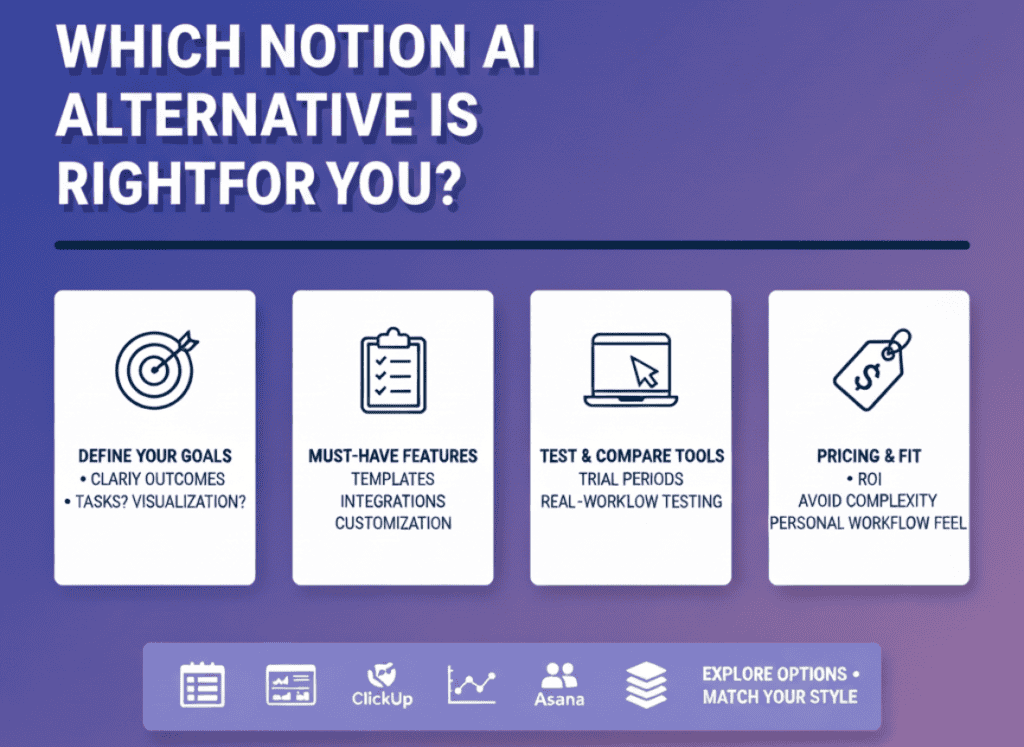
Here are some steps to consider:
- Define Your Goals: What are you REALLY trying to achieve with an AI tool? Task management? Advanced data visualization?
- List Your Must-Have Features: Templates, customization, integrations, knowing what you need ahead of time saves hours of frustration.
- Test Drive Potential Tools: Most platforms offer a trial period. Use it to gauge compatibility with your work style.
The vital lesson? There’s no universal best, only what’s best for YOU.
I remember trying an AI tool that looked super impressive in demos but failed when applied to my daily tasks. It was a reminder that the devil is in the details.
Navigating the World of Pricing and Accessibility
Talking about costs isn’t thrilling, but it’s a dealbreaker, right? Especially when you’re balancing quality with affordability. Finding an alternative to Notion AI means considering pricing not as a barrier but as a foundation for long-term ROI.
| Tool/Plan | Price | Key Offering |
|---|---|---|
| Trello + Butler | Starts at $5/month | Visual task automation |
| ClickUp | Free & Paid ($7+) | Custom dashboards and robust task automation |
| Monday.com | $12/user/month | Enterprise-grade AI analytics and security |
The challenge? ENSURE you’re not just buying features but investing in time-saving solutions.
A quick story: Back when I first made the switch to freelancing, I paid more because I didn’t negotiate. Don’t be like past-me. Look at what’s out there, compare alternatives, and choose with clarity.
Choosing Is About Personal Fit
Beyond features and pricing, it’s about how these tools FEEL in your workflow. Does it make your job easier or just add a layer of achievement in clicking the “buy” button?
Options like Asana and Confluence are great for fostering collaboration if you work in teams, while ClickUp excels at customization for personal projects.
In my projects – whether setting up a chatbot for a clinic in the U.S. or managing tasks remotely – the right tool seamlessly integrated with existing systems, saving time and headaches.
An insight I found? The REAL test is not during the trial, but a few months down the line. How it holds up after the honeymoon period is CRUCIAL.
Choosing the right alternative to Notion AI isn’t just about ticking boxes; it’s about finding a partner in productivity that speaks your language. Explore, experiment, and soon enough, you’ll have a tool that feels less like software and more like a team member. 😎
Final Thoughts
Exploring Notion AI alternatives can open up a world of possibilities tailored to your specific productivity needs. From the visual simplicity of Trello + Butler to the all-encompassing power of ClickUp, the right tool is out there waiting to streamline your workflow and enhance your efficiency. Now it’s time to take action: try out some free trials, assess their features, and choose the one that aligns with your goals. Remember, the key is finding a tool that complements your work style without complicating it.
Continue Reading: Ready to take it further? Read How to Use AI for Productivity to discover more strategies for maximizing your AI tools. Don’t miss out on unlocking your full productivity potential!
FAQs
What are the best free alternatives to Notion AI?
You know, being thrifty doesn’t mean sacrificing quality. During my time freelancing, I learned the power of exploring FREE options before committing. Here’s a rundown of some solid free alternatives:
- Trello: With its intuitive interface, Trello offers great visual project management capabilities.
- ClickUp: Offers a free tier that’s quite robust, providing task management and integrations.
- Google Keep: Though simpler, it’s excellent for note-taking and lists.
The key takeaway here? Don’t overlook free tools. They can be POWERFUL allies in your quest for productivity, especially if you’re just starting out.
How difficult is it to migrate from Notion AI to another tool?
Transitioning from one platform to another can be a daunting task. When I shifted several systems for a client, the process initially felt OVERWHELMING. Here’s what I’ve found works best:
- Backup Data: Always ensure your data is safely stored before any transition.
- Understand Export/Import Functions: Some tools have straightforward processes, while others require a bit more finesse.
- Test Run: Before fully committing, do a trial migration to spot potential hiccups.
Though it may seem challenging, with a solid plan, you can make the move smoothly. After all, getting the right tool in place is worth the effort.
What features should I look for in a Notion AI alternative?
Identifying key features is like buying a car; you want to check under the hood! I’ve learned from my projects that different tools offer different advantages. Here’s what I advise considering:
- Customization: Ensure the tool can be molded to fit your workflow.
- Integration Capabilities: Check if it plays well with other tools you use.
- Ease of Use: A steep learning curve can be a time-eater.
Adapting the features to your unique needs is essential. It’s about making the tool work FOR YOU, not the other way around.
Are there Notion AI alternatives with better integration options?
Integrations are like the connectors on a Swiss Army knife; without them, you’re juggling multiple separate tools! While working on a project for a clinic, integration was the game-changer. Here are some alternatives that shine:
- Asana: Known for its robust integration capabilities.
- Zapier: It serves as a bridge, linking multiple apps seamlessly.
- Monday.com: Offers extensive API documentation for custom integrations.
“The magic happens when everything talks to each other.”
Letting your tools communicate can truly boost efficiency and streamline operations.
How do pricing models compare among Notion AI competitors?
Pricing is a biggie; it’s not just about the sticker price but the VALUE you get. Let’s have a peek:
| Tool | Free Tier | Basic Pricing | Notable Features |
|---|---|---|---|
| ClickUp | Yes | $5/user/month | Custom dashboards, task automation |
| Asana | Yes | $10.99/month | Advanced integrations |
| Monday.com | No | $8/user/month | AI analytics and enterprise security |
The moral? Look beyond the numbers; consider how the features meet your needs and whether the costs align with your budgeting.
Can I find an AI tool with better support than Notion AI?
When wrestling with an AI tool, good support can be your BEST friend. From my experience, responsive customer service makes a world of difference. Here’s a list of standout support experiences:
- ClickUp: Quick response times and helpful documentation.
- Asana: Offers comprehensive guides and community forums.
- Coda AI: Known for its dedicated support channels.
Having immediate help accessible can save so much time and frustration. NEVER underestimate the value of solid support.
What are the most user-friendly Notion AI alternatives?
User-friendliness is like finding your favorite pair of jeans. It just fits and feels right. I’ve encountered several tools that are particularly intuitive:
- Trello: Simple drag-and-drop functions make it exceptionally user-friendly.
- Google Keep: A straightforward layout caters to all ages and tech skills.
- ClickUp: While feature-rich, it provides custom views to simplify interfaces.
These options make transitioning feel like a breeze, especially for those less tech-savvy. Keep it simple, sometimes that’s all you need for productivity mileage!