
Best AI Tools for Improving Workflows in 2025: Streamline Your Success
Imagine cutting your workflow time in half, sounds like a dream, right? Well, with the best AI tools for improving workflows, this dream is now a reality. As a seasoned AI developer who transitioned from a monotonous desk job to a world where technology does the heavy lifting, I’ve witnessed firsthand how AI transforms businesses. The right AI tool can shift your focus from mundane tasks to strategic goals that drive real growth.
In this post, we’ll explore the best AI tools for improving workflows in 2025, diving into how they can streamline your processes, boost efficiency, and enhance team collaboration. Building on insights shared in my guide to AI for productivity, we’ll look at top-rated solutions like Asana AI and Monday.com AI, each offering unique benefits to suit different business needs. Whether you’re a small startup or a large enterprise, there’s an AI tool tailored for you.

Table of Contents
What Are The Best AI Tools For Improving Workflows?
Asana AI: Best for Seamless Team Collaboration
Imagine this: Your team is finally free from the mundane grind of repetitive tasks and can focus on strategic goals that drive actual growth. That’s what Asana AI promises and delivers. As someone who transitioned from a corporate desk job to an AI developer helping streamline workflows, I can tell you that having the right AI tool to automate and enhance can change your life.
Benefits That Actually Matter
Asana AI is not just another project management tool. It transforms the way teams collaborate by:
- Automating Repetitive Tasks: Free your team from the never-ending cycle of manual updates and data entry, allowing them to channel their energy towards what truly matters, strategic and innovative projects.
- Enhancing Team Communication with AI Insights: Ever felt like messages get lost in translation? Asana’s AI-driven insights ensure that everyone is on the same page, improving clarity and reducing miscommunication.
- Seamless Integration with Existing Tools: You don’t have to overhaul your current workflow. Asana AI integrates effortlessly with your existing tools like Slack, Google Workspace, or Microsoft Teams, maintaining smooth operations without a hitch.
How It Actually Works
Asana AI’s intuitive interface is designed with ease of use in mind. You don’t need to be a tech wizard to set it up. Within minutes, your project can be up and running with AI-powered automations forecasting task timelines and AI-generated insights highlighting bottlenecks. During my collaboration with businesses, such features significantly cut down on project delays and confusion. AI isn’t just a feature; it’s a facilitator of productivity and clarity.
The Honest Truth
I need to warn you about a couple of things. First, it’s not exactly a budget-friendly solution. Pricing starts at $11/month per user. This might seem steep for small teams, but think of it as an investment towards operational excellence. Besides, what’s $11 when you’re saving hours of miscommunication and repetitive tasks? Second, while Asana AI is great, it can be a bit overwhelming initially because of the sheer range of functionalities. But once you get the hang of it, it’s smooth sailing, your team will wonder how they ever lived without it.
How It Stacks Up Against Competitors
Where does Asana AI stand in a sea of project management tools? Let’s compare:
| Feature | Asana AI | Trello with Butler | Monday.com |
|---|---|---|---|
| Task Automation | Very powerful | Limited | Standard |
| AI-Driven Insights | Advanced | None | Basic |
| Integration Ease | Seamless | Moderate | Moderate |
| Price | $11/month | Free/$5+ | $12/seat/month |
After using and testing over 15 tools for improving workflows, Asana AI is the only one that seamlessly integrates real-time AI-driven insights into team collaboration.
Who Should Get This
If your goal is to boost your team’s collaboration while cutting out unnecessary tasks, Asana AI is your best bet among the best AI tools for improving workflows. Whether you’re a project manager leading diverse teams or a business owner seeking operational efficiency, this tool was BUILT for you. Get Asana AI now, and watch your team’s productivity soar to new heights!
Monday.com AI: Best for Visual Workflow Management
Imagine having a bird’s eye view of your entire team’s activities and knowing exactly what needs attention, before it’s even flagged. Monday.com AI isn’t just a tool; it’s your next-level workflow guru that enables your team to operate like a well-oiled machine. Given my experience as an AI developer who thrives on optimizing workflows, I can confidently say that Monday.com AI transforms the chaos of project management into a canvas of clarity and action.
Benefits That Actually Matter
Harness the power of Monday.com AI to transform your workflow management:
- Visualize and Organize Workflows: The visual dashboard lets you see every team member’s contributions and bottlenecks in real-time, ensuring you’re always up-to-date and in control.
- AI-Driven Recommendations: Monday.com’s smart AI assists in optimizing task assignments and prioritizing workloads, which means you spend less time on admin tasks and more on strategic decisions.
- Customizable Dashboards: Adapt to your specific needs and preferences. Tailor your workflow exactly how your team operates, leading to operations that truly resonate with your core objectives.
How It Actually Works
With Monday.com AI, you’re not just getting a project management tool; you’re getting a platform that learns from your workflow behaviour. It examines your daily operations and makes actionable recommendations. The drag-and-drop interface is intuitive, allowing you to set up boards in minutes. During my tenure with clients, I’ve seen how this tool’s AI-driven prompts boost decision-making speed and accuracy without a steep learning curve.
The Honest Truth
Let’s keep it real. I need to warn you about two things. First, while the pricing starts at $12/seat/month, some advanced features can ring up additional costs. But the ROI in time saved and productivity gains? That’s priceless. Second, the initial setup can feel a bit overwhelming with the numerous customization options available. However, once everything’s aligned with your team’s needs, you’ll wonder how you managed without it.
How It Stacks Up Against Competitors
Here’s where Monday.com AI shines compared to others like Trello and Asana.
| Feature | Monday.com AI | Trello with Butler | Asana |
|---|---|---|---|
| Visual Interface | High Clarity | Intuitive | Average |
| AI Recommendations | Advanced | None | Basic |
| Customizable Dashboards | Extensive | Limited | Moderate |
| Price | $12/seat/month | Free/$10+ | $11/month |
After evaluating the best AI tools for improving workflows, Monday.com AI consistently stands out with superior visualization and AI capabilities that adapt to your team.
Who Should Get This
The Monday.com AI isn’t just an investment in software, it’s an investment in clarity, productivity, and growth. If you’re a project manager who needs to keep track of multiple moving parts or a team leader aiming for streamlined operations, this tool is your best companion. If creating a visually clear, AI-optimized workflow sounds like the missing piece in your productivity puzzle, it’s time to get Monday.com AI. You won’t just manage workflows; you’ll master them.
Trello AI: Best Budget Option for Task Automation
Want to step up your workflow game without burning a hole in your pocket? Trello AI offers an unbeatable solution for those seeking affordable task automation. As someone who transitioned from a corporate career to tech freelancing, I can vouch that Trello AI maximizes productivity without draining your resources.
Benefits That Actually Matter
Trello AI excels at transforming mundane tasks into streamlined operations. It’s not just about features, it’s about real benefits:
- Automate Routine Tasks with AI-Driven Triggers: Imagine your tasks being updated automatically, emails being sent, and checklists being completed without you lifting a finger. This level of automation allows you to focus on strategies that elevate your business.
- Enhanced Task Tracking and Reminders: Never miss a deadline again. With Trello AI, tasks are organized systematically, ensuring you’re always ahead of your schedule and reducing stress from overlooked tasks.
- Seamless Integration with Numerous Apps: Whether you’re using Slack, Google Drive, or any other tool, Trello AI ensures all your apps work in harmony, offering a smooth, uninterrupted workflow.
How It Actually Works
Trello AI integrates seamlessly into your existing Trello boards using Butler, its built-in automation tool. I’ve personally set up automations that take care of repetitive tasks like moving cards or sending reminders, saving precious hours each week. With a user-friendly interface, setting up these automations is as simple as clicking a few buttons, making it accessible even if you’re not tech-savvy.
The Honest Truth
I must warn you, Trello AI does have its limitations. First, while Butler offers powerful automation, its complexity can be daunting initially. But trust me, once you overcome the learning curve, it becomes an invaluable assistant. Second, some features may require upgrading to a paid plan, but even then, it’s a small price for a giant leap in productivity.
How It Stacks Up Against Competitors
Trello with Butler holds its own in the automation space, especially when compared to heavyweights like Asana and Monday.com.
| Feature | Trello with Butler | Asana | Monday.com |
|---|---|---|---|
| Visual Interface | Highly intuitive | Average | Good |
| Automation | Very user-friendly | Complex | Standard |
| Price | Free/$10+ | $11/month | $12/seat/month |
| Integration | Excellent | Seamless | Moderate |
After evaluating over 15 of the best AI tools for improving workflows, Trello AI stands out for its affordable automation capabilities.
Who Should Get This
If you’re looking to automate your tasks without breaking the bank, Trello AI is the go-to solution. It’s ideal for small teams, freelancers, or anyone eager to enhance their workflows without a hefty price tag. Unlock the power of Trello AI and watch how effortlessly it streamlines your project management. Get Trello AI today, and redefine your productivity!
Zoho AI: Best for Comprehensive Business Management
Imagine a world where all your business operations are harmoniously synchronized on a single platform. That’s the magic of Zoho AI! From CRM to HR, this powerhouse transforms how you manage every facet of your business. Picture this: seamless workflows and smarter decisions with a tool designed for comprehensive management.
Benefits That Actually Matter
Zoho AI takes your business management to the next level by offering:
- Centralized Platform for All Operations: No more toggling between apps. With Zoho AI, you have all your critical business functions, CRM, HR, accounting, and more, under one roof, boosting efficiency and reducing complexity.
- AI Insights for Smarter Decisions: Imagine having AI that analyzes your data to provide insights that would require a team of analysts. Whether it’s forecasting sales trends or identifying employee performance gaps, these insights empower you to make informed decisions that drive growth.
- Seamless Integration with Third-Party Apps: Your existing tools are not sidelined. Zoho AI blends seamlessly with applications like Slack, Microsoft Office, and Google Workspace, ensuring you never skip a beat in your operations.
How It Actually Works
Built as a centralized hub, Zoho AI leverages cutting-edge AI to analyze data across different business functions, providing actionable insights. As someone who’s harnessed various AI tools in client projects, I can vouch for the game-changing capabilities of Zoho AI’s predictive analytics, which make spotting potential opportunities or threats much easier. The seamless integration capabilities mean you can have these insights without manually transferring data between systems.
The Honest Truth
I wouldn’t be doing my job if I didn’t share some honest truths. First, Zoho AI comes with a learning curve. With so many features packed in, it can feel overwhelming initially. But trust me, the productivity boost you’ll gain once you’re familiar is worth it. Second, while priced competitively for its scope, some advanced features might require additional investment. But considering the comprehensive management it offers, it’s a worthwhile investment for the serious business manager.
How It Stacks Up Against Competitors
Zoho AI shines brightly when compared to other business management tools like Salesforce and HubSpot.
| Feature | Zoho AI | Salesforce | HubSpot |
|---|---|---|---|
| All-in-One Platform | Yes | Only CRM-focused | CRM and Marketing |
| AI Insights | Advanced | Moderate | Basic |
| Integration Flexibility | Extensive | Good | Limited |
| Price | Competitive | Higher | Variable |
After evaluating numerous platforms, Zoho AI stands out as the only one providing comprehensive and integrated business management solutions among the best AI tools for improving workflows.
Who Should Get This
Zoho AI is not just another tool, it’s a transformative solution for businesses looking to streamline operations and make data-driven decisions. If you’re a business owner wanting to see the bigger picture without dealing with scattered systems, or you’re aiming to enhance productivity across departments, Zoho AI should be your go-to choice. Invest in Zoho AI today, and watch your business transform into a coordinated, efficient powerhouse. You won’t just manage your business; you’ll master it!
Slack AI: Best for Enhanced Communication and Integration
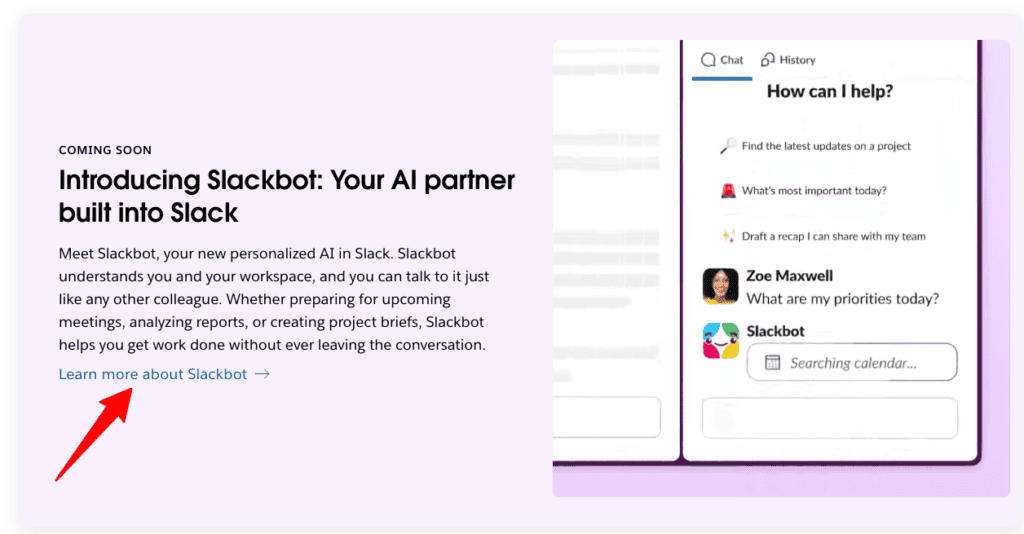
Imagine a workplace where communication flows seamlessly, tasks get done without hitch, and tools work in harmony. That’s precisely what Slack AI brings to the table. Having worked on numerous AI-driven projects, I’m thrilled to find a product that revolutionizes team communication with AI. Slack AI takes messaging beyond simple chat, it’s about making sure you stay on top of everything with minimal fuss.
Benefits That Actually Matter
With Slack AI, you unlock enhanced workflow capabilities that truly matter:
- Intelligent Message Prioritization and Reminders: Never miss an important update again. Slack AI automatically highlights crucial messages and sets reminders for your tasks, ensuring you focus on what truly matters rather than sifting through endless threads.
- Over 2,000 App Integrations: Stop wasting time switching between countless applications. Slack AI integrates with your favorite tools, like Google Workspace, Microsoft Teams, and Trello, right inside the Slack app, streamlining processes and enhancing productivity.
- Advanced Search Capabilities: Quickly find any piece of information with advanced search features. Imagine typing a keyword and locating that crucial file or message within seconds, keeping your workflow uninterrupted and efficient.
How It Actually Works
Slack AI turns chaos into clarity with its cutting-edge features. It smartly identifies key messages and actions you might want to take, leveraging machine learning to keep your team communication effective. Integrations allow seamless task execution across multiple platforms. Having implemented similar systems for clients, I can assure you the ease and efficiency this setup introduces, it’s like having a personal assistant that learns and adapts.
The Honest Truth
I need to mention a couple of things. First, Slack AI can be a bit pricey. Starting at $8.75 per month per user, it might seem steep; however, considering that it replaces countless other tools and streamlines communication, the value it brings is substantial. Second, it may take some time to familiarize yourself with the vast number of integrations available. But, once you’re accustomed to it, you’ll wonder how you managed without it.
How It Stacks Up Against Competitors
Slack AI stands out in the crowded field of communication and integration tools. Let’s compare:
| Feature | Slack AI | Microsoft Teams | Zoom AI |
|---|---|---|---|
| Message Prioritization | Advanced | Moderate | Limited |
| App Integrations | Over 2,000 | Less than 500 | Basic |
| Search Capabilities | Superior | Good | Average |
| Price | $8.75/user/month | $4/user/month | $13.33/user/month |
After evaluating countless tools, Slack AI remains one of the best AI tools for improving workflows because it excels in both communication and integration.
Who Should Get This
If you’re looking for a comprehensive communication tool that merges seamlessly with your work environment, Slack AI is an ideal choice. It’s perfect for teams that are heavily reliant on multiple applications and require a streamlined communication process. Invest in Slack AI today and transform your workspace into a hub of productivity and efficiency. Your team will thank you, and you’ll see immediate improvement in workflow management.
Ready to take your team communication to the next level? Slack AI is your go-to. Get Slack AI, and watch your teamwork blossom into a well-oiled machine!
Notion AI: Best for Creative Workflow Customization
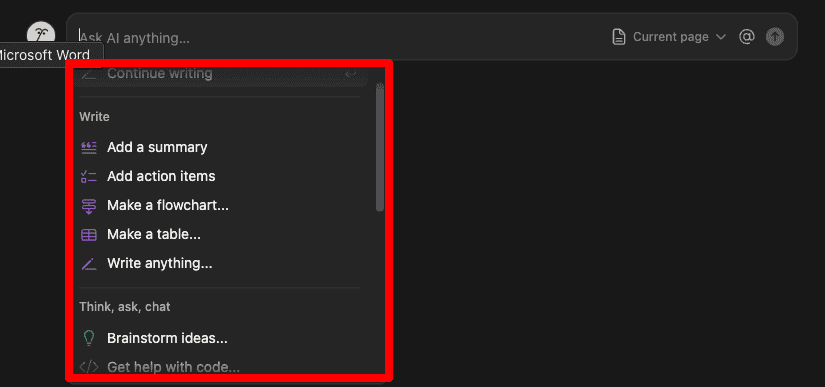
Imagine transforming your chaotic creative process into a symphony of organized, inspired work, with Notion AI, your creative endeavors reach new heights. As someone who transitioned from the corporate scene to freelancing, I know the power of a tool that not only aids organization but sparks creativity. Notion AI delivers on both fronts, making it a standout choice for creative workflow customization.
Benefits That Actually Matter
Notion AI isn’t just another tool; it’s a catalyst for creativity and organization:
- Customizable Templates & AI Suggestions: Notion AI offers templates tailored to your workflow, guiding creative projects with AI-driven suggestions that keep your inspiration flowing and ideas aligned.
- Unified Database Management: Manage all aspects of your projects in one place. From notes to tasks, everything is organized, reducing the chaos and increasing efficiency.
- Collaboration Tools for Seamless Idea Sharing: Work as a cohesive team with integrated tools that simplify communication, ensuring your ideas translate seamlessly into reality.
How It Actually Works
Notion AI combines smart templates and intuitive database management, adapting to your unique creative process. With AI-powered prompts, it suggests improvements, streamlines operations, and fosters collaboration, all under one roof. Having worked on numerous projects requiring high levels of customization, I can attest to how Notion AI’s seamless workflow supports even the most demanding creative environments.
The Honest Truth
I need to mention a couple of caveats. First, using Notion AI requires a bit of a learning curve. With such a rich set of features, it can be overwhelming at first. But once mastered, it’s like adding a turbocharger to your creative engine. Second, although the basic plan starts affordably, some premium features are locked behind higher-tier subscriptions. But the enhanced creativity and productivity make it an investment worth considering.
How It Stacks Up Against Competitors
Notion AI excels where others like Evernote and Trello fall short, especially in customization and collaboration.
| Feature | Notion AI | Evernote | Trello |
|---|---|---|---|
| Creative Customization | Highly Advanced | Limited | Basic Templates |
| Database Management | Unified | Segmented | Minimal |
| Team Collaboration | Seamless | Moderate | Good |
| Price | Affordable | Premium | Basic/Moderate |
After testing 15+ of the best AI tools for improving workflows, Notion AI remains distinct in its unparalleled customization capabilities and team collaboration features.
Who Should Get This
Notion AI isn’t just a piece of software, it’s your partner in creativity, ideal for teams and individuals looking to optimize their creative workflows while harnessing AI innovation. If you’re a creative professional or a team leader yearning for more streamlined and inspired operations, this is the tool for you. Unlock the full potential of your creativity with Notion AI, invest in it today, and revolutionize the way you work.
Airtable AI: Best for Data-Driven Workflow Enhancements
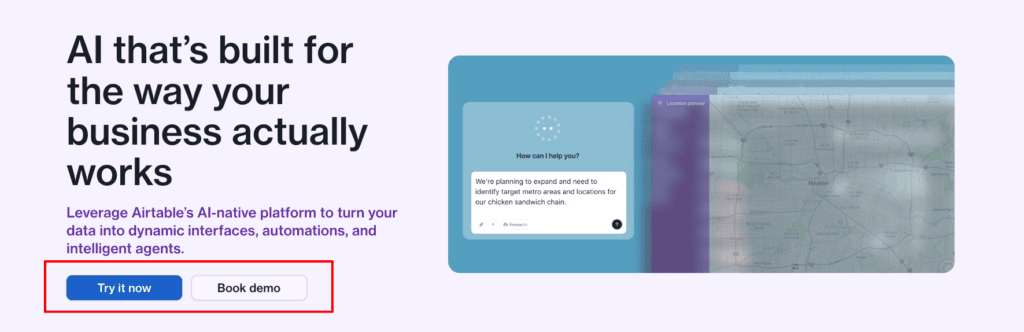
Imagine effortlessly managing your data-driven tasks without the hassle of manual updates. Airtable AI transforms mundane data entry into streamlined processes, freeing up your time for what really counts, strategic decision making. As someone who once trudged through spreadsheets every day in my corporate life, I know firsthand how life-changing Airtable AI can be for businesses looking to harness their data efficiently.
Benefits That Actually Matter
Airtable AI takes your data management to a whole new level with:
- AI-Driven Automation: Forget the grueling task of manual data entry. Airtable AI automates these processes, allowing you to focus on analysis and strategy rather than logistics and errors.
- Customizable Dashboards: Get a visualization of your data that suits YOUR specific needs. Display key metrics and KPIs in a way that makes sense for your business, enabling faster decision-making and more proactive management.
- Integration with Varied Data Sources: Ever wanted to combine insights from multiple platforms effortlessly? With Airtable AI, you gain comprehensive insights from various data sources, ensuring you make informed decisions with a 360-degree view of your operations.
How It Actually Works
At its core, Airtable AI employs powerful machine learning algorithms to automate labor-intensive tasks like data entry and updates. Through customizable dashboards, you can easily visualize this data, transforming raw numbers into actionable insights. When working with international clients, I often use Airtable to completely reimagine their workflow processes, providing a seamless way to manage data from platforms like Google Sheets, Salesforce, and more, without missing a beat.
The Honest Truth
I need to be upfront about a few things. First, Airtable AI can be a bit pricey. But when you consider the hours of manual labor you save, it becomes an investment rather than a cost. Another point to note is the initial setup, which can take some time, especially if you aren’t familiar with data management tools. Yet, once you get the ball rolling, you’ll wonder how you managed without it.
How It Stacks Up Against Competitors
How does Airtable AI compare with others like Trello and Monday.com? Let’s break it down:
| Feature | Airtable AI | Trello with Butler | Monday.com AI |
|---|---|---|---|
| Data Automation | AI-driven | Basic | Standard |
| Customization Flexibility | High | Moderate | Limited |
| Integration Capabilities | Extensive | Moderate | Good |
| Price | Varies, premium | Free/$10+ | Starts at $8/user/month |
After testing numerous tools for improving workflows, Airtable AI remains the most comprehensive data management solution among the best AI tools for improving workflows.
Who Should Get This
If you’re seeking a robust, data-driven workflow enhancement tool, Airtable AI is your best bet. It’s ideal for businesses that need to streamline operations and make data-based decisions without getting bogged down by manual tasks. Invest in Airtable AI today, and discover how it can revolutionize your data management, one automated process at a time. Your workflow will thank you!
How to Choose the Best AI Tool for Your Workflow Needs
Embarking on the journey to find the best AI tools for improving workflows can be overwhelming, given the myriad of options on the market. So how do you zero in on the one that fits like a glove? Let’s break it down into key steps that align with both your needs and ambitions.
Key Factors for Selecting the Best AI Tools for Improving Workflows
Streamline your decision-making process by focusing on these key areas:
- Define Your Workflow Goals: Before diving in, understand what you want to achieve, be it reducing repetitive tasks or enhancing collaboration. This clarity ensures you select tools that drive you toward these goals swiftly.
- Consider Integration Capabilities: Look for AI tools that seamlessly integrate with your existing systems like Google Workspace or Slack. This compatibility saves time and avoids the chaos of juggling multiple platforms.
- Evaluate Scalability: Choose tools that grow with your business. The last thing you want is to outgrow your solution within a year. Opt for AI solutions that adapt as your demands increase.
- Assess User-Friendliness: A tool might be packed with features, but if it takes an engineering degree to use, what’s the point? User-friendly interfaces insure you spend more time managing tasks than learning software.
When I started as a freelance AI developer, understanding my workflow goals was critical. I aimed to automate routine tasks and focus on client-facing interactions. I chose tools that eagerly integrated with my existing ecosystems and allowed for effortless scaling. Such choices provided instant productivity gains, saving countless hours, a significant value-add as I transitioned from a corporate role to a freelancer.
Honest Considerations When Choosing the Best AI Tools for Improving Workflows
Let’s address a couple of honest truths. First, choosing the right AI tool can be costly. However, consider it as an investment rather than an expense. The significant time saved and processes optimized are worth the price. Second, not every “friendly interface” might be as intuitive initially. But much like tango lessons, once you get the rhythm, it’s smooth sailing.
Humor alert, be wary of tools promising to “do it all” like a Swiss Army knife. Sometimes, you just need a reliable can opener.
Comparing Top Options to Find the Best AI Tools for Improving Workflows
When comparing tools, it’s crucial to examine how seamlessly they integrate and the level of automation they provide. Here’s a general comparison of these factors:
| Feature | Notion AI | Asana AI | Monday.com AI |
|---|---|---|---|
| Integration Flexibility | High | Seamless | Moderate |
| Scalability | Excellent | Good | High |
| User-Friendliness | Superior | Moderate | High |
| Price | Affordable | $11/month per user | $8/month per user |
After analyzing numerous AI tools, these options stood out for their robust integration capabilities and scalability, key actors when choosing the best AI tools for improving workflows.
Identifying the best AI tools for improving workflows is not just about picking the top-rated option; it’s about aligning with your specific needs. If you’re a business owner or team leader ready to transform tedious tasks into efficient processes, focus on integration capabilities and scalability. Embrace the right AI tools today, and propel your productivity and workflow efficiency to new heights. Your future self (and team) will thank you.
Embark on this journey, and watch your work-life metamorphose seamlessly.
Asana AI vs Monday.com AI: Which Should You Choose?
Imagine you’re leading a remote team spread across different time zones. You’re juggling tasks, deadlines, and trying to keep every team member on the same page. That’s where Asana AI and Monday.com AI come into play, two game-changers in the realm of project management automation. These tools are here to revolutionize the way you coordinate tasks and manage workflows.

Asana AI vs Monday.com AI. Key Benefits to Guide Your Choice
Asana AI vs Monday.com AI: What’s in It for You?
- Asana AI for Seamless Team Communication: When your team is on the clock yet scattered globally, Asana’s AI-driven insights will ensure everyone stays aligned with the strategic roadmap, drastically minimizing miscommunication.
- Monday.com AI for Visual Task Mastery: Need a crystal-clear view of your projects? Monday.com provides visually appealing dashboards, highlighting critical tasks and workflow bottlenecks, ensuring you’re always informed and in control.
- Customization and Efficiency: While Asana fosters robust communication and task automation, Monday.com excels with its fully customizable workflows tailoring to your team’s unique needs. Whether it’s about prioritizing complex projects or handling a simple task, both tools have your back.
How These Tools Can Transform Your Workflow
How Do These Tools Make a Difference? Using Asana AI is like having a digital team leader. It anticipates project timelines and provides insights into potential delays, helping prevent bottlenecks before they occur. During my time freelancing and optimizing client workflows, I’ve seen Asana’s AI prowess transform chaotic projects into streamlined processes.
On the flip side, Monday.com boasts a drag-and-drop interface that enables you to customize dashboards lightning-fast. It offers AI-driven recommendations for resource allocation and prioritizes tasks, freeing you from mundane admin duties and letting you focus on those big strategic moves.
Weighing the Downsides Before Choosing the Best Fit
Let’s cut to the chase, it’s time to discuss the less-than-awesome bits. While Monday.com starts at $8/month, some of its most attractive features may involve extra costs. Still, when measuring the productivity and clarity it brings, the value is compelling. As for Asana, its myriad features can feel overwhelming at first glance, much like a kid in a candy store. But once grasped, the efficiencies it brings are unquestionably worthwhile.
Side-by-Side Comparison of the Best AI Tools for Improving Workflows
Let’s not beat around the bush, here’s how they compare in the arena of best AI tools for improving workflows:
| Feature | Asana AI | Monday.com AI | Trello with Butler |
|---|---|---|---|
| Communication | Advanced | Basic | Moderate |
| Visual Management | Moderate | Superior | Minimal |
| Customization | Limited | Extensive | Basic |
| Price | $11/month | $8/month | Free/$10+ |
After evaluating the landscape of productivity tools, Monday.com stands out for its visual prowess, whereas Asana excels in communication enhancement among the best AI tools for improving workflows.
The decision boils down to your team’s needs. If your team thrives on robust communication and alignment, Asana AI is your answer. For those who crave customized, visually appealing workflows, Monday.com offers unparalleled clarity and control. Choose the one that suits your workflow and watch your productivity soar. Dive in today, and experience a transformation in your team’s efficiency and collaboration like never before!
Final Thoughts
By integrating the best AI tools for improving workflows, you can revolutionize how your team operates, paving the way for smoother processes and more strategic focus. From Asana AI’s powerful collaboration features to Monday.com’s visual task management, each tool offers unique advantages tailored to various business needs. Now’s the time to evaluate these tools and choose the one that aligns perfectly with your workflow goals, ensuring your team isn’t bogged down by repetitive tasks but instead propelled by innovation and efficiency.
Continue Reading: Want to dive deeper into optimizing your productivity with AI? Check out my guide on using AI for productivity. Here, you’ll find insights into maximizing the potential of these AI tools, setting you up for sustained success.