How To Automate Your Morning Routine: Complete Guide [2025]
Did you know that 75% of successful professionals have already embraced the magic of automation to streamline their mornings? Imagine starting your day not with a frantic scramble, but with a series of seamless actions that practically hum along on their own.
Years back, my mornings were a whirlwind of chaos, half-awake email checking, misplaced keys, and a rushed cup of coffee. But once I harnessed the power of how to automate your morning routine, everything changed. Through this transformative process, I discovered how integrating smart home technology and digital assistants could boost my productivity and significantly reduce stress.
In this post, I’ll guide you through the art of crafting your own tech-savvy morning routine. You’ll explore essential productivity tips and delve into the world of smart devices, from automated coffee makers to smart thermostats, all designed to maximize morning efficiency. As I mentioned in our guide to tech integration, these tools can help you reclaim precious time and energy. Whether you’re aiming for personal development or simply seeking a more stress-free morning, this journey into automation offers invaluable insights.
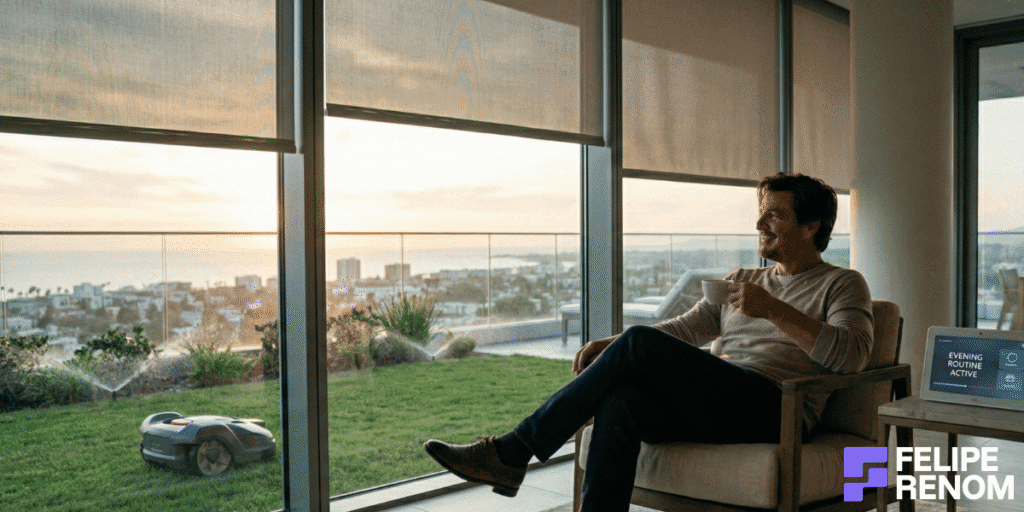
Table of Contents
The Benefits of Automating Your Morning Routine
My mornings used to be pure chaos. Phone in hand, scrolling emails half-asleep, forgetting my keys, rushing coffee, and already stressed before 9 AM.
Once I started treating morning routine automation like a small “process optimization project,” everything changed. Less stress, more energy, and way better focus for deep work.
How Automation Cuts Morning Stress (Without Turning You Into a Robot)
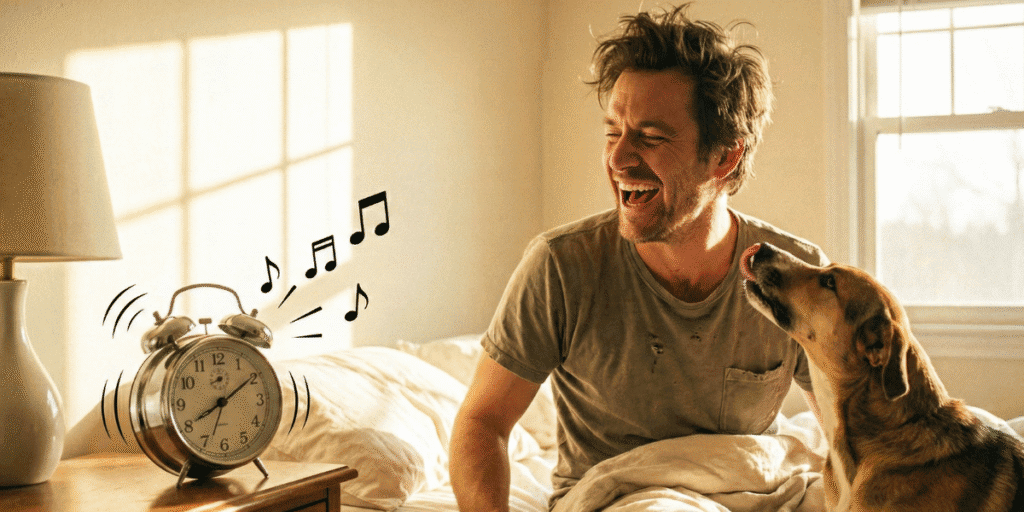
The first time I set up a smart alarm clock and an automated coffee maker, I honestly felt a bit ridiculous. Do I really need tech to wake up and make coffee?
But here’s what happened: I removed 5–6 tiny decisions and tasks from my brain before 8 AM. That’s huge for stress reduction.
Now, a typical “tech-savvy morning” for me looks like this:
- Smart alarm synced with sleep data (sleep optimization, not just loud noise)
- Automated lighting slowly brightens instead of a harsh ceiling light
- Smart thermostats warm the room before I get out of bed
- Automated coffee maker starts brewing when my alarm goes off
Those are basic home automation setups, but they create surprisingly stress-free mornings.
Here’s what I noticed after a month:
| Change | Before Automation | After Automation |
|---|---|---|
| Mood at 8:30 | Irritated, distracted | Calm, more present |
| Time wasted | 20–30 min on “random stuff” | ~5 min only |
| Forgetfulness | Keys, charger, sometimes breakfast | Almost never |
The key here isn’t “cool gadgets”.
It’s stress reduction techniques that remove friction:
- Use digital assistants (Google Assistant, Alexa, Siri) for automated reminders
- Set up a digital calendar to send you your day’s agenda at a fixed time
- Use voice-activated devices to check weather, traffic, and your automated schedule hands-free
Biggest lesson: remove decisions from the morning, don’t add more “motivation hacks”.
When you don’t start your day reacting to chaos, you actually feel in control. That control reduces anxiety, and it shows up in your work, big time.
Streamlined Mornings = More Focus, Better Work, Less Mental Noise
When I was still an employee at BASF, my “productivity tips” were mostly wishful thinking. Wake up earlier. Try to focus. Drink more coffee.
What actually worked, years later, was streamlining tasks so my brain was free for real work, not logistics.
Here’s how I use task automation now to boost morning efficiency and productivity:
- Automated meal planning: Weekly breakfast plan + grocery list auto-generated and saved. No “what do I eat?” drama at 7:30.
- Morning news automation: My assistant reads a short news brief + AI/tech update while I prep breakfast. No doom scrolling.
- Fitness automation: My wearable fitness trackers trigger a quick 10–15 min routine based on sleep & recovery.
These are small efficiency hacks, but together they are strong productivity boosters.
I see the same pattern with clients.
For example, a US clinic I worked with used to answer the same internal questions every morning: schedules, meetings, priorities. After we built an internal AI chatbot + automated schedule summaries, mornings became way lighter for the team.
They basically shifted from:
- “What’s happening today? Where’s that file?”
to - “Here’s the plan. Let’s execute.”
That switch from confusion to clarity is a MASSIVE lifestyle optimization.
If your morning routine needs willpower to work, it’s fragile. If it’s automated, it’s reliable.
Automate the boring stuff. Keep your brain for strategy, clients, coding, sales, not for remembering where your gym shoes are.
Mental Health, Wellness Routines, and Actually Enjoying Your Mornings
This part gets underrated badly.
Automation is not only about saving minutes. It’s about health and wellness, digital wellbeing, and emotional energy.
When my mornings were messy, my head was noisy all day. I’d start work already anxious, then “treat” that with more coffee and more screen time. Terrible combo.
Now my automated wellness routines look something like this:
- Automated lighting + aromatherapy benefits: soft warm light + diffuser turns on with a relaxing scent
- Automated reminders for 5 minutes of mindfulness practices (breathing, gratitude, or just staring out the window, honestly)
- Voice-activated devices start a calm playlist for “focus mode”
That’s it. Not fancy, but consistent.
These simple relaxation techniques built into my morning rituals keep my nervous system from going into fight-or-flight at 8 AM.
Here’s how I think about innovative routines and personal development in the morning:
| Area | Automated Support | Benefit |
|---|---|---|
| Sleep optimization | Smart alarm + no-phone rule | Wake up less groggy |
| Wellness | Reminders for water, stretch, breath | Better health and wellness baseline |
| Personal growth | Daily 10-min reading block scheduled | Tiny but compounding learning |
| Work-life balance | Hard start/stop times | Less “always on” feeling |
This changed EVERYTHING for me: mornings became a foundation, not a fire to put out.
When you combine tech integration (smart devices, digital calendars, home automation) with simple success strategies (sleep, movement, calm), you get motivational mornings that actually feel doable.
You don’t need a millionaire setup.
Start tiny:
- Automate 1 thing: coffee, alarm, or lights
- Add 1 energy-boosting habit: short walk, stretch, water
- Protect 10 minutes for personal growth: reading, journaling, reflection
If you want help designing a seamless routine that matches your work, client calls, and real life, I do this kind of thing all the time when building AI workflows for clients.
You can grab a free call with me here and we can map your own “stress-free morning system”: calendly.com/feliperenom/felipe-1.
Essential Tools and Technologies for Morning Automation
The benefits are clear, but tools matter a LOT. If you pick the wrong smart home technology or apps, you just add more chaos instead of morning efficiency.
I made that mistake early on – I had three different apps just to control lights and none of them talked to each other. Completely pointless.
Smart Home Devices That Actually Make Mornings Easier
For morning routine automation, I focus on three main things at home: light, temperature, and coffee. If those three are on autopilot, my mornings feel 10x smoother.
Here’s how I use smart devices in a simple stack:
- Automated lighting that mimics sunrise
- Smart thermostats that pre-heat/cool my place
- An automated coffee maker connected to my routine
This combo handles comfort + caffeine without me thinking.
In practice, it looks like this:
- 6:45 – Smart alarm clock goes off, lights start to brighten slowly
- 6:50 – Thermostat nudges the temp up a couple degrees
- 7:00 – Coffee starts brewing (this smell is basically my motivational mornings “hack”)
Here’s a quick comparison of typical smart home tech for stress-free mornings:
| Tool | What It Automates | Real Benefit |
|---|---|---|
| Smart bulbs | Light intensity & color | Gentler wake-ups, less shock |
| Smart thermostats | Room temp | No “cold floor” dread |
| Smart plugs + coffee maker | Coffee start time | Saves decisions, boosts energy |
| Smart diffuser | Scent / aromatherapy benefits | Helps relaxation & mood |
The biggest win: you remove tiny decisions that drain willpower before work even starts.
If you’re just starting, don’t buy the entire smart home store.
Pick ONE: lights or coffee. Get that working first. A single voice-activated device like Alexa or Google Nest can then link things later when you’re ready.
Mobile Apps, Digital Assistants, and Planning Your Day on Autopilot
For me, the “brain” of a tech-savvy morning is not the lamp or the coffee maker. It’s the combo of digital assistants + digital calendars + a simple task app.
Back when I worked at BASF, I’d wake up, open email, and instantly feel behind. Now I avoid email until after my daily planning is done. My apps tell ME what’s happening, not the other way around.
Here’s what runs my automated schedule:
- Calendar app (Google Calendar) sends a morning agenda summary at a fixed time
- Task manager (Todoist/Notion/ClickUp, whatever you like) with 3 priorities tagged as “AM”
- Digital assistants that I can ask: “What’s on my calendar?” while I’m making breakfast
Some specific productivity boosters I like:
- Automated reminders for: water, “leave the house”, and first deep work block
- A recurring “10-min review” task for time management and habit formation
- Short morning news automation briefing (tech + world, 5 minutes max)
Here’s how different app types support morning efficiency:
| App Type | Use Case | Morning Ritual Support |
|---|---|---|
| Digital calendar | Meetings, blocks | Creates structure & boundaries |
| Task manager | Focus tasks | Avoids jumping straight into email |
| Voice assistant | Hands-free info | Weather, agenda, traffic |
| Note app | Brain dump | Keeps head clear and calm |
Lesson learned: if your apps don’t reduce decisions, they’re noise, not automation.
When I build AI workflows for clients, we do something similar: automated briefings, prioritized tasks, clean dashboards. You can apply the same task automation logic to your own mornings, even without code.
Wearables, Health Data, and Automation for Your Body (Not Just Your Calendar)
This part is underrated. People obsess over to-do lists but ignore health and wellness data that literally tells you how your body is doing.
My wearable fitness trackers were a game changer for sleep optimization and fitness automation. Not because I’m some athlete (I’m not), but because it gave me honest feedback. “Yes, you slept like trash. No, don’t plan a heavy workout.”
I use a smartwatch to track:
- Sleep quality and wake cycles
- Resting heart rate and basic recovery
- Steps and light activity in the first 2 hours of the day
Then I link my wellness routines to this data:
- If sleep score is low → I do a light stretch + walk instead of a hard workout
- If recovery is good → a short strength session or jog
- Always: 5 minutes of mindfulness practices (breathe, no phone, just sit)
That’s my compromise between fitness automation and listening to my body.
You can think of it like this:
| Data Signal | Automated / Semi-Automated Action | Benefit |
|---|---|---|
| Poor sleep | Softer alarm, slower morning, no early calls | Less burnout, better work-life balance |
| High stress | Reminder for relaxation techniques (breathing) | Lower anxiety, more focus |
| Low steps | “Move” notification mid-morning | More movement, better energy |
Your body is part of your productivity system. If you ignore it, your “life hacks” won’t save you.
This doesn’t have to be extreme.
You can start with:
- A cheap smartwatch or basic wearable
- One automated reminder for movement
- One tiny wellness routine (stretch, walk, or breathing) baked into your morning rituals
Putting It All Together Into a Seamless, Stress-Free Morning System
The goal is NOT to become a robot with 100 apps. The goal is seamless routines that support your personal development, not control it.
Think in layers:
- Environment: lights, temperature, coffee = comfort on autopilot
- Brain: calendar, tasks, news = clarity on autopilot
- Body: sleep, movement, breath = energy on autopilot
When these layers work together, you get stress-free mornings and more space for actual work, creativity, client calls, coding, whatever matters for you.
Here’s a simple starter blueprint I recommend to clients and friends:
- Automate ONE home thing (coffee, lights, or thermostat)
- Set ONE automated morning agenda email or notification
- Add ONE health-related automation (step reminder or sleep-based alarm)
This changed EVERYTHING for me: I stopped relying on motivation and used systems instead.
If you want help designing a full “morning OS” that connects your smart devices, calendars, and even AI tools (yes, including chatbots that summarize your day), we can map it out together.
Creating an Automated Wake-Up Experience
Waking up “by accident” to a blaring phone alarm is one of the fastest ways to ruin a day.
When I finally treated my wake‑up like a design problem instead of “just get up”, everything about my mornings shifted.
For me, a good wake‑up now is: gentle light, predictable sound, nice temperature, and zero decisions.
That’s where smart home technology, home automation, and a bit of nerdy setup really shine.
Smart Alarms, Lighting, and a Wake-Up That Doesn’t Feel Like an Emergency
The goal of sleep optimization isn’t more apps; it’s waking up without your nervous system thinking there’s a fire.
I used to use the default iPhone alarm. Heart racing, cortisol spike, then straight to email. Horrible combo.
Now my smart alarm clock and automated lighting do most of the work:
- Alarm window based on sleep cycles (no more waking up in deepest sleep if possible)
- Lights start dim and warm, then slowly brighten over ~20 minutes
- Smart thermostats warm the room a bit so getting out of bed doesn’t feel like punishment
In practice, my “wake sequence” looks like this:
| Time | Automation | Purpose |
|---|---|---|
| 8:40 | Thermostat nudges temp up | Comfortable room |
| 8:45 | Smart bulbs start “sunrise” | Gentle wake signal |
| 8:55 | Alarm (soft chime) | Main wake trigger |
| 9:00 | Coffee maker turns on | Smell = motivation |
This tiny system turns waking up into a seamless routine, not a shock.
And honestly, that alone is a huge stress reduction technique.
Some practical tips if you’re just starting:
- Get one good smart light in your bedroom and set a “sunrise” routine
- Use a wake‑up window alarm (Sleep as Android / Sleep Cycle / wearable app)
- Connect a cheap smart plug to your automated coffee maker and start it with your alarm
The biggest lesson for me: don’t rely on willpower at 8 AM. Rely on systems that pull you out of bed gently.
This kind of tech integration becomes a quiet but powerful productivity booster.
You start the day calmer, which leaks into better focus, better time management, and less snapping at people before coffee.
Soundscapes, Aromatherapy, and Easing Your Brain Into the Day
Once light and alarms were handled, I realized my brain was still waking up in “fight mode”.
So I started playing with soundscapes and aromatherapy benefits to create a softer, more “human” wake‑up.
I know, it sounds a bit spa‑like, but used right it’s VERY practical:
- Soft soundscapes instead of aggressive alarms (rain, forest, low‑volume piano)
- Smart diffuser with a calm or energizing scent
- Low‑key mindfulness practices in the first 5–10 minutes
Here’s how I wired it:
- My voice‑assistant playlist: “Morning Focus” (no lyrics, just calm beats)
- A smart diffuser connected to a plug that turns on with my light routine
- Short automation that reminds me: “3 deep breaths before touching your phone”
I don’t hit this perfectly every day, I’m not a monk.
But even a 50–60% success rate on these relaxation techniques has a visible health and wellness impact.
| Element | Tool / Automation | Effect |
|---|---|---|
| Soundscape | Playlist + smart speaker | Smooth mental wake‑up |
| Scent | Diffuser + smart plug | Association: scent = start of day |
| Mindfulness | 3–5 min reminder | Lower anxiety, more presence |
This was HUGE for me: pairing automation with tiny wellness routines made them actually happen.
For you, a simple starter combo:
- One calm playlist triggered by your alarm
- One scent you like (citrus for energy, lavender for calm) on a timer
- One tiny morning ritual: 60 seconds of breathing before touching screens
Small details, but they nudge your day toward stress-free mornings instead of instant overload.
Automated News, Weather, and Planning While You Wake Up
The last piece of an automated wake-up experience is information:
“What’s happening today? What’s the weather? What’s actually important?”
If you don’t design this, social media and email will design it for you. And that’s when digital wellbeing goes out the window.
Here’s how I handle morning news automation and daily planning without doom scrolling:
- A 3–5 minute morning news and weather flash from my digital assistant
- Short agenda from my digital calendar: meetings + top 3 tasks
- No social apps until after this “briefing” is done
My setup:
- Google Assistant routine: “Good morning”
- Tells me today’s weather
- Reads my first 3 calendar events
- Plays a short tech/business news podcast
When I was at BASF, I’d open email and immediately get hijacked by other people’s priorities.
Now, my automated schedule tells me what I decided YESTERDAY, when my brain was clearer.
| Automation | Source | Benefit for Morning Efficiency |
|---|---|---|
| Weather + traffic | Voice assistant | Clothing & commute decisions done fast |
| Agenda summary | Calendar | No “what am I forgetting?” anxiety |
| Short news briefing | Podcast / assistant | Informed, without endless scrolling |
If your first input of the day is chaotic, your mind will match that energy.
You can also tie this into task automation and personal development:
- Auto‑schedule a 10‑minute reading block right after wake‑up
- Use automated reminders for one energy-boosting habit (water, stretch, quick walk)
- Sync your wearable fitness trackers so rest days adjust your morning load a bit
As I do with my AI clients, think in terms of lifestyle optimization, not just gadgets:
What information do you actually need in the first 15 minutes? Automate that.
Everything else can wait.
If you want help turning this into a full “wake‑up system” that connects your smart devices, calendar, and even personalized AI briefings, that’s literally the kind of thing I build all the time.
We can jump on a free call, look at your current routines, and design a realistic, innovative routine that fits your work and life: calendly.com/feliperenom/felipe-1.
Automating Your Morning Health and Fitness Regimen
Health and wellness used to be this “I’ll do it when I have time” item on my list. Of course, that meant I almost never did it.
Once I started treating my wellness routines like I treat client processes, systems, not wishes, my mornings got way more consistent and way less stressful.
Using Wearable Fitness Trackers to Guide Your Morning, Not Guilt-Trip You
When I bought my first wearable fitness tracker, I honestly thought it would magically make me fit. Spoiler: it didn’t.
What it DID give me was data I could use for sleep optimization and realistic morning routine automation.
Here’s how I use it now:
- Track sleep stages and recovery
- Get a simple “you’re good / you’re tired” signal
- Adjust my fitness automation based on that
So instead of blindly doing the same workout every day, my mornings change depending on data:
| Sleep/Recovery | Morning Action | Goal |
|---|---|---|
| Great sleep | 20–30 min strength or cardio | Push performance |
| Meh sleep | 10–15 min mobility + walk | Maintain habit |
| Bad sleep | 5–10 min stretch + breathing | Protect energy |
This is what I mean by tech-savvy mornings that respect your body.
The tracker sends an automated reminder for movement, but I choose the intensity based on recovery.
Practical tips that helped me:
- Turn OFF 80% of notifications. You want signal, not noise.
- Look at trends weekly, not obsess over every night.
- Use the data to design energy-boosting habits, not to feel bad.
The big lesson: your body is part of your productivity system. If you ignore it, no “efficiency hacks” will save your day.
I also recommend pairing the tracker with digital wellbeing rules: no phone doom scroll in bed, quick glance at sleep score, then move. Small, but powerful.
Automating Meal Planning and Nutrition Without Becoming a Full-Time Chef
Nutrition was my weak point for YEARS. I’d nail work, nail automation projects for clients, and then eat whatever was fastest at lunch. Not great.
What finally worked was automated meal planning and removing decisions from my mornings.
Here’s my simple stack for time management around food:
- A weekly breakfast template (3–4 go-to meals)
- An app that auto-generates a grocery list
- A recurring task on my digital calendar to prep twice a week
Example of my “don’t think, just follow” breakfast setup:
| Day Type | Breakfast | Automation |
|---|---|---|
| Workday | Oats + fruit + nuts | Ingredients added weekly to shopping list |
| Call-heavy day | Smoothie + protein | Blender ready on counter, reminder in app |
| Weekend | Eggs + toast | No automation, just enjoy |
This turns food from “What do I eat?” chaos into a seamless routine.
You can start with:
- Pick 2 healthy breakfasts you like
- Put ingredients in a recurring shopping list (Notion, Todoist, AnyList, whatever)
- Add a 15-min “prep” slot twice a week in your digital calendar
This was HUGE for me: I stopped “trying to eat healthy” and started treating it like a recurring task.
For some clients, I’ve even used AI to suggest meals based on macros + preferences and push that into their calendar. You don’t need that level right away, but the same task automation mindset applies.
Breakfast becomes predictable fuel for motivational mornings, not another problem to solve at 8:30 AM.
Streamlining Your Workout With Smart Equipment and Simple Automation
I used to overcomplicate fitness. New apps, fancy programs, five different YouTube trainers. Result? Inconsistency.
The breakthrough was designing a fitness automation setup that makes working out the default, not a decision.
Here’s what works for me:
- A basic set of dumbbells at home
- One or two saved routines (strength + mobility)
- Automated reminders tied to my wake-up window
For example:
- 10 minutes after my smart alarm clock goes off → reminder: “Short workout: 15 min”
- My smartwatch starts a pre-set workout type with one tap
- Smart speaker plays the same “workout” playlist automatically
| Tool/Setup | What It Automates | Real Benefit |
|---|---|---|
| Smartwatch workout modes | Tracking reps/time | No manual logging, easier habit |
| Smart speaker + routine | Music on cue | Less friction to start |
| Simple equipment station | Everything in one spot | No time wasted setting up |
The key is not fancy smart home technology, it’s friction removal.
Your gear is visible, your routine is defined, and your tech nudges you.
If your workout requires a lot of decisions, it will get skipped on busy days.
To make it sustainable:
- Create an A and B workout (short + shorter)
- Let your wearable fitness tracker decide which one based on recovery
- Celebrate CONSISTENCY, not intensity, especially if you’re a busy founder or freelancer
I’ve seen this with clients too. One founder I worked with started doing just 8–12 minutes every morning, guided by his watch and calendar. He didn’t become a bodybuilder, but his focus and work-life balance improved a ton.
Combining Health Automation With Stress Reduction and Personal Growth
Automation without sanity is useless. You can have all the smart devices in the world and still feel like a mess.
So I started layering in small mindfulness practices and relaxation techniques around my health automations.
My “health + calm” bundle in the morning looks like this:
- 5–10 min movement (based on tracker)
- 2–3 min breathing or gratitude (guided by an app)
- One “no work talk” coffee while I glance at my automated schedule
This combination hits:
- Health and wellness (movement, breath)
- Personal development (reflection, intention)
- Stress-free mornings (no immediate Slack/email)
| Area | Automation / Trigger | Impact |
|---|---|---|
| Movement | Tracker reminder | Keeps habit alive |
| Mindfulness | App notification | Reduces morning anxiety |
| Planning | Calendar briefing | Clear head for the day |
Biggest takeaway: stack tiny habits onto your existing automations, don’t try to build a 1-hour “perfect routine”.
Think of this as lifestyle optimization, not punishment. You’re building innovative routines that quietly support your day:
- Move a bit, breathe a bit, plan a bit
- Let tech handle timing and nudges
- You handle presence and effort
If you want to design a full “health-first” morning ritual that syncs your tracker, calendar, and even AI that suggests workouts or meals, that’s exactly the kind of system design I do with clients.
Streamlining Personal and Professional Tasks
The whole point of automating mornings (everything we covered so far) is to buy back brainpower for real work and real life.
But if your inbox, calendar, and tasks are a mess, that calm morning gets destroyed by 9:01 AM.
This is where task automation, digital assistants, and a bit of planning before the day begins turn into serious productivity boosters.
Automating Emails, Reminders, and Calendar Before Your Day Even Starts
My mornings used to die inside my inbox. I’d open email “just to check one thing” and 40 minutes disappeared.
So I flipped it: I let my digital calendars and tools tell ME what matters, instead of me chasing every notification.
Here’s what works for me now:
- My calendar sends a daily planning email at 8:30 with: meetings, time blocks, and 3 priorities
- I use filters + labels so non‑urgent emails skip the inbox and go to folders
- Automated reminders fire for only 3–4 key things: calls, deep work, breaks, and one personal task
I treat email like a “batch process”, not a 24/7 live chat.
| Automation | Tool | Real Effect |
|---|---|---|
| Daily agenda email | Google Calendar | Clear picture before work |
| Priority labels | Gmail filters | Important stuff stands out |
| Reminder nudges | Calendar / task app | Less mental load, fewer misses |
The big lesson: your calendar should be the boss, your inbox is just input.
A few efficiency hacks that helped me and clients:
- Create a label “Today” and “This Week” in your email → move only what truly matters
- Use canned responses for repetitive replies (clients, invoices, FAQs)
- Set one automated reminder every afternoon: “Plan tomorrow in 5 minutes”
That tiny planning habit, plus automation, is what turns chaos into a seamless routine on both personal and professional sides.
Using Voice-Activated Assistants for Fast, Low-Friction Task Management
Typing every little task is annoying. So most people don’t do it. Then they “forget” and feel like they’re bad at time management.
You’re not bad, you just don’t have a low-friction capture system.
This is where voice-activated devices and digital assistants shine for streamlining tasks.
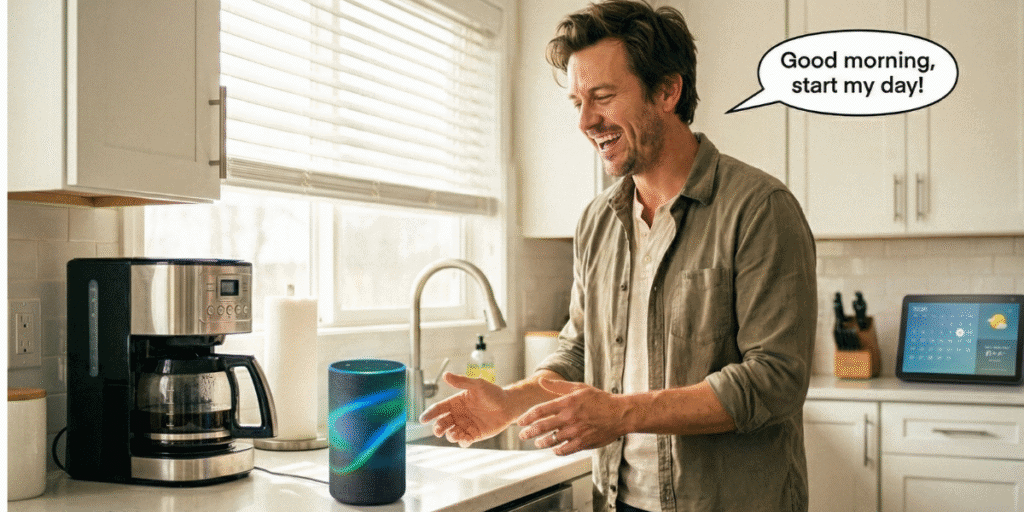
During the day I constantly use voice:
- “Hey Google, add ‘send proposal to John’ tomorrow 10 AM.”
- “Remind me at 7 PM to check the smart thermostats setup for the client.”
- “Create a task: review AI chatbot flow for clinic project on Thursday morning.”
It takes 3 seconds, and it goes straight into my automated schedule.
| Use Case | Voice Command | Benefit |
|---|---|---|
| Quick task | “Add task…” | Zero friction capture |
| Personal stuff | “Remind me to call mom Sunday” | Better work-life balance |
| Home + work | “Turn off lights and start coffee at 7” | Syncs smart home technology with workday |
This changed EVERYTHING for me: my brain stopped being the to‑do list.
You can tie this into your tech integration at home too:
- Use voice to control automated lighting and set “focus mode” scenes
- Start your automated coffee maker and get a quick agenda readout
- Trigger morning news automation while you prepare breakfast
It sounds small, but over a week, this style of task automation reduces a LOT of mental noise.
You’re not trying to remember 27 things; your digital assistants handle that.
Planning Your Day Before It Starts: A Simple, Realistic System
The real magic isn’t in gadgets. It’s in planning before the day hijacks you.
I don’t do a fancy 1‑hour “CEO routine”. I do a simple 5–10 minute daily planning system that mixes personal and professional life.
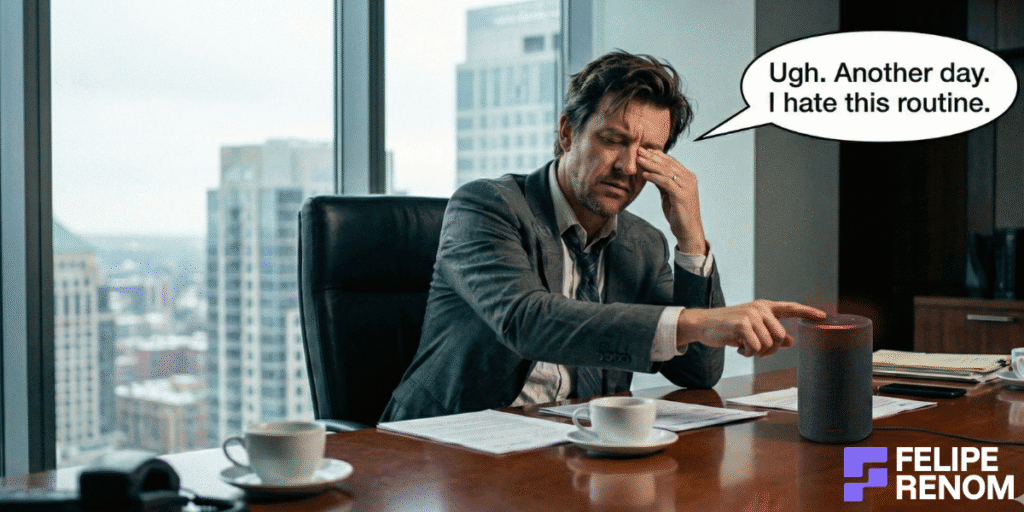
Most of it happens the evening before:
- I open my digital calendar and block time: deep work, calls, admin, rest
- I pick 3 MITs (Most Important Tasks) for work, 1 for personal life
- I check my automated schedule for conflicts: double bookings, too many calls, no breaks
Next morning, my assistant reads it back to me while I drink coffee. That’s it.
| Step | When | Purpose |
|---|---|---|
| Review calendar | Afternoon/evening | Avoid surprises |
| Choose top 3 tasks | Same time | Clear focus for tomorrow |
| Quick morning check | While coffee brews | Re-anchor priorities |
If you’re planning in the middle of the storm, it’s already too late.
Some concrete success strategies that work well for clients too:
- Use color-coding in your calendar: sales, client work, admin, health, family
- Create recurring blocks for wellness routines: walk, stretch, lunch away from screen
- Add one personal development block (10–20 min reading, course, or journaling)
These tiny blocks protect your health and wellness, personal growth, and work-life balance without needing heroic discipline every day.
Connecting Home, Health, and Work Into One Streamlined Flow
What I like about this whole approach is that your personal and professional tasks stop fighting each other.
Your smart devices, digital calendars, and routines can all support the same goal: fewer decisions, more focus, calmer brain.
For example, a realistic weekday for me:
- Smart alarm clock + automated lighting wake me gently
- Coffee starts, digital assistant gives me weather + agenda + quick news
- Short movement guided by wearable fitness trackers (remember from the previous section)
- Sit down with a clear list: 3 work MITs, 1 life MIT
During the day, I use automation to keep it under control:
- Voice tasks instead of trying to remember everything
- Email filters handle noise, I handle decisions
- Afternoon reminder: “Plan tomorrow” + relaxation techniques (short walk or breathing)
| Area | Automation | Result |
|---|---|---|
| Home | Lights, coffee, temp | Stress-free mornings |
| Work | Calendar, tasks, filters | Better morning efficiency |
| Body | Trackers, breaks, movement | More sustainable energy |
The goal isn’t perfection. It’s building “good by default” days instead of “chaotic by default” days.
If you’re reading this and thinking, “I don’t have time to set all this up”, that’s exactly what I help clients with.
We look at your tools, routines, and business, then design innovative routines and automations that actually fit your life.
Balancing Automation with Personal Touch
A fully automated morning sounds cool… until you realize your day feels like it’s running you.
The real win isn’t “maximum automation”. It’s using tech to create space for human moments: presence, family, creativity, thinking.
For me, this balance is what turned my mornings from “optimized but empty” into something that actually feels like a life I want.
Mindfulness in a High-Tech Morning: Staying Awake to Your Own Life
When I first got deep into morning routine automation and home automation, I went overboard.
Everything had a routine: smart alarm clock, automated lighting, digital assistants, automated coffee maker, even my morning news automation.
It worked… but one day I realized: I’d gone from bed to laptop without a single conscious breath.
Everything was efficient, but I wasn’t really there.
That’s when I started layering mindfulness practices INTO the automation instead of hoping I’d magically “remember to be present”.
Some examples:
- My lights come on, but I wait 60 seconds before touching my phone
- A soft automated reminder at wake: “3 breaths, feel feet on floor”
- No talking, no news for the first 5 minutes, just coffee, light, and silence
Biggest lesson: automation should support awareness, not replace it.
Here’s how I think about it now:
| Area | Automation | Human Touch |
|---|---|---|
| Wake-up | Smart alarm + lights | 3 deep breaths before phone |
| Coffee | Smart plug + machine | Drink first sips without screens |
| Planning | Agenda briefing | Manually choose ONE intention for the day |
These tiny wellness routines keep my mornings from feeling like a conveyor belt.
If your tech integration is killing your sense of presence, try this:
- Add 1 “do nothing” pause into your routine (60–120 seconds)
- Use voice-activated devices to start music after that pause
- Treat your first coffee as a mini mindfulness practice, not just fuel
Personal Rituals in an Automated Routine: Where You Stay Human
Automation is great at streamlining tasks and boosting morning efficiency, but it sucks at meaning.
Meaning comes from rituals, the little things you do on purpose.
For me, the shift was going from “everything auto” to “automation creates a frame, rituals fill it”.
Some of my personal rituals that sit inside a very automated setup:
- Morning rituals with coffee: I grind beans by hand on weekends, even though I have an automated coffee maker. It slows me down.
- Motivational mornings check-in: I write one line in a notebook: “Today will be successful if…”
- Digital wellbeing rule: first 10 minutes, NO work apps. Music, light, scent only.
This was HUGE for me: I stopped trying to automate the meaningful parts.
Here’s how I mix task automation with human rituals:
| Element | Automated Part | Manual / Ritual Part |
|---|---|---|
| Environment | Thermostat, lights, diffuser | Choosing the scent based on mood |
| Info | Calendar briefing, weather, news | Manually picking top 1–2 priorities |
| Health | Tracker reminders | Choosing walk vs stretch based on how I feel |
Some simple ways you can bring back the personal touch:
- Keep ONE thing fully manual on purpose (pour-over coffee, journaling, stretching)
- Tie a small personal development ritual to an automated trigger
- Example: “When the morning playlist starts, I write 3 things I’m grateful for”
- Use aromatherapy benefits as a cue: lavender = slow, citrus = go
These small touches turn tech-savvy mornings into mornings that actually feel like yours.
Knowing When to Step In: Manual Overrides, Gut Checks, and “Nope” Moments
Not every day should follow the script.
There are mornings when the automated schedule, digital calendars, and automated reminders say “GO HARD” and my body says “absolutely not”.
In my BASF days, I ignored that and burned out hard.
Now, I use automation as a proposal, not a command.
Some clear “manual intervention needed” signals:
- You slept badly but your fitness automation still pushes a hard workout
- Your agenda is packed but something heavy is happening in your personal life
- A voice-activated device starts the usual briefing and your chest already feels tight
In those cases, I override the system:
- Swap workout → 5–10 minute walk + breathing
- Shorten morning news automation or skip it completely
- Move non-critical tasks to another day in the digital calendar
Your systems work for you. The moment they don’t, you’re allowed to hit pause.
I also do manual checks on my own “over-automation”:
| Situation | What Automation Says | What I Actually Do |
|---|---|---|
| Back-to-back calls | “You’re booked, go” | Manually add 10–15 min buffer |
| Poor sleep data | “Standard routine” | Cancel one thing, protect energy |
| Feeling flat | “Full focus block” | Start with 5 min of journaling instead |
Think of it as lifestyle optimization with a human in the loop:
- Use data from wearable fitness trackers, but let feelings have a vote
- Let smart devices set the stage, but YOU decide the script
- When your brain says “this is too much”, believe it and scale back
From client projects, same story: the best systems always include override buttons.
In that US clinic chatbot project, for example, staff can jump in and handle special cases. Automation + human judgment together.
If you want help designing a morning and work system where automation does the heavy lifting but YOU stay in control, that’s exactly what I build for clients: chatbots, workflows, efficiency hacks, and routines that still feel human.
Final Thoughts
Embrace the power of morning routine automation and transform your mornings from chaotic to calm.
By integrating smart home technology, digital assistants, and task automation, you can enhance your productivity and reduce stress. These tools not only boost your morning efficiency but also support your health and wellness through stress reduction techniques. So why not take the leap today? Set up a smart alarm clock, automate your coffee maker, and start streamlining tasks for seamless mornings.