
How to Reduce Busywork with AI: A Comprehensive Guide for 2025
Isn’t it fascinating that a staggering 60% of people report spending more time on busywork than on meaningful tasks? If you’ve ever found yourself drowning in mundane, repetitive tasks, you’re not alone. Like many, I used to spend countless hours on routine emails and data entry, wondering how to break free from the monotony. That’s when I discovered the transformative power of AI.
Having navigated this digital frontier myself, I’m excited to share how AI can be your ally in reclaiming your time and boosting productivity. So, if you’re eager to learn how to reduce busywork with AI, you’re in the right place. By automating those tedious tasks, you can focus on what truly matters, whether it’s strategic planning or simply enjoying that long-overdue coffee break.
In this comprehensive guide, we’ll explore effective strategies to streamline your workflow using AI. We’ll dive into identifying tasks ripe for automation, selecting the right AI tools, and integrating them seamlessly into your processes. Building on insights from our how to use AI for productivity post, you’ll uncover AI-driven productivity hacks that can revolutionize your work routine.
Ready to transform your workflow and boost efficiency? Let’s get started on this journey to mastering AI and reducing busywork. First up: identifying those time-consuming tasks that are begging for automation.

Step-by-Step Instructions to Reduce Busywork with AI
Busywork is the bane of productivity, right? You sit at your desk, churning through repetitive tasks day in and day out, and it’s like a never-ending cycle. That’s where AI can change the game. By automating those mundane tasks, you can focus on what truly matters. Let’s explore “how to reduce busywork with AI” systematically and free up some time for that coffee break you’ve been longing for.
Identify Repetitive Tasks for AI Automation
Discovering the repetitive tasks that drain your energy becomes a true TURNING POINT. During my transition to freelancing, one of the first things I realized was how much time I was wasting on tasks that didn’t have to be manual. Imagine your workday, not constantly interrupted by tedious chores but focused and productive. Here’s how you can make that happen.

Assess Your Daily Operations
Take a step back and look at your daily workflow. Initially, I ignored the small activities, thinking they weren’t time-consuming. BIG mistake! You’ll be surprised at how these tasks pile up like LEGOS to build a mountain of inefficiency. The goal here is to be intentional.
- Track your activities: Use a simple time-tracking tool for a week.
- Identify bottlenecks: Are there tasks you repeat multiple times a day?
- Calculate time spent: Determine how much time these tasks take.
A memorable insight: Just a 10-minute task, done repeatedly, can eat up HOURS in a week!
Categorize Tasks for Automation
Next, let’s gather these tasks and see which ones can be handed over to AI. When working with a fertility clinic, I automated data entry tasks. This not only reduced errors but also GAVE the staff more time to focus on patient care. It’s about freeing up that mental bandwidth!
- Data entry: Mundane tasks prone to human error
- Scheduling: Something that AI can handle with ease
- Email management: Automate responses or sort important emails
Comparing automation viability:
| Task Type | Automation Possibility | Tools to Consider |
|---|---|---|
| Data Entry | High | Excel automation, Python scripts |
| Scheduling | Moderate to High | AI schedulers, Calendly |
| Emails | High | Email templates, AI-driven responses |
Prioritize Based on Time and Impact
After categorizing, it’s crucial to prioritize. This is where the “how to reduce busywork with AI” mindset comes into play. Prioritize tasks based on impact and time-saving potential. I once wasted a week automating a low-impact task,so don’t make that mistake.
- High-impact tasks: Significant effect on productivity and work quality
- High-time tasks: Take up a large fraction of your hours
- Feasibility: Are you or your team equipped to set up automation?
This was my biggest lesson: Focus on tasks that save the MOST time and add value.
Remember, the aim isn’t just cutting corners but optimizing workflow. By knowing where to focus, you’re putting yourself in the driver’s seat to steer your productivity with AI. Keep assessing and adjusting,there’s always room to be more efficient.
Feel the freedom and flexibility! And when you’re ready to scale up, I’m just a consultation away to help you create these AI solutions: BOOK HERE!
Choose the Right AI Tools for Your Needs
Navigating the sea of AI tools can feel like a daunting task. Trust me, I’ve been there! Picking the right tool isn’t just about features, it’s about finding a solution that integrates seamlessly with your needs. This is how you avoid drowning in complexity and start working SMARTER.
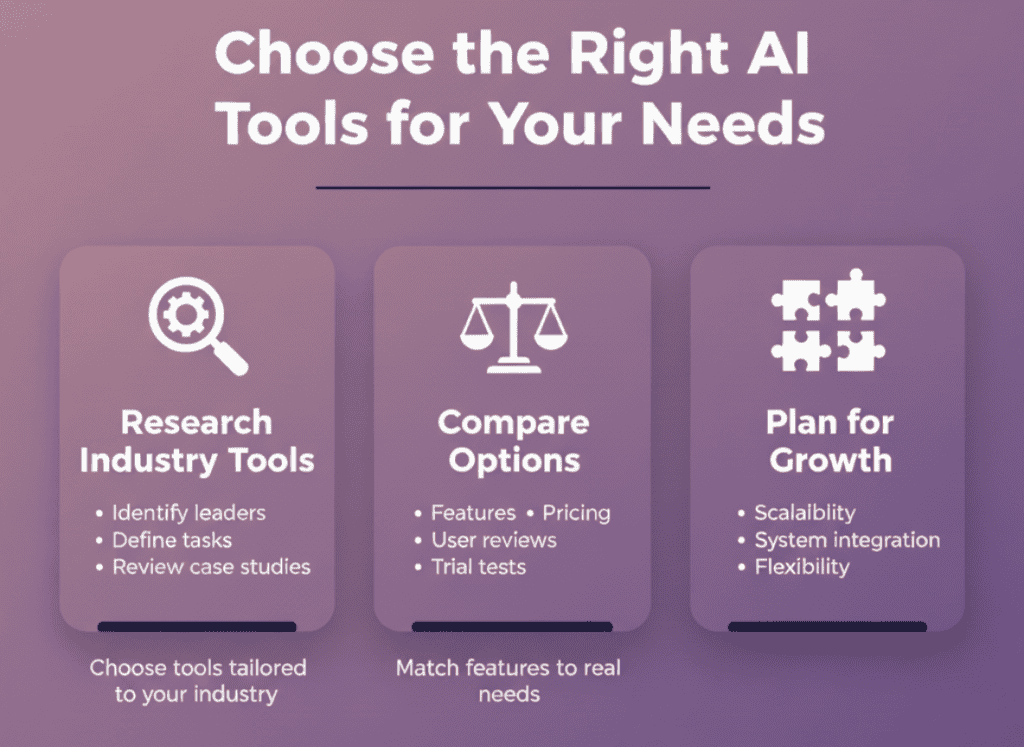
Research AI Tools Specifically Designed for Your Industry
Choosing the right tool begins with understanding your industry-specific needs. Remember when I first developed an AI chatbot? It was crucial to identify tools that cater not just to generic requirements but to the specifics of a clinic setting. It meant diving deep into research.
Here’s how you can start:
- Pinpoint Industry Leaders: Identify AI tools that cater to your industry specifics.
- Analyze Task Requirements: What EXACTLY do you need the AI to do?
- Look at Case Studies: Other businesses and their solutions can provide a roadmap.
Different industries need different solutions; choose wisely. For instance, healthcare needs might focus on patient data security, whereas marketing may prioritize data analytics capabilities.
Tools like OpenAI and Azure have industry-specific applications but remember, what worked for a tech startup might not fit a retail business.
Compare Features, Pricing, and User Reviews
Once you have a list, it’s time to compare. It’s funny,not all that long ago, I’d jump into projects without weighing options. Big mistake! Each AI tool brings different benefits to the table,so it’s crucial to match features and costs against your resources and objectives.
| AI Tool | Key Features | Pricing | User Reviews |
|---|---|---|---|
| OpenAI | Easy to use APIs | Moderate | 4.5/5 stars |
| Azure AI | Rich analytics tools | High | 4.6/5 stars |
- Cost-Efficiency: Ensure that the benefits justify the costs.
- User Feedback: Real-world experiences give you an honest picture.
- Trial Options: If available, take advantage of free trials to see if the tool is a fit.
This was the biggest lesson I found: User reviews often reveal downsides and limitations that marketing material WILL NOT.
Also, keep an eye on hidden costs such as implementation or integration fees.
Consider Scalability and Integration Capabilities
How about future-proofing your choice? Scalability and integration capabilities are key. When I implemented an AI solution for an architecture firm, we underestimated future needs, and the pivot was tricky!
- Growth Potential: Is the tool adaptable to growing demands?
- Integration: Seamlessly fit with your existing systems.
- Flexibility: Ability to customize or adjust over time as your needs evolve.
Considering these factors from the start will ensure you are equipped to handle growth without constant overhauls.
You’ll thank yourself later for being PROACTIVE instead of reactive,it’s way less stressful.
AI can significantly reduce busywork, but only if you choose the tools that are right for YOU. So, don’t rush the decision.
Implement AI Solutions in Your Workflow
Integrating AI into your workflow isn’t just a trend; it’s like hitting the fast-forward button on efficiency. When I first ventured into AI development, it was like opening Pandora’s box of possibilities. Specifically, I discovered how important it is to have a plan, set objectives, and involve the right people for a seamless transition. Here’s a personal take on making it all work.
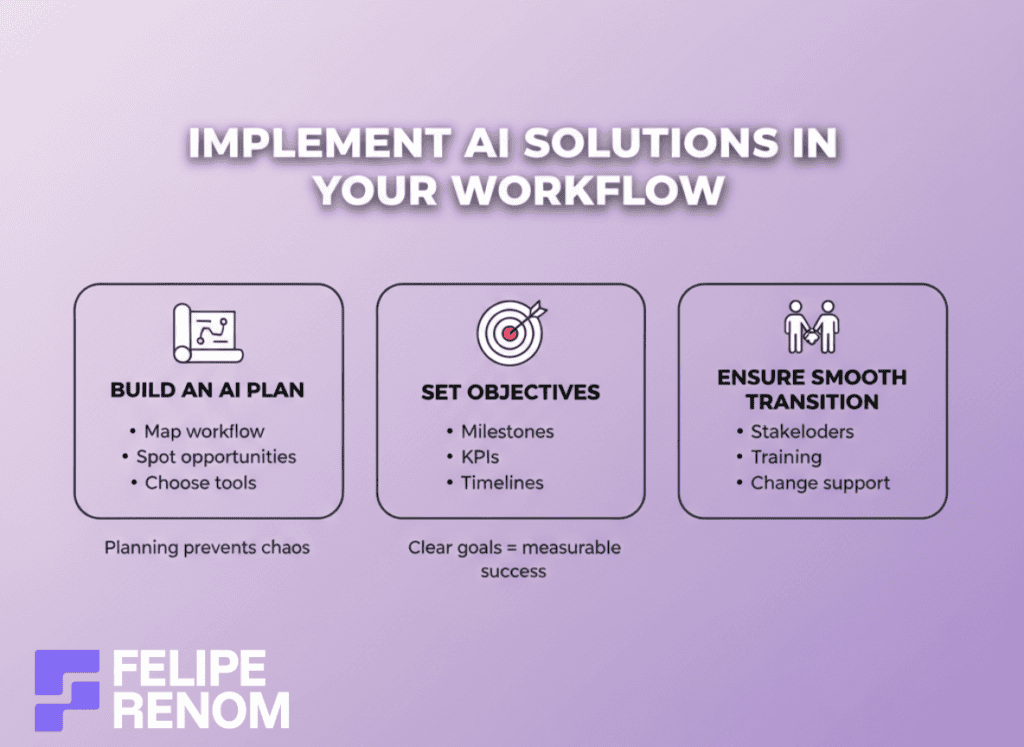
Develop a Plan to Integrate AI Tools
Crafting a plan is like drawing the blueprint for your dream home. At first, when I started designing AI workflows, I was overwhelmed by choices. You have so many tools and avenues,it’s easy to get lost. But the trick is to have a roadmap that guides you through it.
Here’s how to get started:
- Outline Your Current Workflow: See what’s functioning and what isn’t.
- Identify Opportunities: Look for areas where AI can save time or enhance productivity.
- Select the Right Tools: Choose AI solutions that align with your goals (think about scalability and integration).
The key lies in trusting the process. I once tried rushing through the planning phase and ended up with a jumbled mess of systems that didn’t play nicely together.
Planning isn’t just fundamental,it’s your game plan for success.
Set Clear Objectives and Milestones
Setting objectives is where you define your AI journey’s success. I remember my early projects: I didn’t define concrete goals, and it felt like I was running a race without knowing the finish line. Defining objectives makes the effort measurable and keeps you on track.
- Specific Milestones: Break the process into small, attainable goals.
- KPIs for Success: Define metrics for success (time saved, ROI, etc.)
- Review Timelines: Set deadlines to keep progress in check.
| Objective Type | Example | Importance |
|---|---|---|
| Time Savings | Reduce 40 hours/week | Essential for resource allocation |
| Cost Reduction | Decrease operational expenses by 10% | Financial efficiency |
| Quality Improvement | Enhance customer response time by 20% | Customer satisfaction |
Achieving a small goal feels like a WIN, keeping you motivated.
Without these objectives, you won’t know if you’ve really reduced busywork or just shuffled it around.
Ensure a Smooth Transition
Smooth transitions are like well-oiled machines. The biggest obstacle I faced while integrating AI initially was forgetting about people,the stakeholders. Ignoring their input is a recipe for chaos.
- Involve Key Stakeholders: Get buy-in from those affected by AI changes.
- Address Resistance: People fear change,be empathetic to concerns.
- Provide Training: Equip everyone with the skills they need.
One client project taught me this the hard way. We bypassed involving the end users, and BOOM, backlash followed. This taught me the need to address potential challenges head-on.
Smooth transitions are made easier when EVERYONE is on board and prepared.
Involving key players and equipping them well can turn a potential bumpy ride into a smooth cruise.
Integrating AI isn’t about plugging in a solution and walking away. It’s about creating a PLAN, setting OBJECTIVES, and conscientiously involving the people who matter. So, why not start exploring how to reduce busywork with AI? You’re one step away from transforming drudgery into efficiency. When you’re ready, I’m just a consultation away,book a chat with me at calendly.com/feliperenom/felipe-1. Let’s make AI work for you!
Train Your Team to Use AI Effectively
It’s one thing to introduce AI tools into your business; it’s another altogether to ensure that your team knows how to leverage these tools. Trust me, having the tech is just the tip of the iceberg. The real magic happens when your team feels confident using what they’ve learned to transform their workflows. Believe me, that’s where you start to see how to reduce busywork with AI.
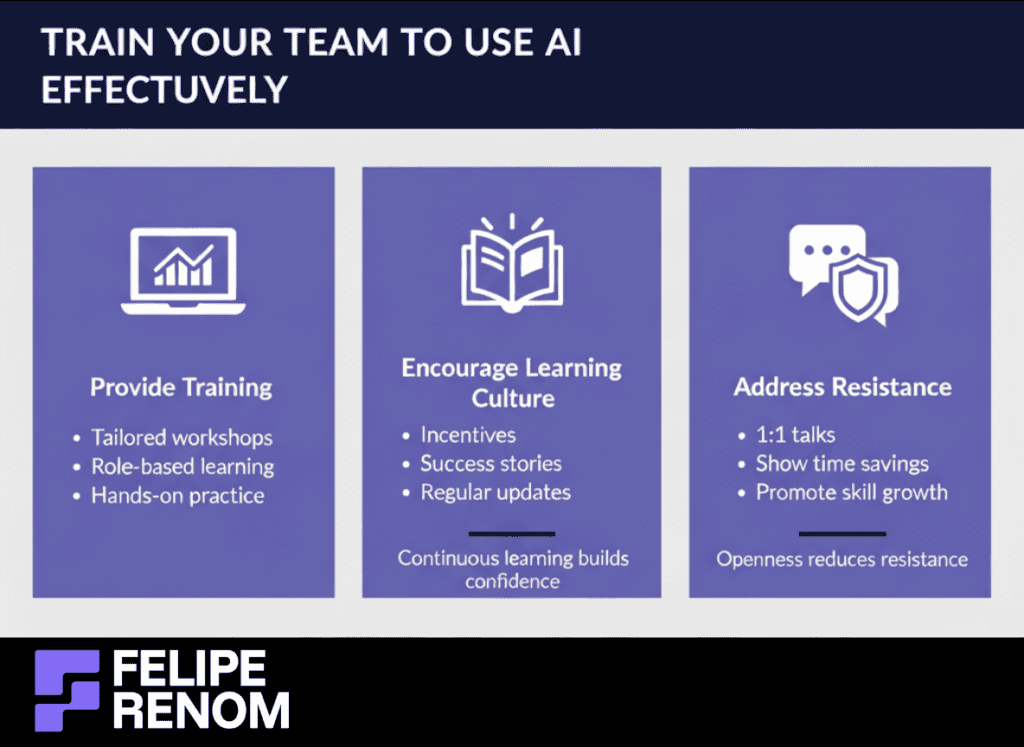
Provide Comprehensive Training Sessions
When I first brought AI into the workplace, I expected the transition to be smooth. But WOW, I was mistaken. I soon realized that training was essential. Holding thorough sessions helped my team handle new AI challenges and opportunities with confidence.
Here’s a roadmap to kick-start your training program:
- Tailored Workshops: Design training that aligns with your team’s needs and current skill levels.
- Role-Based Learning: Focus on specific roles to ensure everyone gets relevant insights.
- Hands-On Practice: Allow your team to experiment with real-world scenarios.
A game-changer: Hands-on experience helps cement new skills and encourages confidence.
Remember, training isn’t a one-time event. Continuous learning ensures employees stay updated with evolving AI advancements.
Encourage a Culture of Continuous Learning
Competition will always be a part of business, which means you need a team that’s constantly innovating. I remember a specific project where a culture of learning kept everyone ahead of the curve. Fostering this environment can supercharge your AI efforts.
To cultivate a learning culture:
- Incentivize Learning: Implement reward systems for employees who adopt new skills.
- Share Success Stories: Highlight how AI tools have made a real difference in productivity.
- Regular Updates: Keep the team informed about the latest AI trends and tools.
My experience showed: The more you learn, the more agile you become.
Building a leaning culture is like planting seeds for future success. As your team gets comfortable with AI, they’ll discover exciting new ways to enhance efficiency.
Address Resistance to Change
Resistance is natural. People often fear what they don’t understand. But overlooking concerns is a mistake I’ve learned not to repeat. If you highlight AI’s benefits effectively, you can overcome reluctance and get everyone on board.
Here are some effective strategies:
- One-on-One Meetings: Address concerns personally to make employees feel heard and valued.
- Showcase Time Savings: Use data to show how AI reduces workloads and enhances productivity.
- Emphasize Skills Growth: Focus on how learning about AI can expand their skill set.
| Resistance Point | Solution | Benefit |
|---|---|---|
| Fear of the Unknown | Workshops & Demos | Increased Confidence |
| Job Security Concerns | Skill Development Focus | Career Growth |
Key takeaway: Transparency and open discussions help dissolve resistance.
By introducing training, fostering continuous learning, and directly addressing resistance, you’re not just implementing AI; you’re embedding it into your company’s DNA. This is how you’ll see AI not just working, but making things WORK FOR YOU, reducing busywork and freeing up your team for more strategic tasks.
For personalized assistance on how to make AI effective in your business, I’m just a consultation away. Let’s transform your workflow together, reach out to me at calendly.com/feliperenom/felipe-1.
Monitor and Optimize AI Performance
Once your AI solution is up and running, the work doesn’t stop. I learned this the hard way! You have to regularly check whether your AI is ACTUALLY reducing busywork as promised, or if it’s just a new layer of complexity. Let’s dive in and see how you can keep everything in check.
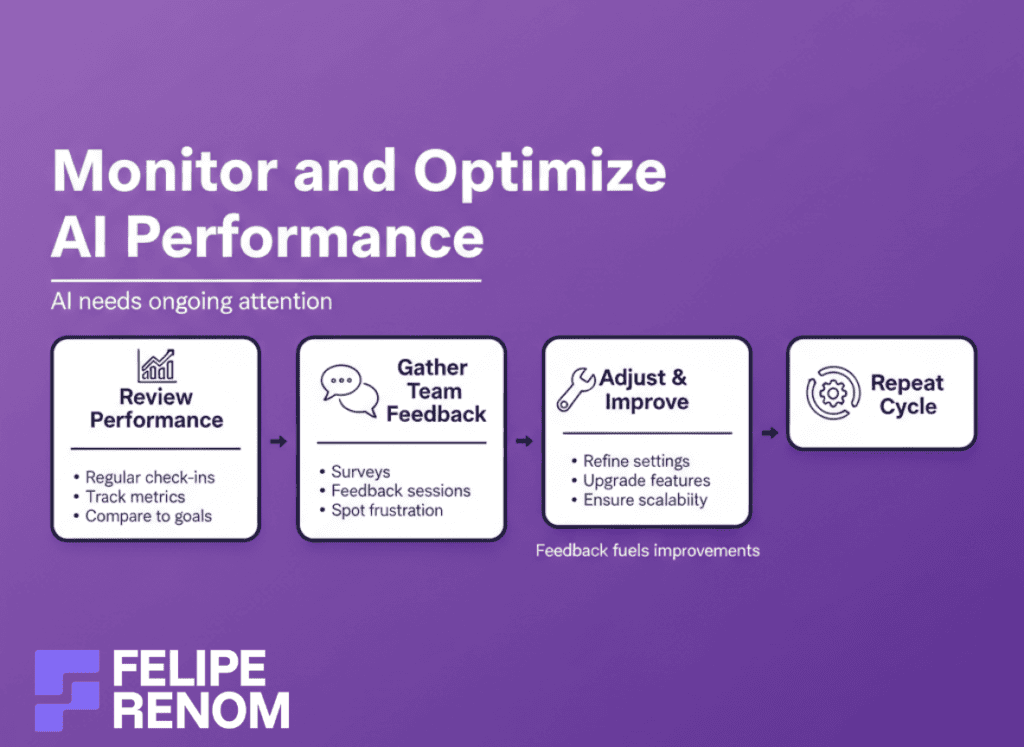
Regularly Review AI Tool Performance
When I started with my first AI chatbot project, I assumed it would just run on autopilot. BIG mistake! The secret sauce to successful AI deployment is regular performance reviews. It’s not a “set it and forget it” scenario; it requires constant attention just like any team member.
- Schedule regular check-ins: At first, you might be monitoring closely, maybe even daily.
- Use metrics: Did it save time? Improve client satisfaction? Reduce errors?
- Benchmark against goals: Compare the current performance with your original objectives.
| Metric | Before AI | After AI | Change (%) |
|---|---|---|---|
| Time saved | 20 hrs/wk | 40 hrs/wk | +100% |
| Client Errors | 5 per wk | 1 per wk | -80% |
| Response Time | 15 mins | 5 mins | -66% |
This was the biggest lesson I learned: AI needs ongoing tweaking and attention.
Considering these metrics helps you make informed decisions about whether adjustments are necessary.
Gather Feedback from Your Team
Your team is a valuable resource when assessing AI’s effectiveness. They’re on the frontline and can tell you firsthand what’s working and what’s not. Early in my freelancing career, I underestimated the power of team feedback,and it cost me TIME and resources.
- Conduct surveys: Quick pulse surveys can reveal how AI tools impact daily tasks.
- Hold feedback sessions: Regular meetings to discuss what’s clunky or inefficient.
- Watch for resistance: Sometimes silence is also feedback–potential hidden frustration.
This approach showed me: open dialogue reveals issues you might overlook.
Be open to the criticisms. They can often lead to adjustments that enhance productivity and sustainability.
Make Necessary Adjustments
After gathering insights and data, comes the hard part: making changes. I’ve learned that flexibility is crucial. Technology evolves, business needs change, and your AI solutions need to adapt accordingly.
- Re-tune algorithms: Sometimes, minor tweaks can provide a MAJOR boost in efficiency.
- Upgrade features: Use feedback to see if there’s a gap between tool capabilities and needs.
- Consider scalability: Ensure your AI can grow alongside your business.
A memorable insight: Don’t fear change; embracing it will keep you competitive.
Fine-tuning ensures that your AI solutions keep up with your evolving business landscape. It’s about continuous improvement.
Monitoring AI performance and optimizing its efficiency isn’t just a task; it’s an ongoing strategy. By being vigilant, gathering feedback, and staying adaptable, you’ll ensure your AI not only reduces busywork but also adds genuine, scalable value to your operations. Ready to refine your AI strategy? I’m here to chat, book a meeting with me here.
Key Considerations For Successfully Reducing Busywork with AI
Integrating AI into your business can feel like opening a can of worms if you’re not prepared. I’ve been there,adopting AI solutions without making sure everything aligns. Let’s dive into the essential considerations to ensure your AI implementation not only streamlines operations but also aligns with your goals and needs.
Ensure User-Friendly AI Tools
The first time I developed an AI system, I overlooked simplicity. I was so caught up in the tool’s capabilities that I forgot my client needed something straightforward. Remember, an AI tool is only as good as its usability for the team involved.
- Choose Intuitive Interfaces: Ensure the tools are easy to navigate.
- Test with Potential Users: Run simulations to see how they handle real-world scenarios.
- Look for Comprehensive Support: From tutorials to FAQs, make sure resources are readily available.
Simplicity is key. If a tool is too complex, it won’t be adopted,no matter how powerful it is.
My experience showed that the more user-friendly the system, the quicker it is embraced by the team, leading to a smoother transition and faster ROI.
Balance Between Automation and Human Oversight
Relying too heavily on AI without human oversight? It can lead to issues. Imagine this: an AI system left unchecked begins making errors unnoticed. During one of my projects, a lack of oversight caused a loss of crucial data,an experience I wouldn’t want to repeat.
Balance is crucial:
- Define Oversight Protocols: Create a committee or team responsible for supervising AI processes.
- Routine Checks: Set regular intervals for manual reviews to ensure accuracy.
| Factor | Importance Level | Action Required |
|---|---|---|
| Data Accuracy | High | Regular Audits |
| System Performance | Medium | Monthly Reviews |
| User Feedback | High | Quarterly Surveys |
This was a massive lesson: AI’s effectiveness hinges on the human touch,a valuable partnership between tech and person.
By maintaining that balance, you’ll avoid over-reliance on technology and ensure your systems remain robust.
Regular Evaluation and Adaptation
AI isn’t static. It evolves, and so should your strategies. Take it from someone who’s seen AI systems go from flawless to flawed due to neglect. Continuously evaluating and adapting AI processes is not just beneficial; it’s vital.
For ongoing success:
- Conduct Regular Performance Reviews: These help you identify what’s working and what’s not.
- Stay Updated with Industry Trends: AI changes rapidly, and staying informed is vital.
- Implement Feedback Loops: Regularly collect data and insights to refine your approach.
Continuous adaptation is essential. It’s like steering a ship; you not only look at what’s ahead but adjust the sails to get there efficiently.
Being proactive in evaluating and adapting ensures your AI solutions continue to cut down busywork effectively, staying aligned with your organizational needs.
Integrating AI is more than just installing software, it’s about creating a synergy between technology and your business goals. Prioritize usability, maintain a balance with human oversight, and commit to regular evaluations.
Taking it to the Next Level: How to Enhance AI-Driven Workflows
Expanding beyond BASIC automation is like unlocking hidden levels in a game,there’s so much more you can do with the right AI tools! Let’s revisit how integrating advanced tools like machine learning and natural language processing can elevate your workflows, making them smarter and more efficient.
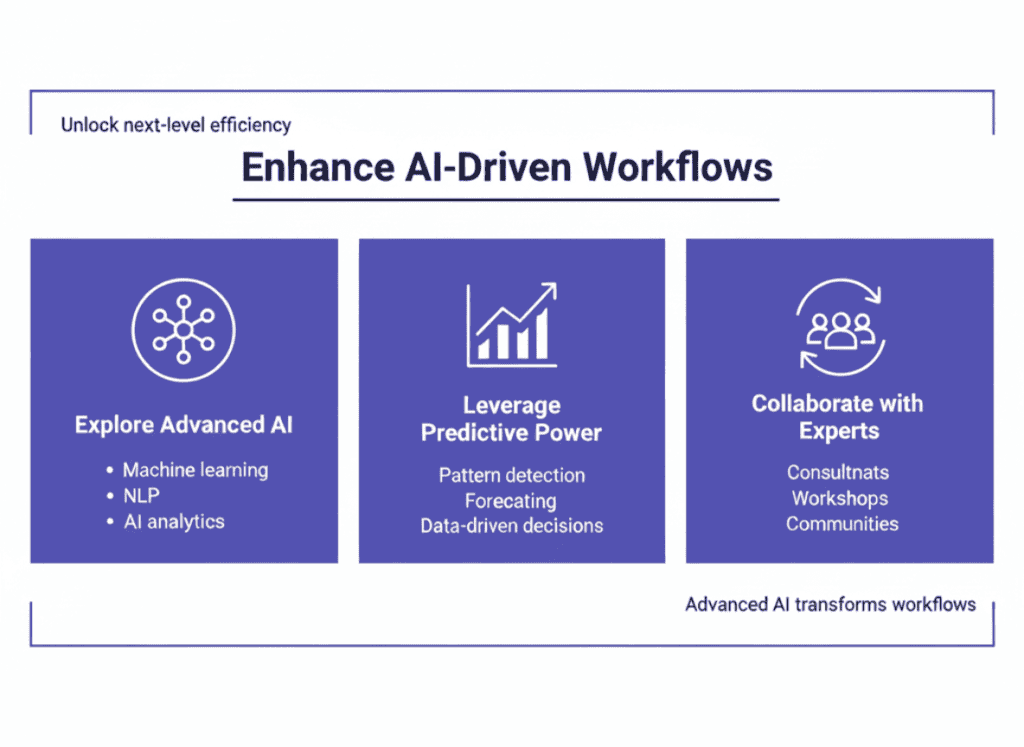
Explore Advanced AI Capabilities
When I transitioned from just automating simple tasks to using more advanced AI like machine learning (ML), it was quite an upgrade. This shift felt like moving from riding a bike to flying a plane. Integrating ML and natural language processing (NLP) into workflows goes beyond just answering emails or data entry,it adds predictive power and the ability to understand and generate human language.
- Machine Learning: This isn’t just buzz; ML models analyze past data patterns to make predictions about future outcomes. It’s a game-changer for decision-making.
- Natural Language Processing: Enhance your chatbots to mimic real conversation, driving better customer interaction.
- AI Analytics: Offers deep insights into productivity trends, helping you make data-driven decisions.
Adding ML and NLP technologies dramatically increased workflow efficiency and increased our ability to forecast business trends.
Integrating these capabilities means recognizing the patterns and probabilities that turn raw data into predictive insights, not just improving existing processes but transforming them.
Collaborate with AI Experts
No one becomes a pro without guidance, right? When it comes to optimizing AI-driven workflows, collaborating with AI experts can save TONS of time and provide depth to your understanding. When setting up AI chatbots for clients in novel industries, I realized the ROI in consulting with those who’ve walked the path before me.
Here’s how to engage with experts:
- Consultancy Sessions: Book time with experienced AI consultants to tailor solutions to your needs.
- Workshops and Training: Attend industry-led workshops to stay current on AI innovations.
- Online Communities: Join forums or groups where professionals share tips and tricks.
| Resource Type | Benefits | Examples |
|---|---|---|
| Consultants | Personalized guidance | Industry-specific insights |
| Workshops | Hands-on learning | Latest AI trends |
| Online Communities | Peer advice | Slack channels, Reddit forums |
This was HUGE for me. Learning from experts helped me avoid rookie errors and accelerates the learning curve.
Investing time with experts helps fine-tune your strategies and unlocks the full potential of AI tools. They provide perspective, helping you AVOID pitfalls that aren’t always obvious at first glance.
Enhancing AI-driven workflows isn’t just about adding more tools or features. It’s about leveraging advanced technologies, engaging with experts, and applying insights to transform not just the workflow,but the end results.
Alternatives to Reducing Busywork with AI
When AI isn’t an option, it’s not the end of the world. Seriously, it isn’t! There are other ways to REDUCE BUSYWORK that are worth considering. I’ve been in situations where AI wasn’t the right fit, and these alternatives have played a pivotal role in enhancing productivity.
Outsourcing to Freelancers or Virtual Assistants
Sometimes, bringing in extra hands is the most practical solution. When I was swamped with repetitive tasks at my early freelance gigs, hiring virtual assistants (VAs) was a game-changing move. This freed me up to focus on core areas like client relations and project strategy.
- Freelancers: Especially useful for specialized tasks that need expertise.
- Virtual Assistants: Ideal for routine, time-consuming tasks such as data entry or scheduling.
- Platforms: Sites like Upwork and Fiverr are rich resources for finding skilled freelancers quickly.
A significant takeaway: Outsourcing allows you to delegate NON-core tasks, letting you focus on what truly drives your business forward.
| Option | Best For | Where to Find |
|---|---|---|
| Freelancers | Specialized, skill-specific tasks | Upwork, Toptal |
| Virtual Assistants | Routine, administrative work | Fiverr, TaskRabbit |
Outsourcing is about working smarter, not harder. And trust me, once you start delegating tasks effectively, you’ll notice the difference in your workload.
Implementing Productivity Tools and Processes
While AI can automate tasks, traditional productivity tools can also streamline workflow. Back in my corporate days, using software like Trello and Slack made coordination easier and reduced email clutter.
- Project Management Tools: Keep tasks organized and milestones clear with tools like Trello or Asana.
- Communication Platforms: Enhance team collaboration with Slack or Microsoft Teams.
- Time Management Apps: Boost efficiency with apps like Toggl that track how time is spent.
This experience taught me: GOOD tools are the backbone of an efficient operation.
| Tool Type | Popular Options | Primary Function |
|---|---|---|
| Project Management | Trello, Asana | Organize and assign tasks |
| Communication | Slack, Teams | Real-time team communication |
| Time Management | Toggl, RescueTime | Track time spent on various tasks |
Implementing the right tools can transform busywork into streamlined, manageable processes without the need for AI.
Fostering a Culture of Innovation and Process Improvement
Creating a culture that promotes innovation and continuous improvement often leads to less busywork. It takes the whole team being involved and motivated to identify inefficiencies and propose better solutions.
In one of my consultancy roles, we encouraged employees to suggest new approaches to recurring tasks, and you wouldn’t believe the IMPACT. People started owning more of their work and finding creative ways to handle it efficiently.
- Engage Employees: Encourage everyone to contribute ideas for improvement.
- Incentivize Innovation: Offer rewards for suggestions that lead to significant productivity gains.
- Focus on Feedback: Regularly collect and act on feedback to refine processes.
A culture focused on improvement isn’t a quick fix, but it transforms over time, leading to tangible efficiency gains.
By fostering such a culture, teams become proactive in identifying and eliminating busywork, leading to overall productivity gains. These methods provide a well-rounded approach to reducing busywork, tapping into the power of collaboration, tools, and cultural shifts.
Don’t wait to take action. Whether through outsourcing, productivity tools, or cultural shifts, there are always ways to optimize. If you’re eager to explore how to reduce busywork with or without AI, I’m here to help. Book a chat with me at calendly.com/feliperenom/felipe-1. Let’s unlock your business potential!
Final Thoughts
Harnessing the power of AI is your key to unlocking a more productive and fulfilling workday. By following this guide on how to reduce busywork with AI, you’ve taken the first step toward a more efficient workflow. Don’t let repetitive tasks hold you back. Start by identifying the tasks ripe for automation and choose AI tools that fit your needs. Once implemented, watch as your productivity soars and busywork becomes a thing of the past. Now, take action, begin automating those tasks today and enjoy the newfound freedom to focus on what truly matters.
Continue Reading: Want to learn more? Check out my guide on How to Use AI for Productivity. Dive deeper into the world of AI and discover additional strategies to enhance productivity. Whether you’re looking to streamline office tasks or manage projects more efficiently, this guide will provide the insights you need to continue your journey toward a smarter, more automated workflow.