
How to Use AI for Task Optimization: Boost Efficiency in 2025
Imagine shaving hours off your workweek without losing a single ounce of productivity. Sounds like a dream, right? Yet, for those savvy enough to embrace it, this is the reality of learning how to use AI for task optimization. Did you know that AI-driven tools can boost your efficiency by as much as 40%? It’s not science fiction; it’s the future of task management, and it’s happening now.
I’ve spent years navigating the world of AI, developing solutions that transform how we approach our daily tasks. From automating mundane chores to strategically prioritizing high-impact projects, AI has become my secret weapon in the battle against inefficiency. If you’ve ever felt buried under a mountain of tasks, trust me, AI can be the lifeline you need.
As I delve into how to use AI for task optimization, you’ll uncover how AI not only analyzes and prioritizes tasks but revolutionizes your entire approach to productivity. Building on insights from my previous guide on how to use AI for productivity, we’ll explore the tools and techniques that can supercharge your workflow.
In this journey, you’ll learn how AI seamlessly integrates into existing workflows, automates repetitive processes, and aids in strategic planning. It’s time to embrace AI and transform how you work. Ready to unlock the potential of AI for your tasks? Let’s dive in!

Table of Contents
Understanding AI in Task Optimization
AI is becoming a key differentiator for businesses looking to optimize tasks. I speak from personal experience here, as I’ve spent countless hours developing AI solutions to streamline processes. Imagine a typical day where you have a mountain of tasks. AI can help slice through that clutter, prioritize what’s crucial, and even automate repetitive stuff. Let’s dig into HOW AI does this.
AI’s Role in Task Optimization
So, what exactly does AI do in task optimization? At its core, AI analyzes vast amounts of data to identify patterns and make decisions. From my time at BASF working with data, I’ve seen AI examine everything from customer habits to internal operations, pinpointing areas to refine.
AI steps in by:
- Analyzing Data: It dives into data, spotting patterns that humans might miss.
- Prioritizing Tasks: It suggests which tasks to tackle first based on urgency and impact.
- Automating Repetitive Processes: Over time, it learns tasks that can be automated, freeing up human resources for more creative work.
I’ll admit, the first time I saw AI chop down my task list, it felt like magic. But remember, it’s about gradually optimizing those tasks you dread doing.
Trust me, clear priorities and automation will GIVE YOU BACK hours!
Benefits of AI in Task Management
The benefits AI brings to task management are massive. During a project with a fertility clinic client, an AI-driven system cut operation task times by nearly 30%. Here’s what AI brings to the table:
- Increased Efficiency: AI excels in repetitive tasks, allowing you to focus on what truly matters.
- Better Decision-Making: By processing more information, AI helps you make informed choices.
- Resource Optimization: The right AI solutions prevent resource waste, optimizing how teams or individuals operate.
| Benefits | Impact |
|---|---|
| Increased Efficiency | More time for strategic tasks |
| Better Decisions | Informed, data-driven choices |
| Resource Optimization | Less waste, better allocation of effort |
Once, I witnessed a client who was initially skeptical. But, when AI led to saving over 40 hours a week, their perspective changed overnight. It was a light bulb moment where they realized AI isn’t just a fancy tool; it’s a pivotal shift in how we approach work.
Biggest takeaway? START small, build comfort, then scale, AI will be your new best friend.
By integrating AI into task management, you’re not just keeping up with technology; you’re transforming the way business is done. Believe me, getting this right can massively up your productivity game.
AI Tools and Technologies for Task Optimization
So, you’ve got your tasks lined up and need to inject some AI magic into effectively optimizing them. Over the years, working with AI tools has been a bit like opening up a magic toolbox, each tool has its charm and specialties. The tricky part? Figuring out which ones make sense for YOUR business. Let’s dive in and see what they can do.

Overview of Popular AI Tools for Productivity
There’s no shortage of AI tools out there, but not all are created equal. I’ve found a few ‘go-to’ tools while freelancing that just work wonders.
Some of the most effective AI tools for task optimization include:
- Trello with Butler: Trello is great for visual task management, but integrate Butler for automation, and you’ve got a powerhouse. It automates repetitive checklist actions and keeps your boards up-to-date.
- Todoist with AI: Using AI to prioritize tasks based on impact and deadlines, it’s fantastic for freelancers working on multiple client projects.
- Zapier: Not strictly AI but a crucial intermediary. It connects your apps and automates workflows effortlessly, think of it as your Swiss Army knife for automation.
| Tool | Best Use | Competitive Edge |
|---|---|---|
| Trello/Butler | Task Tracking | Streamlines repetitive processes |
| Todoist with AI | Prioritization | AI-predictive insights |
| Zapier | Workflow | Connects various apps seamlessly |
Having these tools in your kit is like having a personal assistant that’s always on point.
Features and Functionalities of AI Task Management Software
Choosing the right AI task management software is like picking the right suit, it needs to fit well and be comfy, too. What’s important here are features and functionalities that align with what YOU need.
Key functionalities I’ve implemented in client projects include:
- Natural Language Processing: Tools with NLP can understand context and provide more tailored responses.
- Predictive Analytics: These are great for forecasting workloads and resources you’ll need, which was a game-changer for one client working on seasonal demand spikes.
- Automated Scheduling: Integrating calendars, it optimizes appointment settings, which saves HOURS.
One BIG takeaway? It’s vital to trial these tools and see what integrates smoothly with your existing systems.
For instance, combining a good NLP-based tool with predictive features can give you insights far beyond basic task completion. This might even bring clarity to those once-dreaded planning meetings!
Integration of AI Tools in Existing Workflows
Integrating AI tools can seem daunting. I’ve been there, stressing over whether it’s going to disrupt everyday operations or if my team can handle yet another new system. The truth is, it’s simpler than it seems with a step-by-step approach.
Here’s a streamlined way to integrate AI into your current workflow:
- Identify Key Pain Points: Understand which tasks are ripe for AI optimization.
- Start Small: Implement an AI tool in ONE area, maybe automating email responses first, before expanding.
- Test and Iterate: Run initial tests and refine based on feedback. Trust me, tweaking is part of the process.
- Train Your Team: Ensure everyone understands the tool’s functionalities and how it eases their workload.
PATIENCE is an asset here. Watching tasks transform into automated workflows might take time, but results can be extraordinary!
Ultimately, you don’t need a complete overhaul. Start with small integrations and escalate from there. Soon, AI will blend seamlessly, turning those once monotonous tasks into efficient processes that save you precious time.
By aligning the right AI tools with your business needs, optimizing tasks is not just a dream, it’s a strategic advantage. Why not embrace the tech revolution? Go ahead, dive in, and see the transformation for yourself!
Implementing AI for Task Automation
Let’s get real, automating tasks with AI is a BIG DEAL for anyone wanting to boost productivity and save time. I’ve been down this road with numerous clients, and it’s like watching a well-oiled machine in action when it all fits together. Here’s a glimpse into how you can implement AI for task automation and transform the way you work.

Steps to Automate Repetitive Tasks with AI
When you’re looking to automate tasks, think of it as building your road to efficiency, one step at a time. My experience in developing AI solutions involves quite a few trial-and-error runs, but that’s the nature of it. Here’s a practical framework:
- Identify Repetitive Tasks: Determine tasks that consume time but require little cognitive effort. This might be data entry, scheduling, or simple customer queries.
- Select Suitable AI Tools: Pick tools that suit your workflow. For instance, if you’re inundated with emails, consider AI email automation tools.
- Integrate and Test: Start integrating the chosen AI tools with your current systems. Testing is crucial, adjust settings based on initial results.
- Train and Monitor: Train your team and continually monitor the AI’s performance to refine processes.
Pro tip? Don’t just implement and forget. Regularly review efficiency gains and adjust as necessary.
How AI Enhances Efficiency Through Task Automation
AI can take tedious tasks off your plate, letting you focus on more strategic areas.
AI enhances efficiency by:
- Reducing Errors: Humans make mistakes; AI doesn’t (well, mostly!). Automating manual tasks cuts down on errors significantly.
- Saving Time: AI works tirelessly, completing tasks faster than a human ever could.
- Improving Focus: With repetitive tasks automated, you can concentrate on creative and decision-making processes.
| Benefit | Description |
|---|---|
| Error Reduction | Minimizes manual entry errors |
| Time Savings | Completes tasks quicker than manual work |
| Enhanced Focus | Frees up more time for strategic tasks |
When tasks are automated, you’re in a better position to prioritize growth and strategy over mundane chores. That’s how AI becomes a game-changer!
Real-World Examples of AI Task Automation Success
In the trenches of freelancing, I’ve encountered diverse scenarios where AI made a tangible difference. Remember the Novel Crafter Chatbot project? It automated content creation, freeing up OVER 60 hours monthly for my client. That’s not just a time-saver; it’s a complete paradigm shift in how they operated.
Other successes include:
- AI Clinic Chatbot: Saved a US clinic over 40 hours each week, refining patient interaction.
- AI for a Fertility Clinic: Real-time patient data queries flagged potential issues before they escalated.
- High School AI Chatbot: Reduced FAQs reply time, giving educators more bandwidth for core activities.
This was my main learning: Start small, see the benefits, and then expand as comfort builds.
Just remember, integrating AI doesn’t have to be an overhaul. Pick one repetitive area to start with, like customer inquiries or scheduling, and gradually build up from there. With each task you automate, you’re buying back time for what truly matters. Why not make AI your partner in success? Hop on board, and feel the transformation firsthand.
Looking to build custom automation for your business? Book your free consultation here!
AI for Strategic Task Planning
Strategic task planning might sound like a fancy term, but it’s ALL about making sure resources are used as effectively as possible. I’ve dived into projects where AI helps a lot with decision-making, and it’s no secret that data-driven insights can be very transformative for your business. AI helps businesses navigate through the chaotic maze of task prioritization and resource allocation, giving you the upper hand.
How AI Aids in Strategic Task Planning and Decision-Making
In my early freelancing days, before integrating AI into planning, client meetings often felt like endless rounds of guesswork. Now, I lean heavily on AI for carving out strategies that are both efficient and effective. Here’s what I’ve learned:
- Data-Driven Decisions: AI analyzes vast amounts of data to forecast possible outcomes. It helps create a roadmap that isn’t grounded solely on intuition.
- Dynamic Task Prioritization: Instead of rigid task lists, AI offers flexible scheduling, adjusting priorities in real-time based on changing variables.
- Increased Collaboration: By presenting actionable insights, AI promotes more informed discussion, ensuring all team members are on the same page.
The insight AI provides? It’s like having a crystal ball showing potential pitfalls and opportunities.
I remember when one client, skeptical at first, was blown away by AI’s predictive strength. After implementing AI-driven planning, project timelines shortened, and resource misuse plummeted. That proved how groundbreaking a well-integrated AI system could be.
AI-Driven Predictive Analytics for Future Task Management
A significant breakthrough in strategic task planning is predictive analytics. And if you haven’t got into this yet, you’re missing out.
Predictive analytics leverages existing data to forecast future task requirements, streamlining operations in a jaw-droppingly efficient manner. How does it play out? Imagine current trends, previous performance, and external factors being analyzed to predict what lies ahead.
- Anticipating Needs: AI helps predict the next move by analyzing present scenarios and historical data.
- Resource Allocation in Advance: Imagine AI suggesting, “Hey, you need three more developers next month, given our current project load.”
- Risk Mitigation: Early detection of potential project risks means preventative measures are ready when you need them.
For a fertility clinic I worked with, integrating AI predictive analytics was transformative. They could see future patient loads, optimizing staffing and resources BEFORE the demand surge hit.
Biggest takeaway for me? PLAN strategically, act proactively.
The Role of AI in Allocating Resources Effectively
Effective resource allocation isn’t just about assigning people to tasks, it’s about ensuring the right resources are in place at the right time. AI makes that process a breeze.
Here’s where AI stands out:
- Optimal Workforce Deployment: Human resources are dynamically assigned to tasks where they’ll be most effective.
- Cost Management: AI identifies areas where resources are being wasted and reallocates them more efficiently.
- Continuous Feedback Loop: AI’s continuous data collection leads to refined future resource planning.
| Functionality | Benefit |
|---|---|
| Workforce Deployment | Ensures optimal use of human resources |
| Cost Management | Better allocation leads to cost savings |
| Feedback Loop | Constant improvement in resource use |
In an architecture firm I worked with, AI-led resource allocation cut costs by a significant margin. The AI system detected under-utilized resources, effectively redistributing them, and creating a leaner workflow.
This was the biggest lesson: Resource misallocation is costly. AI is the remedy to this all-too-common ailment.
Naturally weaving AI into strategic task planning fortifies your decision-making arsenal, grants clarity on the journey ahead, and ensures each resource is precisely where it needs to be.
Overcoming Challenges with AI Task Optimization
Let’s face it, bringing AI into the workplace isn’t always a walk in the park. The journey is often packed with hurdles that can seem daunting at first. As someone who’s been knee-deep in AI projects, I’ve bumped into my fair share of challenges. But, just like any other adventure, there are always solutions waiting to be discovered. Implementing AI for task optimization is an opportunity, one that can truly transform the way we handle everyday operations.

Common Challenges Faced in Implementing AI for Tasks
When I first started experimenting with AI, I ran into some surprising bumps. One of the most common hurdles is the misalignment of AI tools with actual business needs. It’s like putting a square peg in a round hole, it just doesn’t fit!
Additionally, there’s the fear of the unknown, a significant barrier for many businesses. I’ve seen clients hesitate, unsure if AI would go haywire or take over day-to-day operations. Sometimes, it’s this very anxiety that stalls the integration process.
Key challenges include:
- Data Quality: Poor data can lead to misinformed AI decisions. Garbage in, garbage out, as they say.
- Integration Complexities: AI needs to mesh well with existing systems, which can sometimes feel like solving a jigsaw puzzle.
- Cost Considerations: While AI can be an investment, initial costs can be a stumbling block.
I remember one client who thought AI implementation would be a plug-and-play scenario. Trust me, it’s never that simple!
One vital lesson learned: Set clear goals and align your AI strategy accordingly.
Solutions to Address AI Adoption Hurdles
Navigating through these challenges can be tricky, but it’s not impossible. The key to overcoming adoption hurdles lies in a structured approach that ensures compatibility right from the start.
For starters, conducting a thorough needs-analysis is crucial. I’ve adopted this practice religiously, ensuring there’s alignment between business objectives and the AI solution. This step weeds out unsuitable tools early on.
Effective solutions include:
- Start with Pilot Projects: Test AI in a small segment of your workflow. This reduces risk and builds confidence.
- Data Cleansing Initiatives: Improving data quality can’t be overstressed. Good data ensures AI systems make credible decisions.
- Collaborate with Experts: Bringing in experienced AI professionals can mitigate many integration headaches.
I recall a project where a comprehensive needs analysis turned things around for the client. We adjusted course and identified the RIGHT tool, making the transition much smoother than initially expected.
This was key: when things get rough, pivot and adapt.
Best Practices for Ensuring Successful AI Integration
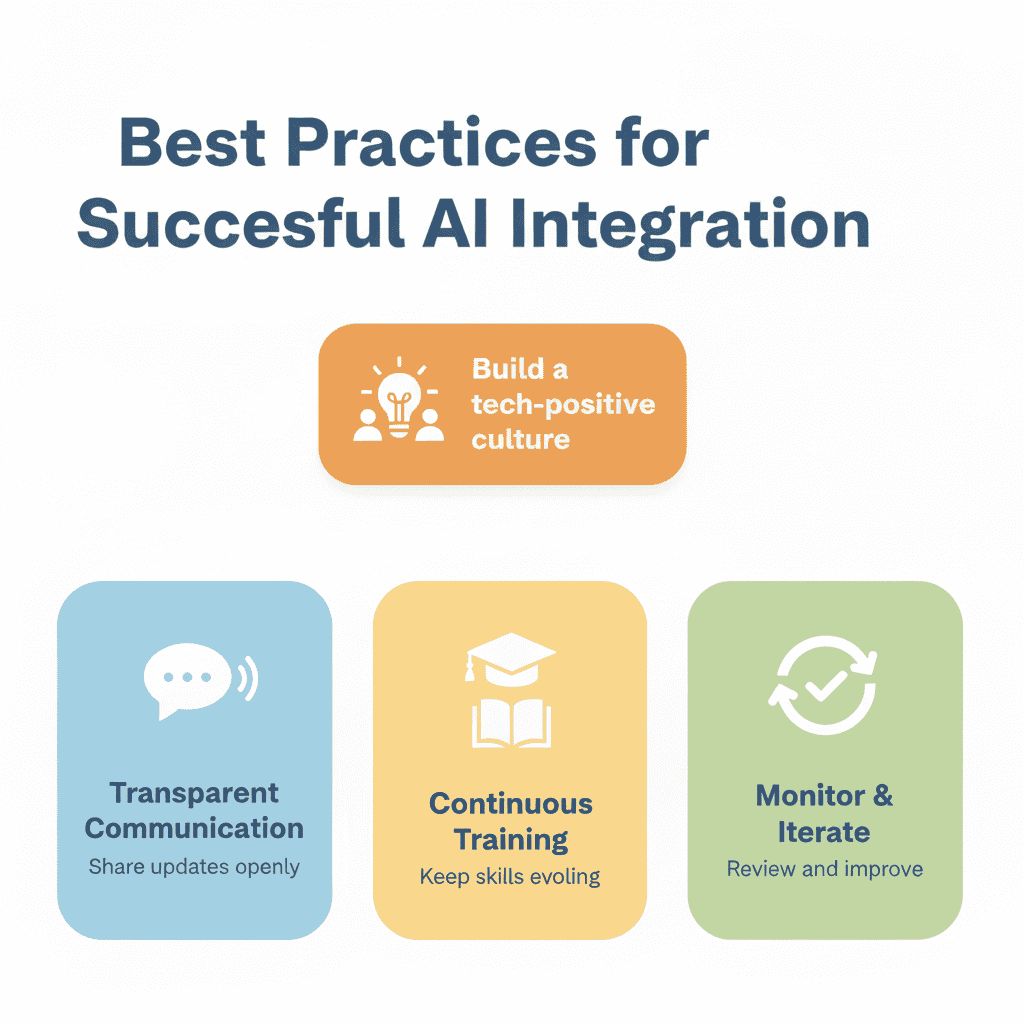
Successful AI integration is all about best practices and keeping the long-term vision in sight. Early on, I learned the importance of building a culture that embraces technology. It’s about fostering an environment where people aren’t afraid to experiment and learn.
Here are some tried-and-tested practices I’ve seen work wonders:
- Transparent Communication: Keep everyone in the loop to reduce fear and resistance.
- Continuous Training: AI evolves, so should the skills of those using it.
- Monitor and Iterate: Regular audits and feedback loops ensure the system evolves with business needs.
| Best Practice | Benefit |
|---|---|
| Transparent Communication | Reduces fear and encourages buy-in |
| Continuous Training | Keeps skills updated and relevant |
| Monitor and Iterate | Allows system to adapt and improve over time |
During the deployment of an AI system for a U.S. clinic, we prioritized routine feedback sessions, enabling us to tweak and refine processes. This continual iteration made AI part of their daily operations, leading to those impressive time savings I always rave about.
The takeaway? Embrace change and let iterative learning be your guide.
Implementing AI isn’t just about surviving the challenges, it’s about thriving despite them. When approached methodically, AI task optimization can be an invaluable asset to your business. Ready to tackle the hurdles? You’ll find out that, with the right mindset, every hurdle overcome is a stepping stone to success.
Final Thoughts
By mastering how to use AI for task optimization, you’re not just keeping up with technology, you’re setting a new standard for productivity and efficiency. You’ve seen how AI can analyze data, automate repetitive tasks, and prioritize your workload, effectively transforming how you manage your day-to-day tasks. Now, it’s time to put this knowledge into action. Choose one AI tool or strategy discussed and integrate it into your workflow today. Experiment, adapt, and watch your productivity soar to new heights.
Continue Reading: Ready to take it further? Read my comprehensive guide on how to use ai for productivity for more insights and practical steps. Dive deeper into the world of AI and unlock even more potential in your task management journey.